 3D Racing Typing Game
Racing
3D Racing Typing Game
Racing
Play by tag
Free Online Typing Games
The typing games collection brings together browser-based titles where your keyboard inputs drive the action. Instead of relying solely on arrow keys or mouse pointers, primary gameplay in these titles often centers around recognizing letters, typing complete words under time pressure, and maintaining high accuracy to trigger game events.
18playable games
3D Racing Typing Game
Racing
 ABC Runner
Arcade
ABC Runner
Arcade
 Coin Clicker
Clicker
Coin Clicker
Clicker
 Fantasy Typing
Hypercasual
Fantasy Typing
Hypercasual
 Keyboard Rage
Hypercasual
Keyboard Rage
Hypercasual
 Matrix Typer
Puzzles
Matrix Typer
Puzzles
 Maze Pac Runner
Bejeweled
Maze Pac Runner
Bejeweled
 Piano simulator online
Hypercasual
Piano simulator online
Hypercasual
 Pixel Zombies
Shooting
Pixel Zombies
Shooting
 Rapid Fire
Puzzles
Rapid Fire
Puzzles
 SUDOKU PRO
Puzzles
SUDOKU PRO
Puzzles
 Type it
Arcade
Type it
Arcade
 Type Or Die
Puzzles
Type Or Die
Puzzles
 Type Run
Arcade
Type Run
Arcade
 Type Sprint
Puzzles
Type Sprint
Puzzles
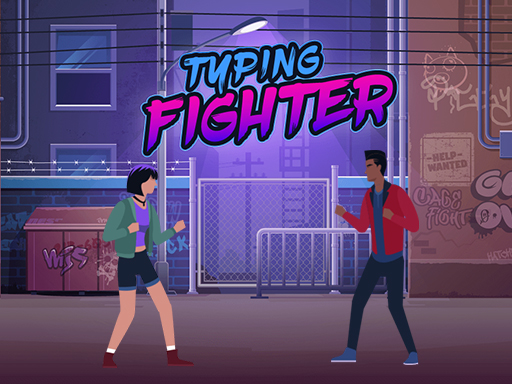 Typing Fighter
Shooting
Typing Fighter
Shooting
 Word Dropping
Hypercasual
Word Dropping
Hypercasual
 Words Fall
Arcade
Words Fall
Arcade
Tag guide
Keyboard Action, Word Defense, and Speed Challenges
The typing games collection brings together browser-based titles where your keyboard inputs drive the action. Instead of relying solely on arrow keys or mouse pointers, primary gameplay in these titles often centers around recognizing letters, typing complete words under time pressure, and maintaining high accuracy to trigger game events.
Across the catalog, you will find a broad spectrum of genres merged with typing mechanics. From falling-code defensive puzzles and arcade word stacking to vehicle racers boosted by keystrokes and fantasy combat powered by sentence completion, typing serves as both an exciting gameplay mechanic and a playful way to practice keyboard coordination.
What You Will Find in the Typing Collection
Browsing this collection reveals that typing mechanics take many creative forms across browser games. Most titles require you to quickly identify words or letter strings shown on screen and enter them using a physical keyboard or on-screen prompt.
While traditional typing practice tools focus strictly on words-per-minute metrics, browser typing games blend keystrokes with arcade stakes. Missing a letter or hesitating too long might let an enemy strike, cause words to pile up, or allow a racing rival to speed past.
- Falling-text defense puzzles where typing words destroys incoming obstacles before they reach danger zones.
- Racing and arcade crossovers where typing speed directly controls acceleration or vehicle boosts.
- Action and fantasy titles that turn accurate sentence typing into attack power and special moves.
- Casual word-building games combining letter recognition, vocabulary, and quick reflexes.
Subgenres and Gameplay Variations
The catalog distribution shows that typing games overlap heavily with Puzzles, Hypercasual, Arcade, Shooting, and Racing categories. This variety produces distinct game styles suited to different player moods.
In defensive puzzles like Matrix Typer, players race against falling digital text, clearing words before they hit the bottom of the screen. In action titles like Typing Fighter, players enter motivational sentences to execute martial arts strikes against opponents. Meanwhile, 3D Racing Typing Game turns fast text input into high-speed driving acceleration, demonstrating how flexible typing inputs can be.
- Arcade Word Defense: Spell or type raining letters and words to keep the board clear.
- Combat and Fighters: Complete full phrases accurately to power up attacks and defeat rivals.
- Typing Racers: Compete against computer opponents where accurate typing drives your vehicle.
- Vocabulary Puzzles: Form words dynamically from falling letters under increasing time pressure.
How to Choose the Right Typing Game
To pick the best game for your session, consider your keyboard familiarity and what type of pacing you prefer. If you want steady, rhythm-focused keyboard training, single-word defense games let you focus purely on keystroke accuracy.
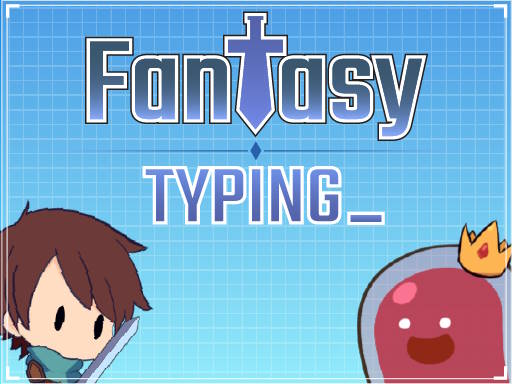
If you prefer narrative or visual stimulation, explore hybrid titles like Fantasy Typing or Typing Fighter that wrap text entry into hero journeys and combat. Always check the game's category tag and description to see whether it tests individual words, full sentences, or puzzle logic.
- For speed drills: Pick falling-word titles that force quick reaction times.
- For sentence flow: Choose fighting or adventure games that present longer text strings.
- For relaxed play: Try word-building arcade games where you select and build words at your own pace.
Controls and Device Considerations
Most typing games are designed primarily for desktop play with a physical QWERTY or localized keyboard, offering the most responsive feel for rapid keystrokes. Some titles, such as Matrix Typer and Typing Fighter, note support for on-screen or touch keyboards on mobile devices.
Before starting a match, check the listed game instructions. Some games accept pure typing input immediately upon loading, while others use mouse clicks or taps to navigate menus, select difficulty tiers, or trigger special power-ups alongside typing.
- Physical keyboards provide the most accurate feedback for fast-paced typing titles.
- Keep your hands in the home-row position to react quickly to words appearing across the screen.
- Verify whether a game requires pressing Enter after typing or clears the word automatically upon completion.
Understanding Catalog Tagging and Variety
Because catalog tags can occasionally include broader logic or casual games—such as number puzzles or clickers—it is helpful to read each game's brief summary before launching. The strongest typing experiences in this section explicitly list keyboard input and word entry in their descriptions.
Whether you want to sharpen your keyboard confidence or simply enjoy arcade challenges driven by text, exploring the catalog offers a fun alternative to traditional typing software.
Well-known games with related ideas
Monkeytype Unlike dedicated typing tools like Monkeytype that focus purely on measuring words-per-minute and raw error rates in clean interfaces, the typing games here wrap keystroke practice inside arcade levels, racing tracks, and fantasy battles.
Nitro Type Similar to the concept behind Nitro Type where typing drives competitive speed, titles like 3D Racing Typing Game combine vehicle competition with keyboard entry, though browser catalog games vary widely in presentation and solo focus.
ZType Fans of arcade typing shooters like ZType will appreciate titles such as Matrix Typer, where typing incoming words directly defends against descending threats in real time.
typing games FAQ
Do I need a physical keyboard to play typing games?
A physical keyboard is strongly recommended for the best experience and fastest reaction times. However, several games in the collection also support on-screen touch keyboards on compatible mobile or tablet devices.
Can playing typing games help improve my keyboard speed?
Yes. Games that challenge you to type words before a timer expires encourage quick key recognition, rhythm, and accuracy, making regular play a fun complement to typing practice.
What types of typing games are available in this catalog?
The catalog includes falling-word defense games, racing games boosted by typing speed, combat fighters powered by full sentences, and vocabulary puzzle titles.
Do typing games penalize spelling mistakes?
Most typing games require exact letter-by-letter matching to clear targets, charge attacks, or accelerate vehicles. Mistakes often require retyping the letter or resetting the word, depending on the specific game's rules.