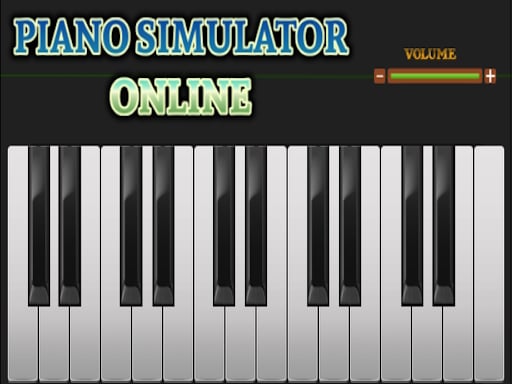
About Piano simulator online
Piano Simulator Online is a browser-based musical game that transforms standard computer keys and touchscreen taps into acoustic notes. Designed for casual musical play, it enables performers on desktop computers to trigger melodies using letter keys and save their audio sessions directly to their device. On mobile displays, players use direct finger touches to strike the on-screen keys.
Piano Simulator Online provides an open musical sandbox where anyone can experiment with pitch, harmony, and rhythm without needing specialized audio equipment. The interface presents an accessible set of keys mapped directly to your standard computer letter keys or accessible via touch controls on mobile hardware.
The title emphasizes self-directed musical creativity and practice over rigid obstacle courses. Desktop performers have access to built-in session recording, which captures live keyboard input and provides an option to download the final piece in chosen file formats. Whether you want to practice simple chord progressions, test melodic patterns, or preserve an original tune, the simulator delivers an instant and lightweight playing environment.
Your goal
The primary objective is to create musical melodies, explore note combinations, and perform songs smoothly through coordinated finger strikes or key presses. Players on desktop can also focus on performing clean, complete takes that can be recorded from start to finish and downloaded for listening or personal archiving.
How to play Piano simulator online
1. Launch the simulator in your web browser on either a desktop or mobile device.
2. Identify your control method: letter keys on a physical desktop keyboard or direct finger taps on a mobile screen.
3. Test individual keys to familiarize yourself with pitch layout and acoustic response.
4. If using a desktop computer, activate the recording function before starting a song.
5. Play your desired melody, chords, or rhythm across the keyboard.
6. Stop the recording on desktop and download your saved audio file in your preferred format.
Controls and device support
On desktop devices, play musical notes using your letter keyboard. On mobile and touchscreen devices, tap keys directly with your fingers.
- Controls: Keyboard
- Device support: Desktop + mobile
- Game frame: 1280 x 720
What makes the challenge interesting
The core discipline of Piano Simulator Online centers on hand coordination and spatial recall across a letter-based keyboard layout. Translating musical intuition onto alphanumeric keys requires steady finger placement and rhythmic control. Players must learn to balance speed with clean key release to keep notes from blurring together unintentionally.
Because desktop play allows you to record your live output, precision becomes a conscious creative choice. Committing to a recorded take encourages deliberate tempo management and thoughtful phrasing, turning casual typing motions into structured musical expression.
Tips for Piano simulator online
- Map out your song slowly on letter keys before attempting full-tempo performances. Rushing through note sequences often leads to hitting adjacent letters accidentally.
- Keep your hands anchored in a natural typing resting position so your fingers can reach lower and higher octaves without losing your baseline orientation.
- Run a brief warm-up trial before starting a recording on desktop to verify your volume and timing without the pressure of a live take.
- Focus on a consistent rhythm rather than raw speed when performing melodies, as steady pacing makes musical lines clearer to the listener.
Playing on different devices
Hardware differences shape how you interact with Piano Simulator Online. Desktop players benefit from tactile letter keys and exclusive access to the recording and audio download tools, making desktop the ideal platform for archiving tracks. Touchscreen devices offer direct visual tap input with fingers, which suits casual melodic experimentation on the move.
The skills behind the game
Musical simulators and typing-adjacent casual games bridge creative expression and keyboard familiarity. While competitive typing software tests raw text throughput, musical keyboard titles focus on the spatial relationship between keys, rhythmic timing, and melodic playback. This makes the experience approachable for both casual players testing simple tunes and keyboard users looking to practice finger agility in a relaxed creative format.
Who will enjoy this game
Players looking for a piano simulator online game typically seek quick access to a responsive virtual keyboard without heavy downloads or account setups. This simulator fits that need by offering immediate in-browser playback across standard devices. Enthusiasts can use it as a lighthearted creative tool, a practice board for memorizing key sequences, or a portable sketchpad to record simple musical ideas.
Games with a similar feel
TypeRacer: TypeRacer focuses on competitive paragraph typing where participants race against opponents under strict text-accuracy conditions. In contrast, Piano Simulator Online offers open-ended musical creation where key presses produce audio tones rather than passage transcripts, making it ideal for creative practice rather than competitive speed.
ZType: ZType turns keyboard typing into an arcade space shooter where typing individual words destroys incoming targets. Piano Simulator Online shares the requirement for prompt keyboard awareness, but replaces combative shooting pressure with self-paced melodic playing and session recording.
Frequently asked questions
Can I record my songs on a mobile phone? No. The built-in recording and file download features are available exclusively on desktop devices, while mobile devices support touch-based live play.
How do desktop keyboard controls work in this simulator? Desktop play maps piano notes across standard letter keys on your computer keyboard, allowing you to trigger tones with familiar typing finger positions.
What formats can I use to download my desktop recordings? The game allows you to save and export your completed desktop recordings in various audio formats depending on your listening or editing preferences.
Something not right?
Tell us if the game does not load, the information is wrong or the content needs review.
Report a problem ›