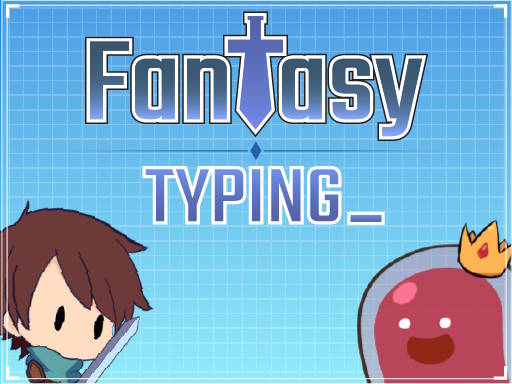
About Fantasy Typing
Fantasy Typing brings keyboard practice into a 2D fantasy setting where quick, accurate keystrokes act as your primary weapon. Players face off against mythical creatures and encounter boss battles across their journey. By translating prompt words on screen into rapid typing inputs, you turn routine practice into an active quest centered on precision and steady rhythm.
Fantasy Typing sets its action across a mythical adventure backdrop, framing keyboard mechanics as combat against fantasy monsters and powerful bosses. Instead of transcribing dry passages or random letter strings, players read target words presented during encounters and enter each letter cleanly on their keyboard to overcome adversaries.
UI selections and menus are handled directly with mouse clicks or touch inputs, letting you focus fully on typing once the action begins. The flow emphasizes steady reading and prompt execution, blending 2D platforming visuals with core typing drills. Each encounter prompts you to look ahead, identify upcoming letters, and maintain continuous typing momentum without pausing after every word.
Your goal
The primary goal in Fantasy Typing is to defeat mythical creatures and challenging boss opponents by successfully typing displayed words with speed and precision. As you venture further into the realm, your aim is to keep your typing rhythm unbroken, minimize accidental keystrokes, and upgrade your typing capabilities to handle tougher encounters.
How to play Fantasy Typing
1. Select your starting options or navigate interface menus using your mouse or touch input.
2. Observe the screen closely as fantasy creatures appear alongside words or letter sequences you need to enter.
3. Type each word on your physical keyboard letter by letter with steady accuracy to execute actions.
4. Focus on reading full words rather than individual letters to keep your typing rhythm fluid.
5. Work through encounters to face boss challenges and continue upgrading your typing capabilities along your journey.
Controls and device support
Use mouse or touch input for navigating UI selections and menus, and use your keyboard for typing text during gameplay encounters.
- Controls: Keyboard
- Device support: Desktop + mobile
- Game frame: 1280 x 720
What makes the challenge interesting
Fantasy Typing centers on the balance between quick visual scanning and clean muscle memory. In many standard typing environments, players can pause to double-check their hands, but fantasy encounter framing encourages keeping your eyes firmly on the screen. The central challenge lies in maintaining composure when words appear in rapid succession during boss encounters.
If you rush ahead of your actual typing speed, a misplaced letter can interrupt your rhythm and cost valuable time. Conversely, typing too slowly makes it harder to build fluid hand coordination. The key skill is establishing an even cadence where you identify the entire word at a glance and let your fingers execute the sequence smoothly. This active rhythm makes the game rewarding for anyone seeking to build practical keyboard confidence while enjoying an animated 2D adventure theme.
Tips for Fantasy Typing
- Keep your eyes on the screen words: Resist looking down at your fingers while typing, as watching on-screen prompts helps you anticipate incoming letter combinations and react faster.
- Prioritize clean typing over raw rushing: Attempting to type faster than your comfort zone often leads to repeated mistakes; focus first on smooth, error-free keystrokes to maintain momentum.
- Anchor your hands on home row keys: Placing your fingers consistently on the home row provides reliable muscle memory, making it easier to reach distant keys without drifting out of position.
- Read whole words before striking the first letter: Scanning the complete word upfront helps your fingers prepare the entire keystroke pattern in advance, preventing mid-word hesitations.
Stages and progression
The game presents an adventure across a fantasy realm featuring mythical creatures, boss encounters, and opportunities to upgrade typing abilities. While specific upgrade trees and numerical stage counts are not documented, players can structure their own progression by tracking their typing comfort over multiple sessions. Starting with a focus on clean keystroke accuracy lays the foundation for faster response times in later boss encounters. Building consistent typing habits over repeated runs is the most dependable way to handle word prompts as you venture further into the adventure.
Playing on different devices
Fantasy Typing utilizes mouse or touch interaction for menu selections while requiring a keyboard for typing gameplay. Players on desktop or laptop computers with a physical keyboard will have the most practical setup for rapid typing exercises. If playing on a touch-enabled device, ensure you have an accessible keyboard input method ready, as typing precision is essential for keeping pace with on-screen encounters.
The skills behind the game
Classified within the hypercasual and typing genres, Fantasy Typing delivers accessible, pick-up-and-play sessions wrapped around fundamental keyboard skills. Casual typing games replace complex multi-button control schemes with direct keyboard letter entry, making them approachable for general players looking to brush up on their typing technique.
The 2D platforming aesthetic gives visual context to each typed word, transforming standard drills into an interactive quest that encourages regular practice without burdensome setup.
Who will enjoy this game
Many players search for a fantasy typing game or a casual typing game online when they want to build keyboard speed outside of formal educational software. Engaging with a typing speed game in an adventure format provides immediate feedback on how smoothly you can read and enter words under mild pressure.
It serves as an entertaining tool for daily warm-ups, finger dexterity training, and boosting overall typing confidence in short, self-directed play sessions.
Games with a similar feel
ZType: Like ZType, Fantasy Typing uses keyboard input as an active combat mechanism against hostile encounters. While ZType adopts a minimalist space shooter presentation with falling letter targets, Fantasy Typing places the action in a 2D fantasy setting with mythical creatures and boss battles. Players who enjoy arcade-style typing action with fantasy themes will find Fantasy Typing an enjoyable alternative to sci-fi shooters.
TypeRacer: TypeRacer focuses on competitive multiplayer racing where participants type entire book excerpts and paragraphs against other players. In contrast, Fantasy Typing centers on a single-player fantasy adventure where you type individual words to defeat mythical creatures. Players looking for structured paragraph racing may prefer TypeRacer, while those wanting casual monster-battling word drills will appreciate Fantasy Typing.
Frequently asked questions
What controls are used to play Fantasy Typing? Use your mouse or touch input to navigate interface menus and UI selections, and use a physical keyboard to type the required words during encounters to defeat enemies.
Is Fantasy Typing suitable for practicing typing speed? Yes. The game challenges you to type words quickly and accurately to overcome mythical creatures and bosses, making it an engaging way to build keyboard familiarity, rhythm, and typing confidence.
Does Fantasy Typing require special software to run? No. Fantasy Typing is designed to run directly in your web browser, requiring only an active internet connection and a working keyboard to start playing.
Something not right?
Tell us if the game does not load, the information is wrong or the content needs review.
Report a problem ›