Official listing
Game description
Typing Game. Words fall and you have to type them
Arcade game
Type it is an arcade typing game designed to test your input speed and reading accuracy. Words appear and steadily fall down the screen, requiring you to enter the correct letters using your keyboard before they disappear. It provides straightforward, focused keyboard practice built around reacting quickly to descending text.
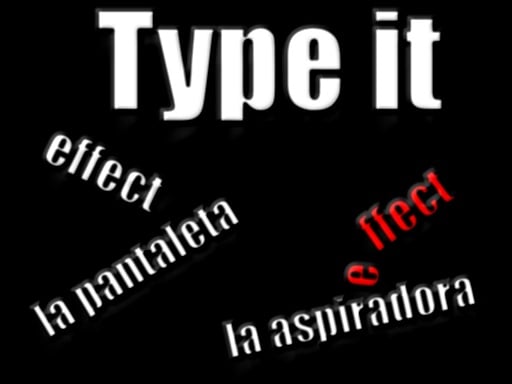
Choose Play now to load the game.
Official listing
Typing Game. Words fall and you have to type them
From the game listing
Keyboard and Mouse
Open this card to load the gameplay video.
Type it is an arcade typing game designed to test your input speed and reading accuracy. Words appear and steadily fall down the screen, requiring you to enter the correct letters using your keyboard before they disappear. It provides straightforward, focused keyboard practice built around reacting quickly to descending text.
Type it delivers a clean and direct typing challenge where fast recognition meets rapid finger movement. In this arcade title, words drop continuously from the upper area of the screen, and your sole task is to type them accurately. Because the vertical layout keeps the action centered, players can focus entirely on reading descending vocabulary and typing each letter in sequence. It strips away complicated menus in favor of immediate keyboard-driven gameplay, making it suitable for quick warm-ups, speed typing drills, or casual arcade sessions.
The main goal in Type it is to successfully type every falling word before it reaches the bottom of the screen. By maintaining high accuracy and steady typing speed, you keep the screen clear and survive the continuous descent of incoming words for as long as possible.
1. Watch the screen as new words begin falling from the top.
2. Identify which falling word is closest to the bottom or needs immediate attention.
3. Use your keyboard to spell out and complete the chosen word accurately.
4. Use your mouse whenever interface navigation or on-screen confirmation is required.
5. Continue typing subsequent words promptly to prevent falling text from piling up.
Keyboard: Type falling words
Mouse: Select menu options and interact with UI
The core appeal of Type it lies in balancing typing speed against visual prioritization. Because words fall continuously, players must quickly scan the display to prioritize which word poses the most urgent threat. Keeping your fingers resting on the home row helps maintain smooth rhythm, preventing panic when multiple words descend at the same time. The steady flow of vocabulary rewards clean keystrokes over rushed, error-prone mashing, creating a satisfying loop of reaction and quick execution.
As an arcade typing game, Type it fits into the classic tradition of skill-testing reaction games. Instead of navigating physical obstacles or timing jumps, your typing dexterity and reading comprehension serve as the core mechanics. Arcade titles in this genre provide immediate replayability and straightforward challenges suitable for quick practice sessions.
Finding a reliable typing game online often leads players to simple mechanics like falling words. Type it provides an accessible typing game experience where anyone wanting to practice their keyboard speed can jump right in, observe falling terms, and type along in an uncluttered arcade setting.
ZType: Like ZType, Type it challenges players to clear falling words using real-time keyboard inputs, but Type it presents a direct word-clearing format rather than a themed space-combat shoot-em-up.
TypeRacer: Both Type it and TypeRacer test your keyboard typing ability, yet Type it focuses on individual descending words rather than racing against competitors across full paragraphs of prose.
What type of game is Type it? Type it is an arcade-style typing game where words fall from the top of the display and you must type them using your keyboard before they drop off.
What controls are needed to play? The game uses your keyboard for typing words and your mouse for interacting with any game menus or interface elements.
Tell us if the game does not load, the information is wrong or the content needs review.
Report a problemExplore popular games by category, shared tags and site-wide activity.












