 3D Tennis
Sports
3D Tennis
Sports
Play by tag
Free Online Tennis Games
The Tennis tag on GameMonetize brings together a diverse selection of racket and ball games. While traditional lawn tennis on clay, grass, or hard courts makes up the bulk of this category, the collection also incorporates table tennis, fast-paced arcade pong variations, and themed character titles. Whether you are looking for strategic court positioning or quick paddle reflexes, this section gathers browser-playable sports experiences across multiple formats.
45playable games
3D Tennis
Sports
 Archery Shooters
Hypercasual
Archery Shooters
Hypercasual
 Ball Shooter 2 player
Shooting
Ball Shooter 2 player
Shooting
 Balloons
Sports
Balloons
Sports
 Barbie Tennis Dress
Girls
Barbie Tennis Dress
Girls
 Cubic Tennis
Sports
Cubic Tennis
Sports
 Funny Tennis
Sports
Funny Tennis
Sports
 Jewel Classic Block Puzzle Tetrix
Sports
Jewel Classic Block Puzzle Tetrix
Sports
 Mini Tennis
Sports
Mini Tennis
Sports
 Mini Tennis 3D
Sports
Mini Tennis 3D
Sports
 Ping Pong Battle Table Tennis
Arcade
Ping Pong Battle Table Tennis
Arcade
 Ping Pong Table Tennis
Sports
Ping Pong Table Tennis
Sports
 Pocket Tennis
Sports
Pocket Tennis
Sports
 Pong Ball Masters
Sports
Pong Ball Masters
Sports
 Pong Biz
Adventure
Pong Biz
Adventure
 Pong Clasic
Sports
Pong Clasic
Sports
 Pong Neon
Sports
Pong Neon
Sports
 Power Badmintan
Sports
Power Badmintan
Sports
 Retro Tiny Tennis
Sports
Retro Tiny Tennis
Sports
 Skibidi Toilet Tennis
Sports
Skibidi Toilet Tennis
Sports
 Smashy Duo
Sports
Smashy Duo
Sports
 Sprunki Tennis
Sports
Sprunki Tennis
Sports
 Squad Goals: Soccer 3D
Soccer
Squad Goals: Soccer 3D
Soccer
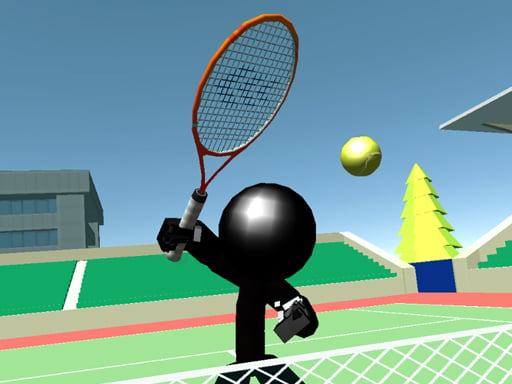 Stickman Tennis 3D
Fighting
Stickman Tennis 3D
Fighting
Tag guide
Racket Sports, Court Rallies, and Table Pong Games
The Tennis tag on GameMonetize brings together a diverse selection of racket and ball games. While traditional lawn tennis on clay, grass, or hard courts makes up the bulk of this category, the collection also incorporates table tennis, fast-paced arcade pong variations, and themed character titles. Whether you are looking for strategic court positioning or quick paddle reflexes, this section gathers browser-playable sports experiences across multiple formats.
Because tennis titles in this catalog span distinct subgenres—from sports simulations with progressive player upgrades to minimalist hypercasual reaction challenges—individual mechanics differ significantly. Understanding the control schemes, court perspectives, and session formats will help you choose the best tennis game for your play style.
What to Expect from the Tennis Game Catalog
The majority of entries under the Tennis tag belong directly to the Sports category, prioritizing authentic ball physics, rally pacing, and court boundaries. However, you will also discover titles classified under Arcade, Hypercasual, 2 Player, and Adventure. This variety means that some games replicate full tournament circuits, while others isolate single mechanics like table-side paddle returns or themed character dressing.
- Court Simulators: Standard full-court singles matches featuring service boxes, baseline rallies, and score keeping.
- Table Tennis & Pong: Close-range paddle games where ball speed accelerates with each consecutive hit.
- Casual & Themed Entries: Accessible tap-and-play titles, including character dress-up games like Barbie Tennis Dress and timing-based skill minigames.
From Single-Touch Swipes to Advanced Shot Selection
Control schemes across the tennis collection range from ultra-accessible mouse clicks to dedicated multi-key shot selectors. Evaluating what input style you prefer is the fastest way to pick the right title.
In touch-optimized games such as Tennis 3D Mobile, gameplay often relies on directional swiping to steer your shot and regulate power. Conversely, tactical court games like Stickman Tennis 3D introduce dedicated keyboard actions—such as pressing Z to lob, X to slice, and C to volley—giving players deeper control over ball trajectory and court placement. Simulators like Tennis World Tour streamline movement while enabling players to complete training drills and invest earned coins into player stats.
Table Tennis and Arcade Paddle Variants
Not every tennis game takes place on a stadium court. Several titles in the collection adapt table tennis (or whiff-whaff) mechanics, where quick lateral movement and reaction speed take center stage.
Titles such as Whiff Whaff challenge players to slide paddles using the A and D keys or mouse tracking, introducing speed escalations and optional ball-spin maneuvers via the spacebar. Other titles like Table Pong and Pong Biz offer streamlined paddle action designed for quick sessions or local head-to-head competition.
Single-Player Circuits vs. Local 2-Player Matches
Player modes vary across the catalog. Many full-court tennis games focus on a single player climbing tournament brackets against computer-controlled opponents. In these single-player modes, timing your return and catching the AI out of position are the primary objectives.
When browsing for shared play, look for titles tagged with 2 Player, such as Table Pong. These games often configure shared keyboard controls (such as WASD for Player 1 and Arrow keys for Player 2), making them suitable for head-to-head play on a single screen without requiring complex setups.
Tips for Choosing and Playing Tennis Browser Games
Before launching a match, checking the listed instructions on the game page will ensure you understand the required controls and rules.
- Review control bindings: Check whether a game uses directional swipes, mouse tracking, or distinct keys for lobs and slices.
- Identify the game style: Decide whether you want a full tournament simulation, a quick reaction paddle game, or a casual themed title.
- Master rally timing: In most physics-based tennis games, striking the ball at the peak of its bounce produces more accurate and powerful returns.
- Look for upgrade systems: Some titles reward successful matches with currency used to boost your athlete's speed, stamina, or stroke power.
tennis games FAQ
Are all tennis games in this tag full-court sports simulators?
No. While full-court sports simulators like Tennis World Tour make up a large portion of the collection, the tag also includes table tennis games like Whiff Whaff, local 2-player paddle games like Table Pong, and casual themed activities like Barbie Tennis Dress.
Can I play tennis games with a friend on the same device?
Yes, select games in this tag support local 2-player competition. For example, Table Pong allows two players to share a keyboard using WASD and Arrow key configurations.
What types of shot controls do browser tennis games feature?
Controls depend on the specific title. Casual games frequently use one-touch mouse or swipe mechanics, while more technical games like Stickman Tennis 3D include dedicated keys for volleys, slices, and lobs.
Do I need to install software to play these tennis games?
No installation is required. These games are built using modern web standards such as HTML5 and WebGL, allowing them to run directly inside your desktop or mobile web browser.