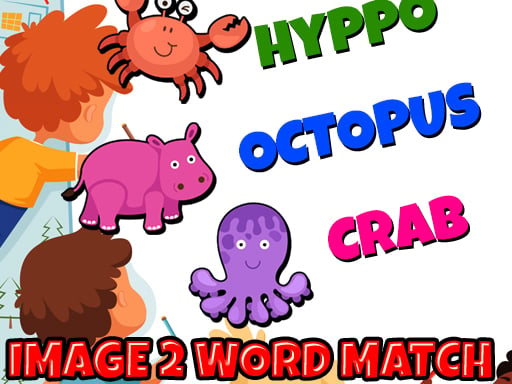
About Image to Word Match
Image to Word Match is a lightweight educational puzzle game focused on visual identification and vocabulary recognition. Players inspect pictures on screen and pair them with their corresponding written words. Featuring both an untimed mode and a life-limited challenge, the game offers a clean environment for learners and casual players to practice reading comprehension and association skills directly in the browser.
The core loop of Image to Word Match centers on identifying visual subjects and connecting them to written terms. Players select an illustration, drag it across the board, and release it over the target word label. Correct pairings trigger a positive confirmation message, while mismatched pairs prompt an error alert.
The game provides two distinct ways to play. Easy mode removes pressure entirely, allowing users to browse forward and backward across exercises at their own speed. Normal mode introduces stricter stakes by allocating three lives, where recurring mistakes can lead to an early game-over screen.
Your goal
Your objective is to correctly identify every picture and drag it onto its matching word. In Easy mode, the goal is comprehensive vocabulary practice without penalty. In Normal mode, the objective is to clear all picture-word pairings successfully while preserving your three available lives to avoid a game over.
How to play Image to Word Match
1. Select your preferred difficulty setting from the main menu, choosing between Easy mode for relaxed practice or Normal mode for a three-life challenge.
2. Examine the displayed pictures and scan the available word cards on the screen.
3. Click or tap on a picture, holding down your input to drag the graphic across the screen.
4. Drop the picture directly over the matching word card to submit your answer.
5. Observe on-screen feedback: confirm the 'Well done!' banner or review any error message before placing your next item.
Controls and device support
Control interactions use standard mouse click and drag on desktop or touch tap and drag on mobile devices to move picture cards over target words.
- Controls: Mouse or touch
- Device support: Desktop + mobile
- Game frame: 1024 x 768
Rules to keep in mind
- Matching rule: Each picture must be dragged and dropped onto its exact corresponding word.
- Feedback alerts: Correct answers generate a 'Well done!' confirmation; incorrect drops display an error message.
- Easy mode flexibility: Players can navigate back and forth freely between sections with no failure condition.
- Normal mode life count: Players begin with three lives; making mistakes depletes lives and triggers a game over if all are lost.
What makes the challenge interesting
Image to Word Match focuses on visual literacy, vocabulary building, and fine motor coordination. Because the mechanics rely on clear drag-and-drop actions, the primary cognitive task is correctly associating visual objects with their written orthography.
In Normal mode, the game asks players to balance speed with careful verification. Rushing a drop without reading the word closely risks spending one of the three allotted lives, making methodical reading and deliberate dragging the safest strategy for maintaining a run.
Tips for Image to Word Match
- Read all word options before dragging. Scanning every term first prevents accidental drops onto similar-looking words and saves lives in Normal mode.
- Use Easy mode to warm up. Reviewing vocabulary without life counters helps build confidence and familiarizes younger players with drag controls.
- Confirm the drop target carefully. Ensure the dragged picture hovers fully over the intended text card before releasing the mouse button or lifting your finger.
- Navigate back to review in Easy mode. Take advantage of the free back-and-forth navigation to reinforce newly learned words before switching to Normal mode.
Stages and progression
Progression in Image to Word Match is structured around its dual difficulty system. In Easy mode, players progress through matching boards at their own leisure, using navigation controls to revisit earlier pairs whenever desired.
Normal mode tests player endurance across matching puzzles by enforcing a three-life allowance. Success requires maintaining steady focus across successive boards without exhausting your margin of error.
Playing on different devices
Built on HTML5 technology with a 1024 x 768 native layout, Image to Word Match runs across modern desktop web browsers and touch-enabled mobile devices. Desktop users interact using mouse clicks and drags, while mobile players can slide cards across the screen using touch gestures.
The skills behind the game
While listed under the clicker genre in some distribution feeds, Image to Word Match functions fundamentally as a word-matching educational puzzle game. Its mechanics revolve around recognition, reading, and spatial placement rather than rapid idle clicking.
Designed for family and classroom settings, the title emphasizes literacy fundamentals such as associating printed letters and full words with concrete objects. The accessible HTML5 framework makes it well-suited for early readers practicing letter recognition and vocabulary on home computers or mobile tablets.
Who will enjoy this game
Players searching for an image to word match game typically want quick, accessible educational puzzles that practice reading comprehension. Whether seeking a casual clicker game online or a focused learning activity for kids, the straightforward drag-and-drop format offers immediate entry without complex rules.
By offering both untimed exploration and a life-based challenge, Image to Word Match accommodates diverse skill levels, providing an easy option for young learners and a structured test for players seeking light puzzle practice.
Frequently asked questions
How do you match pictures with words in Image to Word Match? Click or tap a picture card, drag it across the game screen, and drop it directly onto the word card that describes it. A 'Well done!' message appears when the match is correct.
What happens if I place a picture on the wrong word? An error message will appear on screen. In Normal mode, making an incorrect match also deducts one of your three lives, whereas Easy mode carries no penalty.
What is the difference between Easy and Normal mode? Easy mode allows unhurried play with back-and-forth navigation and no lives. Normal mode tests your skills with a strict three-life limit, ending the game if all lives are lost.
Can children play Image to Word Match on tablets or phones? Yes. The game supports touch tap and drag controls on mobile devices, and its Easy mode is specifically designed for low-stress learning suitable for school and family use.
Something not right?
Tell us if the game does not load, the information is wrong or the content needs review.
Report a problem ›