 12 MiniBattles
Arcade
12 MiniBattles
Arcade
Play by tag
Free Online Family Games
The family games collection brings together over 700 browser-based titles designed around accessible themes, vibrant visuals, and intuitive gameplay. With puzzle titles making up the largest share of the catalog, alongside hypercasual, girls, arcade, and adventure genres, this section caters to casual players, children, and parents seeking lighthearted entertainment.
644playable games
12 MiniBattles
Arcade
 2048 Classic edition
Puzzles
2048 Classic edition
Puzzles
 2048 Wooden Edition
Hypercasual
2048 Wooden Edition
Hypercasual
 3D Falling Down
Arcade
3D Falling Down
Arcade
 3D Jigsaw Puzzle
Puzzles
3D Jigsaw Puzzle
Puzzles
 4 Pics 1 Flick
Puzzles
4 Pics 1 Flick
Puzzles
 A Day With Masha And The Bear
Girls
A Day With Masha And The Bear
Girls
 ABC words
Clicker
ABC words
Clicker
 AboveBeyond
Arcade
AboveBeyond
Arcade
 Adds And Match Christmas
Puzzles
Adds And Match Christmas
Puzzles
 Aladdin Run 2021
Arcade
Aladdin Run 2021
Arcade
 All Stars: Rubber Ring Race
Racing
All Stars: Rubber Ring Race
Racing
 Alphabet for Child
Clicker
Alphabet for Child
Clicker
 Among Us Energy
Multiplayer
Among Us Energy
Multiplayer
 Amoung us Business
Hypercasual
Amoung us Business
Hypercasual
 Angry Basketball
Sports
Angry Basketball
Sports
 Angry Ninjas
Clicker
Angry Ninjas
Clicker
 Angry Purrs
Sports
Angry Purrs
Sports
 Angry Tower
Puzzles
Angry Tower
Puzzles
 Animal Sounds
Puzzles
Animal Sounds
Puzzles
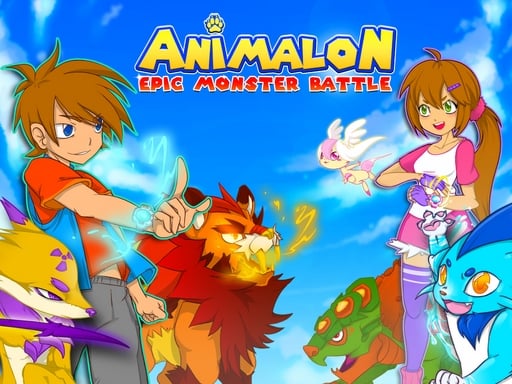 Animalon : Epic Monster Battle
Action
Animalon : Epic Monster Battle
Action
 Anime Couple Dress up
Puzzles
Anime Couple Dress up
Puzzles
 Anime Couples Dress Up-new
Girls
Anime Couples Dress Up-new
Girls
 Anime Girl Dress Up-Lol Anime Makeup
Girls
Anime Girl Dress Up-Lol Anime Makeup
Girls
Tag guide
Discover Friendly, All-Ages Browser Entertainment
The family games collection brings together over 700 browser-based titles designed around accessible themes, vibrant visuals, and intuitive gameplay. With puzzle titles making up the largest share of the catalog, alongside hypercasual, girls, arcade, and adventure genres, this section caters to casual players, children, and parents seeking lighthearted entertainment.
Rather than emphasizing punishing mechanics or intense competition, family-tagged titles focus on approachable challenges. Players can explore memory matching, toddler learning tasks, salon makeovers, light strategy defense, and vehicular sports without requiring complex downloads or dedicated gaming hardware.
What Kinds of Games Are in the Family Collection?
The family tag represents a broad spectrum of casual gaming. More than a third of the catalog consists of logic and puzzle activities, where players exercise pattern recognition, memory, and concentration. Another significant portion includes hypercasual quick-play titles, dress-up and salon themes, and accessible arcade adventures.
Because the tag reflects content suitable for mixed age groups rather than a single rigid genre, mechanics vary from gentle point-and-click learning games to active driving and tower defense scenarios.
- Memory and Match Puzzles: Card-flipping, tile-swapping, and sequence recollection tasks.
- Creative & Stylistic Play: Salon management, outfit selection, and character dressing.
- Early Learning & Clickers: Audio-visual identification and simple tapping exercises for younger kids.
- Light Action & Sports: Castle defense tactics and arcade vehicle sports.
Core Substyles Revealed by Catalog Evidence
Examining individual titles highlights the diverse experiences available under the family banner. For memory and logic enthusiasts, Miraculous Memory Match Up tests card pairing against cartoon themes, while Remember the Numbers asks players to memorize fleeting number sequences before tapping them in ascending order.
Younger players and toddlers find focused interactive play in titles like Happy Farm Animals, designed around large visual elements and animal sound recognition. Meanwhile, Muppet Babies: Animal Silly Seasons blends seasonal weather education with drag-and-drop dress-up mechanics.
Action-oriented players also have choices: Castle Defender Saga offers wave-based tactical upgrades with archers and warriors, whereas Rocket Soccer Derby blends driving mechanics and demolition soccer.
How to Choose the Right Game for Your Session
Selecting an appropriate title depends on player age, available time, and preferred input style. Toddlers and early learners benefit most from clicker or educational titles featuring clear tap-and-click targets and familiar animal motifs.
Older children and adults looking for relaxing puzzle sessions can jump into line-matching adventures such as Flying Easter Bunny 1 or number-recall puzzles. If dynamic steering and quick reflexes are preferred, checking the controls listed in driving or sports entries ensures the right difficulty level.
- Check Player Readiness: Choose simple click-to-reveal games for younger kids and multi-key titles for older players.
- Review Session Length: Hypercasual rounds finish in seconds, while strategy defense games involve progressive leveling.
- Identify Theme Preferences: Pick from salon styling, cartoon characters, farm animals, or sporty derby cars.
Understanding In-Game Instructions and Controls
Control schemes within the family catalog range from simple single-button mouse taps to multi-key keyboard layouts. Most puzzle, clicker, and makeover titles rely entirely on mouse clicking or screen tapping, making them easy to pick up immediately.
More complex action titles like Rocket Soccer Derby introduce directional steering with WASD, nitro boosts, and camera toggles. Always inspect the individual game's instructions panel before starting to confirm whether touch, mouse, or keyboard input is required.
Tips for Getting Started with Family Games
To get the most out of your browsing experience, start with low-pressure puzzle or memory titles to get familiar with the interface. When guiding younger children, sitting alongside them for their first few rounds helps them understand drag-and-drop or card-matching mechanics.
Take advantage of the wide variety across categories. If a matching game feels too slow, switch over to arcade defense or racing to keep gameplay lively and engaging.
family games online FAQ
What defines a game as a family game on this platform?
Games under the family tag feature accessible themes, colorful graphics, and approachable difficulty suitable for players of various ages, ranging from toddler learning tools to casual logic puzzles.
Are all family games controlled with just a mouse or touch?
While many matching, salon, and clicker titles only require mouse clicks or screen taps, some arcade and sports games like Rocket Soccer Derby use keyboard controls such as WASD and spacebar.
Can I find educational games for younger kids in this section?
Yes. Titles like Happy Farm Animals and Remember the Numbers focus on early learning skills including animal identification, sound recognition, and short-term number recall.
What categories overlap most frequently with family games?
Puzzles make up the largest category share, closely followed by girls, hypercasual, arcade, clicker, and adventure categories.