 Bear Block Puzzle
Puzzles
Bear Block Puzzle
Puzzles
Play by tag
Free Touchscreen Games Online
The touchscreen game tag brings together browser games built around immediate, tactile interaction. Whether you are using a mobile phone, tablet, touch-enabled laptop, or desktop monitor, these titles eliminate the requirement for complex keybinds in favor of tapping, dragging, and swiping directly on the play surface. The collection spans 25 titles, dominated primarily by hypercasual and puzzle releases alongside quick-paced arcade climbs, idle clickers, and labyrinth journeys.
25playable games
Bear Block Puzzle
Puzzles
 Bloomball 1: New Labyrinth Maze 2024
Racing
Bloomball 1: New Labyrinth Maze 2024
Racing
 Chinchilla Trails
Puzzles
Chinchilla Trails
Puzzles
 Cursed Pirate Rescue
Hypercasual
Cursed Pirate Rescue
Hypercasual
 Cut Cut Game
Hypercasual
Cut Cut Game
Hypercasual
 DEEPER! Crystal Descent
Hypercasual
DEEPER! Crystal Descent
Hypercasual
 Dinosaur Dig
Hypercasual
Dinosaur Dig
Hypercasual
 Dollar Dash
Clicker
Dollar Dash
Clicker
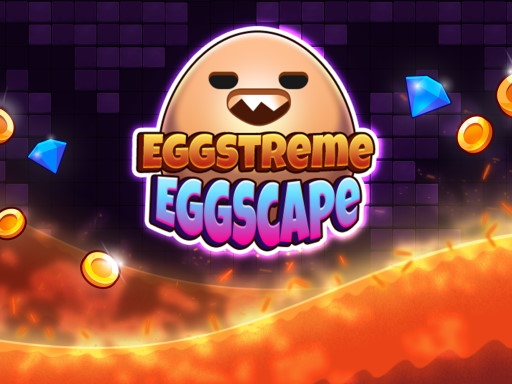 Eggstreme Eggscape
Arcade
Eggstreme Eggscape
Arcade
 Escape Mystic Castle Mobile version
Adventure
Escape Mystic Castle Mobile version
Adventure
 Glactic Saucer
Clicker
Glactic Saucer
Clicker
 Match Emoji
Hypercasual
Match Emoji
Hypercasual
 Merge Muscle Tycoon
Hypercasual
Merge Muscle Tycoon
Hypercasual
 Nullpulse Runner
Hypercasual
Nullpulse Runner
Hypercasual
 Old School Billard Pool
Hypercasual
Old School Billard Pool
Hypercasual
 Prism Match 3D
Puzzles
Prism Match 3D
Puzzles
 Rewarp
Hypercasual
Rewarp
Hypercasual
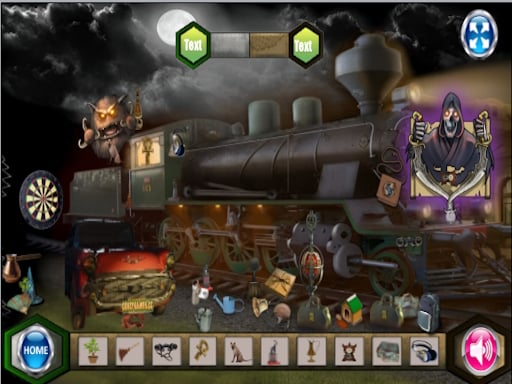 Scary Train Station
Puzzles
Scary Train Station
Puzzles
 Screw Pin Jam Puzzle
Puzzles
Screw Pin Jam Puzzle
Puzzles
 SpaceScape
Puzzles
SpaceScape
Puzzles
 Speed Math
Puzzles
Speed Math
Puzzles
 Veggie Slice
Hypercasual
Veggie Slice
Hypercasual
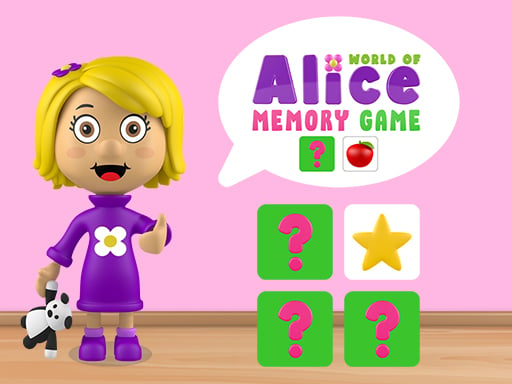 World of Alice Memory Game
Puzzles
World of Alice Memory Game
Puzzles
 Worms Lines
Puzzles
Worms Lines
Puzzles
Tag guide
Instant Browser Play Built for Tap and Touch Controls
The touchscreen game tag brings together browser games built around immediate, tactile interaction. Whether you are using a mobile phone, tablet, touch-enabled laptop, or desktop monitor, these titles eliminate the requirement for complex keybinds in favor of tapping, dragging, and swiping directly on the play surface. The collection spans 25 titles, dominated primarily by hypercasual and puzzle releases alongside quick-paced arcade climbs, idle clickers, and labyrinth journeys.
Because each game approaches touch input differently, players can enjoy everything from relaxed single-tap tile rotation to multi-button virtual gamepads. Many releases also maintain dual compatibility, letting you switch seamlessly between a finger press on a touch display and a left-click with a traditional computer mouse.
What You Will Find in the Touchscreen Collection
A look at the catalog breakdown reveals that casual experiences make up the vast majority of this tag. Hypercasual titles and logic puzzles each account for forty percent of the listings, offering brief gameplay loops that players can pick up in seconds. The remaining titles branch into idle clickers, platforming adventures, arcade survival, and maze racing.
- Hypercasual & Logic Puzzles: Focus on spatial reasoning, tile matching, and simple excavation tasks.
- Clicker & Economy Games: Emphasize rapid screen taps to generate currency, unlock multipliers, and manage upgrades.
- Arcade & Platform Adventures: Feature timing-based jumps, surface clings, and on-screen directional touch pads.
How Touch Mechanics Vary Across Titles
While every game in this tag supports touch displays, their exact interaction styles differ depending on the genre. In Eggstreme Eggscape, control centers on a one-touch input rhythm where tapping and holding allows your character to cling to vertical surfaces to outrun rising lava. By contrast, Escape Mystic Castle Mobile version introduces simulated on-screen buttons, dedicating the left area to directional horizontal movement and the right area to a dedicated jump button.
Other titles use direct manipulation of game pieces. In Dinosaur Dig, your finger acts as a multi-purpose paleontologist tool to scrape away sediment layers, unearth fossilized bones, and slide reconstructed skeletal parts into their corresponding display slots. Checking each game's instruction panel clarifies whether you will be tapping fixed virtual buttons or interacting directly with the game canvas.
Tactile Puzzles and Spatial Thinking
Puzzles represent one of the most natural fits for touchscreens. Games like Chinchilla Trails ask players to tap individual path tiles to rotate them clockwise, building an uninterrupted trail home while collecting treats along the route without hard turn caps. Similarly, Prism Match 3D adapts tile-clearing mechanics into three dimensions, allowing players to rotate the entire cube cluster, inspect angles, and tap visible matching tiles to load them into a holding tray.
Idle Clicking and Resource Management
For players who enjoy continuous progress, the touchscreen catalog includes incremental and resource-management mechanics. Dollar Dash centers entirely on tapping the display to generate cash, buy income plugins, and collect floating rewards from accumulated money bags. In DEEPER! Crystal Descent, touch taps guide a mining rig down subterranean paths, where players tap on-screen menus to balance battery reserves, empty cargo bays, and purchase drill upgrades before descending into deeper biomes.
Tips for Playing on Touch Devices
To get the best experience from browser-based touch games, keep a few practical factors in mind before jumping into a session:
Check screen orientation: Games like Escape Mystic Castle Mobile version benefit from landscape orientation to comfortably separate thumb movement and jump controls, whereas vertical tile matchers often suit portrait mode.
Read the control summary: Several games, such as Bloomball 1: New Labyrinth Maze 2024, support multiple control schemes simultaneously, including swipes, virtual joysticks, keyboard arrows, and mouse inputs. Verifying the listed controls prevents unexpected inputs during fast-moving stages.
touchscreen games FAQ
Can I play touchscreen games with a desktop mouse?
Yes. Most games in this collection, including DEEPER! Crystal Descent, Chinchilla Trails, and Eggstreme Eggscape, translate mouse clicks and drags directly into touch inputs, making them fully playable on standard desktop setups.
Do touchscreen browser games require an app installation?
No app download is needed. These titles run directly inside your HTML5-compatible mobile or desktop browser via your active internet connection.
Are there multi-touch or virtual gamepad options in these games?
Control schemes vary by title. While many games use simple single-point taps, select adventure games like Escape Mystic Castle Mobile version feature on-screen touch pads for simultaneous steering and jumping.
What should I do if a game does not respond to swipes?
Review the specific game instructions on its page. Some games rely strictly on stationary taps rather than dragging or swiping gestures, while others may require using on-screen navigation buttons.