Official listing
Game description
Simple and casual billiards game, with a classic childhood theme, with some featured characters and small references, have fun! You can be either the red ball or the yellow ball, its your choice!
Hypercasual game
Old School Billard Pool delivers a relaxed, nostalgic cue-sports experience built around accessible mechanics and classic childhood themes. Players step up to the green felt table, select whether to play as the red ball or the yellow ball, and use straightforward pointer controls to line up shots and maneuver the pool stick.
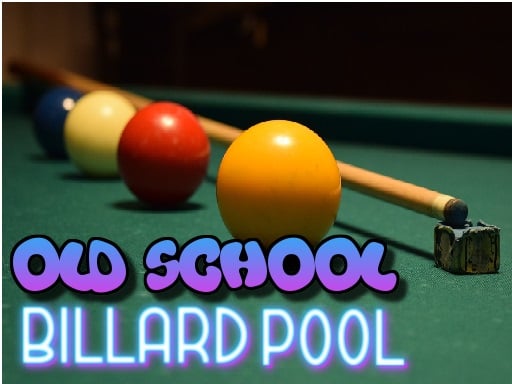
Choose Play now to load the game.
Official listing
Simple and casual billiards game, with a classic childhood theme, with some featured characters and small references, have fun! You can be either the red ball or the yellow ball, its your choice!
From the game listing
Use the mouse or finger to use the stick
Open this card to load the gameplay video.
Old School Billard Pool delivers a relaxed, nostalgic cue-sports experience built around accessible mechanics and classic childhood themes. Players step up to the green felt table, select whether to play as the red ball or the yellow ball, and use straightforward pointer controls to line up shots and maneuver the pool stick.
Old School Billard Pool offers a straightforward take on traditional table billiards, framed with retro visual touches and nostalgic character references. Rather than requiring complicated physics adjustments or difficult setup procedures, the game focuses on accessible, immediate table play where anyone can pick up a cue stick and start lining up shots across the felt.
At the start of the match, you can decide whether you want to be the red ball or the yellow ball. From there, each turn revolves around adjusting your cue stick position and sending balls into motion. The casual format makes it easy to jump in for a quick session without dealing with steep learning curves.
The primary objective in Old School Billard Pool is to select your chosen side—either the red ball or the yellow ball—and successfully direct your shots across the table using the pool stick. Players aim to execute clean contact, navigate the layout of the table, and outplay the opposing side through careful aiming and steady positioning.
1. Launch the game and choose whether you will play as the red ball or the yellow ball.
2. Survey the table layout to identify clear paths and target ball positions.
3. Position your cue stick using your mouse cursor or touchscreen finger input.
4. Align your shot trajectory and strike the ball to send it across the table.
Use the mouse on desktop or your finger on mobile touchscreens to operate and aim the pool stick.
The core skill in Old School Billard Pool centers on spatial awareness and directional precision. Because the game relies on direct pointer manipulation with a mouse or finger, success depends on how smoothly you orient the cue stick before committing to a strike. Taking a moment to visualize the rebound angle off the cushions or other balls helps prevent scattered, ineffective hits.
Patience is your greatest asset in this casual format. Rushing a shot often results in misaligned strikes that leave favorable setups for the other color. Maintaining a steady cadence and evaluating table geometry before every hit creates consistent play.
Old School Billard Pool is configured to run at an 800 by 600 resolution and accommodates both desktop and mobile web setups. Desktop players can use a standard mouse to pivot and guide the pool stick, offering fine-grained pointer accuracy. On touchscreen devices, direct finger contact allows for quick, intuitive stick alignment without needing a keyboard.
Within the realm of hypercasual table games and cue sports, titles like Old School Billard Pool emphasize immediate accessibility over intricate simulation physics. Players seeking casual billiards can quickly engage with core aiming mechanics without having to master spin adjustments, complex chalking routines, or lengthy rule sets.
Players searching for an old school billard pool experience generally look for lightweight, browser-friendly pool games that capture the charm of vintage table play. The old school billard pool game format fits casual practice well, giving players a low-pressure environment to test shot angles, explore red versus yellow ball matchups, and enjoy quick rounds at any pace.
8 Ball Pool: Old School Billard Pool shares the familiar cue-sports foundation seen in 8 Ball Pool, centering on lining up shots and striking balls across a table. However, while 8 Ball Pool focuses on competitive multiplayer and standard table formats, Old School Billard Pool offers a simplified, casual experience centered on red versus yellow ball selection and lighthearted nostalgic styling.
Can I choose which ball color to play as in Old School Billard Pool? Yes, the game allows you to choose between playing as the red ball or the yellow ball before you start taking your shots.
How do you control the cue stick in Old School Billard Pool? You manipulate the pool stick directly using mouse movement on desktop computers or your finger on mobile touchscreen displays.
Does the game require complex pool simulator knowledge? No, Old School Billard Pool is designed as a simple, casual billiards title featuring straightforward aiming mechanics and a classic childhood theme.
Tell us if the game does not load, the information is wrong or the content needs review.
Report a problemExplore popular games by category, shared tags and site-wide activity.




















