 Astro Merge
Puzzles
Astro Merge
Puzzles
Play by tag
Free Mouse Games Online
The Mouse tag brings together browser titles engineered around direct pointer interaction. Rather than memorizing complex key combinations, players interact through natural gestures such as clicking, holding, dragging, and tracking across the screen. This control scheme covers a diverse selection ranging from relaxed spatial logic to fast-paced survival trials.
50playable games
Astro Merge
Puzzles
 Bag Defense
Adventure
Bag Defense
Adventure
 Ball Cup Boom
Puzzles
Ball Cup Boom
Puzzles
 Battle of the Match Man
Adventure
Battle of the Match Man
Adventure
 Ben 10 Tappy Plane
Clicker
Ben 10 Tappy Plane
Clicker
 Black And Pink
Hypercasual
Black And Pink
Hypercasual
 Blade Merge
Action
Blade Merge
Action
 Bloomball 1: New Labyrinth Maze 2024
Racing
Bloomball 1: New Labyrinth Maze 2024
Racing
 Box It Up
Puzzles
Box It Up
Puzzles
 Buddy Blocks Survival
Puzzles
Buddy Blocks Survival
Puzzles
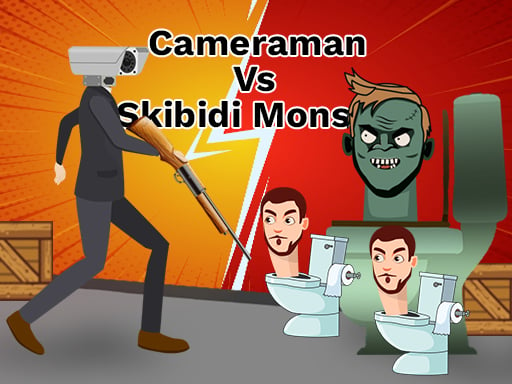 Cameraman vs Skibidi Monster : Fun Battle
Shooting
Cameraman vs Skibidi Monster : Fun Battle
Shooting
 Chinchilla Trails
Puzzles
Chinchilla Trails
Puzzles
 Collect And Break
Hypercasual
Collect And Break
Hypercasual
 Combo Color Unlocker
Arcade
Combo Color Unlocker
Arcade
 DanDan Slime Unblocked
Arcade
DanDan Slime Unblocked
Arcade
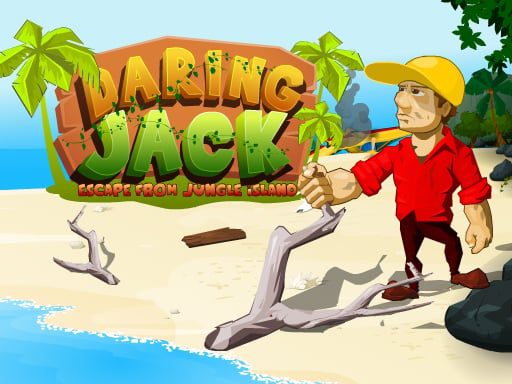 Daring Jack
Arcade
Daring Jack
Arcade
 Dash Hero
Adventure
Dash Hero
Adventure
 Eggstreme Eggscape
Arcade
Eggstreme Eggscape
Arcade
 Escape Mars
Puzzles
Escape Mars
Puzzles
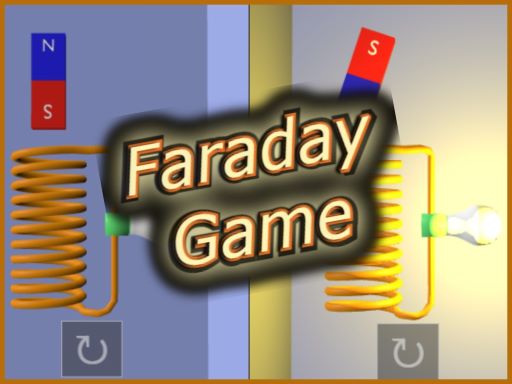 Faraday Game Casual Physics
Hypercasual
Faraday Game Casual Physics
Hypercasual
 Farm Town
Hypercasual
Farm Town
Hypercasual
 Funny JD Vance Face
Puzzles
Funny JD Vance Face
Puzzles
 Girl Money Rush
Arcade
Girl Money Rush
Arcade
 Idle Dairy Tycoon
Hypercasual
Idle Dairy Tycoon
Hypercasual
Tag guide
Intuitive Browser Gaming with Direct Mouse Controls
The Mouse tag brings together browser titles engineered around direct pointer interaction. Rather than memorizing complex key combinations, players interact through natural gestures such as clicking, holding, dragging, and tracking across the screen. This control scheme covers a diverse selection ranging from relaxed spatial logic to fast-paced survival trials.
Within this 51-game collection, puzzles and hypercasual releases make up the largest share, complemented by arcade physics, clicker runs, and targeted shooting stages. Whether you are rotating tiles to map a route, swinging dynamic tethered objects, or aiming destructive projectiles, each title leverages the precision and accessibility of cursor-driven gameplay.
What You Will Find in the Mouse Games Catalog
Games categorized under the Mouse tag prioritize point-and-click or pointer-movement mechanics. Because cursor inputs translate easily across different screen setups, many titles also function smoothly on touch displays as tap-and-drag experiences.
The collection features a broad distribution of genres. Puzzles lead the category with 17 titles, followed closely by 10 hypercasual challenges, 7 arcade survivals, and focused entries across adventure, clicker, shooting, and racing genres. This variety ensures both methodical thinkers and reflex-driven players find suitable options.
- Puzzle and logic boards where single clicks trigger rotations, item placements, or pathway connections.
- Hypercasual sorting and timing games that depend on holding and releasing mouse buttons.
- Arcade physics and action arenas where continuous cursor tracking determines movement and momentum.
- Trajectory-based shooting and destruction challenges utilizing click-and-drag aiming mechanics.
Core Gameplay Styles and Cursor Mechanics
Examining individual releases reveals how developers apply pointer controls in distinct ways. In puzzle titles like Chinchilla Trails, clicking or tapping individual tiles rotates them clockwise, challenging you to map out uninterrupted trails and gather collectible items without arbitrary move limits.
In contrast, hypercasual and arcade releases turn cursor actions into physical momentum. Magnet Sort uses timed mouse clicks to lower a magnetic crane onto moving factory belts, requiring quick reflexes to gather parts and avoid explosives. Meanwhile, Tied Up binds player movement directly to mouse positioning, asking you to swing a tethered ball around obstacles and incoming enemy waves.
- Tile-Rotation and Route Builders: Pure point-and-click logic stages with relaxed experimentation.
- Precision Timing and Sorting: Hold-and-release mechanics where timing dictates score multipliers and survival.
- Spring and Physics Tracking: Continuous mouse movement translating directly into in-game velocity and collision force.
- Resource and Unit Management: Clicking interface menus to recruit workers, construct fortifications, and deploy units as seen in Battle of the Match Man.
How to Pick the Right Mouse Game for Your Session
Choosing a game depends on your desired pacing and how actively you want to move your mouse. If you prefer low-pressure problem solving, start with puzzle-oriented titles where you can evaluate the board before making a single click.
For quick, reflex-oriented sessions, hypercasual collectors and physics destruction games provide immediate action. Titles such as Tower Breaker let you pull back aiming lines with your cursor to topple fragile towers, while games like Mini Bartender Game focus on dragging along horizontal paths to collect items while dodging hazards.
- For relaxed logic: Look for puzzle and logic tags featuring stage-based progression and clear objectives.
- For reaction testing: Pick arcade or hypercasual sorting games featuring combo meters and lives systems.
- For strategic command: Choose adventure and simulation titles that use mouse clicks for base building and squad direction.
- For physical precision: Opt for shooting or ball-physics titles that test your cursor trajectory control.
Understanding Game Instructions and Pointer Inputs
While all games in this collection support cursor interaction, the exact mouse functions vary between individual titles. Some games rely entirely on left-click triggers, whereas others incorporate dragging, cursor hover coordinates, or optional keyboard shortcuts for secondary actions.
Always review the on-screen controls or briefing panel before starting a level. Games like Magnet Sort offer both mouse holding and keyboard Spacebar alternatives, while trajectory shooters often differentiate between moving the cursor to aim and holding down the button to build shot power.
- Check whether clicks are instantaneous or require holding down the left button for charged actions.
- Note whether movement tracks the pointer continuously or requires clicking specific path nodes.
- Look for built-in pause shortcuts like Escape or on-screen interface buttons during extended runs.
Tips for Better Control and Higher Scores
Precision mouse control benefits from steady movement and predictable sensitivity. In physics-based titles like Tied Up, making wide, controlled sweeps with your mouse creates wider swing arcs and keeps your tethered counterweight clear of hazard zones.
In sorting and timing games, patience often yields higher scores than frantic clicking. Learning the cycle speeds of moving belts or projectile release curves allows you to build reliable combo chains while preserving limited life counters across multi-stage contracts.
- Keep your mouse on a level surface with adequate space for dragging gestures.
- Watch the timing patterns of obstacles before committing to an action in hypercasual titles.
- Take advantage of stages without strict move counters to test route configurations safely.
mouse games FAQ
Can I play these mouse games using a laptop touchpad?
Yes, most games in this tag work with laptop trackpads, especially point-and-click puzzles and menu-driven titles. However, physics survival or fast-paced aiming games may feel smoother and more responsive when using a standalone physical mouse.
Do mouse games also work on mobile devices and touchscreens?
Many titles under this tag, such as Chinchilla Trails and Magnet Sort, include native touch support where taps and screen drags replace left-click and cursor movements.
What is the difference between point-and-click puzzles and physics mouse games?
Point-and-click puzzles focus on discrete inputs, such as clicking a tile to rotate it into position. Physics mouse games translate continuous cursor velocity and drag distances into dynamic forces like swinging joints, rope tension, or projectile trajectories.
Do any mouse games require using the keyboard at the same time?
The majority of titles can be played entirely with mouse clicks or drags. Certain games may offer optional keyboard hotkeys for pausing or secondary balance adjustments, but primary interactions remain centered on the cursor.