 2048 Cube Run
Hypercasual
2048 Cube Run
Hypercasual
Play by tag
Free iPad Games Online
The iPad tag gathers 162 browser games built primarily with responsive HTML5, WebGL, and Unity3D engines that cater to touch interaction. While traditional desktop web games depend on physical keyboards and mice, entries under this tag typically adapt to larger capacitive touchscreens. The library is led heavily by fast-paced Arcade releases and accessible Hypercasual titles, alongside a substantial mix of Action adventures and logic Puzzles.
158playable games
2048 Cube Run
Hypercasual
 2048 Shooter Merge
Hypercasual
2048 Shooter Merge
Hypercasual
 2048 Snake 3D Block
Arcade
2048 Snake 3D Block
Arcade
 2d Car Parking 2023
Action
2d Car Parking 2023
Action
 2D Car Racing 2023
Racing
2D Car Racing 2023
Racing
 2D Fantasy Tower Defence
Hypercasual
2D Fantasy Tower Defence
Hypercasual
 2D Zombie Age
Shooting
2D Zombie Age
Shooting
 AI Mix Animal
Hypercasual
AI Mix Animal
Hypercasual
 Air horn Sound Prank
Hypercasual
Air horn Sound Prank
Hypercasual
 Aircraft Battle 2024
Action
Aircraft Battle 2024
Action
 Amazing Digital Runner Circus
Hypercasual
Amazing Digital Runner Circus
Hypercasual
 Angry Goat Revenge HTML5
Action
Angry Goat Revenge HTML5
Action
 Angry Plants Fighting
Hypercasual
Angry Plants Fighting
Hypercasual
 Animal Turtle Saver
Arcade
Animal Turtle Saver
Arcade
 Anime Couples Dress Up 1
Girls
Anime Couples Dress Up 1
Girls
 Arabic Make up Dresser
Girls
Arabic Make up Dresser
Girls
 Arcade Thief Runner
Arcade
Arcade Thief Runner
Arcade
 Army Raid
Arcade
Army Raid
Arcade
 Army Roll Push
Arcade
Army Roll Push
Arcade
 Army Vehicle Transporting
Action
Army Vehicle Transporting
Action
 Ball Hit Domino
Arcade
Ball Hit Domino
Arcade
 Beach Rescue
Hypercasual
Beach Rescue
Hypercasual
 Beauty Coloring
Arcade
Beauty Coloring
Arcade
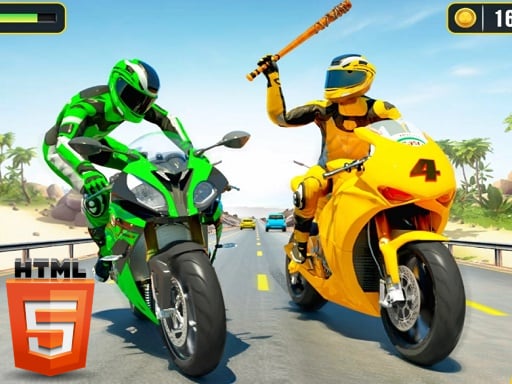 Bike Attack Race 2024
Action
Bike Attack Race 2024
Action
Tag guide
Play Browser Games Designed for Tablet and Touch Displays
The iPad tag gathers 162 browser games built primarily with responsive HTML5, WebGL, and Unity3D engines that cater to touch interaction. While traditional desktop web games depend on physical keyboards and mice, entries under this tag typically adapt to larger capacitive touchscreens. The library is led heavily by fast-paced Arcade releases and accessible Hypercasual titles, alongside a substantial mix of Action adventures and logic Puzzles.
Because tablet browsing spans many screen ratios and input styles, games in this collection vary in how they handle touch input. Some titles are designed exclusively for quick taps and idle progression, while others superimpose virtual directional pads and action buttons over the play area. Reviewing the catalog listings helps you identify which games suit a relaxed tap session on your couch and which demand agile multi-finger coordination.
What You Will Find in the iPad Collection
Catalog data shows that the iPad label is dominated by Arcade games (44 titles) and Hypercasual projects (42 titles), followed by Action (28) and Puzzles (21). A smaller assortment covers Girls, Racing, and Shooting categories. Because these games share significant tag crossover with Mobile, HTML5, and Android tags, the catalog prioritizes lightweight formats that load directly inside a mobile browser window.
- Arcade challenges emphasizing quick reflexes and high scores.
- Hypercasual and idle clicker games designed around simple tapping mechanics.
- Side-scrolling adventures and platformers incorporating on-screen virtual pads.
- Top-down shooters and driving games with responsive steering buttons.
Tapping Games Versus Virtual Button Controls
Not all iPad-tagged games control the same way. Titles like Coookie Clicker and Witch Princess Alchemy rely purely on mouse clicks or direct finger taps, making them effortlessly playable on any touchscreen without complex finger placement. Players tap ingredients, harvest currency, or select menu upgrades without needing tactile keyboard feedback.
Conversely, action and driving titles such as Bike Attack Race 2024, Legendary Knight: In Search of Treasures, and City Zombie Survival 2D include dedicated mobile HUD buttons or virtual joysticks alongside their keyboard setups. For instance, Santas Gifts provides on-screen arrow icons specifically for tablet and mobile players, while Rebel Wings gives pilots selectable touch-movement schemes directly in the browser settings.
How to Choose the Right Game for Your Setup
Selecting an enjoyable title depends on whether you are playing purely via touch, using an attached keyboard folio, or browsing on a desktop computer. Reviewing the developer instructions on the game profile will tell you whether the interface offers on-screen controls.
- For relaxed, one-finger play: Pick hypercasual or clicker titles where direct screen tapping handles all upgrades and interactions.
- For complex platforming: Look for titles like Legendary Knight that explicitly note touch joystick support or dual keyboard options if you use an external iPad keyboard.
- For fast arcade runs: Choose games with integrated on-screen arrows or simplified tilt and tap steering.
Checking Control Schemas Before Playing
Because catalog entries often support both desktop computers and handheld devices, instructions frequently list both sets of inputs. For example, SimCity Uber Car Transport Saga outlines WASD controls for desktop driving, meaning tablet users should confirm within the game interface whether touch-steering overlays activate automatically. Checking game instructions before launching helps avoid games that expect a physical keyboard.
Tips for Smooth Browser Gaming on Tablets
To get the best experience when launching HTML5 and WebGL titles on tablet browsers, keep these practical points in mind:
Orient your device according to the game layout; vertical runners require portrait mode, while driving simulations and shoot-em-ups like Rebel Wings function best in landscape orientation. If an on-screen button is unresponsive, verify that your browser is not interpreting the gesture as a page zoom or swipe navigation.
iPad games online FAQ
What does the iPad tag mean for these browser games?
The tag marks browser-based games configured with touch support, virtual on-screen buttons, or adaptive HTML5 responsive layouts suitable for tablet displays.
Do I need to install an app to play these iPad games?
No. The games run directly in modern web browsers using HTML5, WebGL, or Unity3D web players without separate store downloads.
Can I play iPad games using a desktop computer?
Yes. Most games in this section maintain dual control setups, offering standard keyboard keys (such as WASD or arrows) and mouse clicks alongside their touch interfaces.
Why do some games show keyboard controls in their instructions?
Many titles are cross-platform web games. Their instructions list keyboard mappings for PC users alongside on-screen buttons or tap triggers programmed for mobile and tablet visitors.