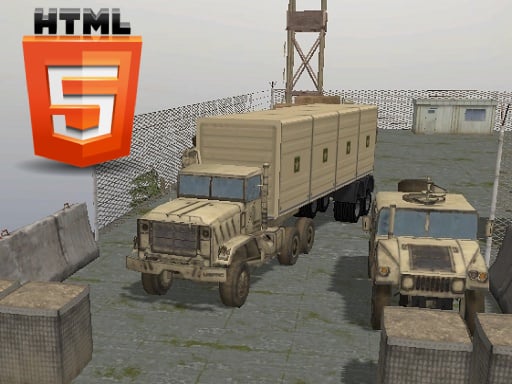
About Army Vehicle Transporting
Army Vehicle Transporting puts players behind the wheel of heavy-duty transport machinery tasked with moving military equipment. The core challenge centers on steering large vehicles through logistical routes while maintaining full control over heavy cargo such as tanks, personnel carriers, and jeeps. With multiple camera perspectives and dedicated controls for desktop and mobile, success depends on patient maneuvering, smooth acceleration, and spatial awareness.
Army Vehicle Transporting is a driving and simulation title focused on the specialized operations of military logistics. In real-world defense operations, moving ground vehicles like armored personnel carriers and tanks requires careful planning due to vehicle dimensions, massive weight, and route security. This title translates that operational tension into an accessible driving experience where handling heavy machinery is the central focus.
Players take control of transport trucks designed to haul military hardware across varied terrain. Navigating corners, managing forward momentum, and adjusting to changing route layouts demand steady inputs rather than erratic speed. Whether maneuvering through simulated deployment zones, training routes, or humanitarian transit paths, maintaining complete control over your rig forms the heart of the gameplay loop.
Your goal
The primary goal is to steer transport trucks and military haulers safely across each operational route to complete designated logistical assignments. Players work to refine their handling precision, avoid reckless collisions, and navigate oversized vehicle loads smoothly through tight roads and turns without losing vehicular stability.
How to play Army Vehicle Transporting
1. Launch Army Vehicle Transporting in your web browser and select your initial driving assignment.
2. Familiarize yourself with your steering controls, using WASD on desktop keyboards or the on-screen button interface on mobile touchscreens.
3. Press C on desktop or use the camera toggle on mobile to switch viewpoints and find the best viewing angle for navigating your oversized vehicle.
4. Apply steady throttle to move forward, easing off the acceleration when approaching narrow turns, obstacles, or rugged terrain.
5. Guide your military transport to the destination to complete your logistical transit objective.
Controls and device support
On PC, use WASD keys to drive and steer your vehicle, and press C to toggle between camera views. On mobile devices, utilize the on-screen touch button interface to navigate.
- Controls: See in-game controls
- Device support: Desktop + mobile
- Game frame: 800 x 600
What makes the challenge interesting
The defining skill in Army Vehicle Transporting is precision maneuvering under the physical constraints of heavy machinery. Unlike lightweight arcade racers, operating a military hauler carrying tanks or armored carriers requires anticipating momentum and turning arcs well ahead of time. Braking distances are longer, and sudden high-speed turns risk destabilizing the vehicle.
A crucial element of the gameplay is camera management. Toggling between closer and wider perspectives using the dedicated camera key helps drivers monitor bumper clearances and road hazards. The core tradeoff involves balancing forward speed against careful path navigation, rewarding steady discipline over reckless throttle usage.
Tips for Army Vehicle Transporting
- Switch camera angles frequently with the C key when entering sharp corners or cramped pathways to confirm clearance on all sides of your vehicle.
- Brake well before turning rather than braking mid-turn, which preserves vehicular balance and prevents the transport truck from sliding off course.
- Feather the forward throttle with brief key presses on desktop to navigate delicate bottlenecks instead of holding acceleration down continuously.
- Plan wide entry lines into upcoming turns to accommodate the extended length and heavy payload of military transport vehicles.
Playing on different devices
Army Vehicle Transporting offers distinct control layouts tailored for desktop and mobile play. Desktop users benefit from the physical responsiveness of WASD keyboard controls alongside the C key for rapid camera switching. Mobile players on phones or tablets interact directly with on-screen touch buttons for steering and driving adjustments.
The 800 x 600 default display adapts across modern web browsers, making it easy to run on both portable devices and desktop systems without requiring software installations.
The skills behind the game
Positioned within the action, driving, and simulator genres, Army Vehicle Transporting emphasizes heavy-vehicle handling and tactical transit. While typical driving games prioritize outright racing speed, transport simulators reward deliberate positioning, load stability, and careful throttle application across technical routes.
Who will enjoy this game
Players searching for an army vehicle transporting game or a challenging action game online will appreciate the deliberate pacing and logistical focus of this title. It serves as an engaging browser driving exercise for anyone wanting to practice maneuvering oversized military trucks across challenging ground routes.
Frequently asked questions
What controls do I use to drive on PC? On desktop computers, use the WASD keys to accelerate, steer, and reverse. You can switch camera angles by pressing the C key.
Can Army Vehicle Transporting be played on mobile devices? Yes, the game supports mobile browsers on Android, iPhone, and iPad devices using a dedicated on-screen touch button interface.
What kind of vehicles are featured in the simulation? The game focuses on military logistics and vehicle transport, featuring heavy haulers moving ground units such as tanks, jeeps, and armored personnel carriers.
Something not right?
Tell us if the game does not load, the information is wrong or the content needs review.
Report a problem ›