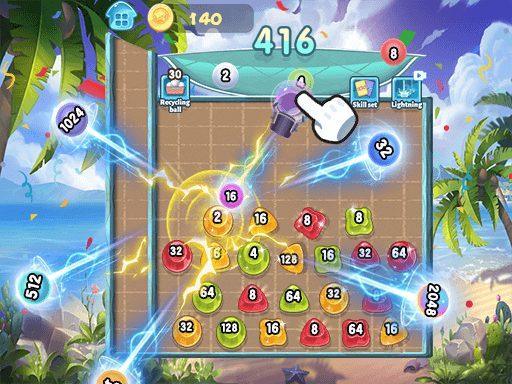
 2048Skill Edition
Shooting
2048Skill Edition
Shooting
Play by tag
Free Online Destroying Games
The destroying games collection brings together browser titles where your central objective is tearing down obstacles, leveling environments, or breaking targets down to zero. Spanning hypercasual time-killers, 3D open-city romps, tactical ball puzzles, and upgrade-heavy clickers, this category offers a wide variety of demolition mechanics.
19playable games
2048Skill Edition
Shooting
 Body Drop
Fighting
Body Drop
Fighting
 Brick Breaker Gala
Shooting
Brick Breaker Gala
Shooting
 Cars vs Zombies
Racing
Cars vs Zombies
Racing
 Destroy the Ragdoll Sandbox
Fighting
Destroy the Ragdoll Sandbox
Fighting
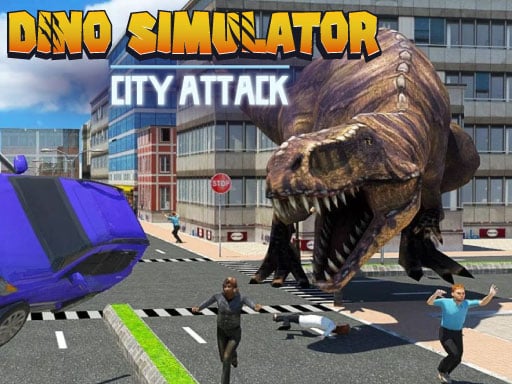 Dino Simulator City Attack
Action
Dino Simulator City Attack
Action
 Dinosaur City Hunting Destroy
Action
Dinosaur City Hunting Destroy
Action
 FRAGMENT
Arcade
FRAGMENT
Arcade
 Grimage Wall Breaker
Action
Grimage Wall Breaker
Action
 Hammer Strike: Destruction Zone
Arcade
Hammer Strike: Destruction Zone
Arcade
 Idle Defense Grid
Hypercasual
Idle Defense Grid
Hypercasual
 Labubu Miner
Clicker
Labubu Miner
Clicker
 Pinball: Cube Crusher
Hypercasual
Pinball: Cube Crusher
Hypercasual
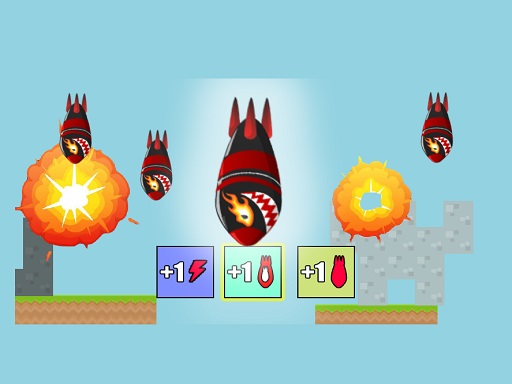 Rocket Evolution Destroy the Map!
Hypercasual
Rocket Evolution Destroy the Map!
Hypercasual
 Runner Apocalypse
Hypercasual
Runner Apocalypse
Hypercasual
 SpacePuzzler
Puzzles
SpacePuzzler
Puzzles
 Total sweep
Puzzles
Total sweep
Puzzles
 Voxel Destroyer
Hypercasual
Voxel Destroyer
Hypercasual
 World War III
Adventure
World War III
Adventure
Tag guide
Demolition, Block Crushing, and Action-Packed Destruction
The destroying games collection brings together browser titles where your central objective is tearing down obstacles, leveling environments, or breaking targets down to zero. Spanning hypercasual time-killers, 3D open-city romps, tactical ball puzzles, and upgrade-heavy clickers, this category offers a wide variety of demolition mechanics.
Rather than adhering to a single strict genre, games under this tag approach destruction from distinct angles. Some challenge your reflexes as you crush hazards against a strict timer, while others let you steadily invest earned rewards to unleash higher damage output and clear massive maps.
What You Will Find in the Destroying Catalog
Catalog evidence reveals that destroying titles balance between quick-reaction arcade games and progression-based puzzles. Hypercasual and action releases represent the largest portion of the collection, complemented by fighting sandboxes, shooting variants, and idle mining clickers.
Whether you are piloting a descending projectile to shatter ground terrain or swinging an oversized tool to prevent falling debris from overflowing, every game turns the act of breaking things into a core scoring or progression loop.
- Hypercasual projectiles: Guide falling rockets to smash ground maps and collect modifiers.
- 3D rampage adventures: Roam city streets as a prehistoric beast, disrupting buildings and hitting mission objectives.
- Reflex block smashing: Time heavy hammer swings to crack incoming metal and concrete hazards before time expires.
- Numbered puzzle elimination: Fire streams of balls to chip away durable numeric blocks and collect upgrade crystals.
Distinct Styles of Smashing and Demolishing
Players looking for immediate action can jump into 3D simulation titles like Dino Simulator City Attack, where navigation keys and action buttons let you run through urban areas and smash predetermined targets under time limits. For combat-focused scenarios, titles like World War III place you in third-person or first-person viewpoints to eliminate waves of mechanical adversaries across hostile terrain.
If you prefer measured physics and timing, arcade and puzzle entries provide structured layouts. In Hammer Strike: Destruction Zone, players charge and release a massive hammer to reduce falling blocks and manage an aggressive countdown meter. Meanwhile, games like Total sweep require thoughtful angle calculations to break geometric blocks with finite bounces.
Upgrades, Sandboxes, and Idle Mining
Destruction in these browser games frequently ties into an economic upgrade cycle. In clicker and sandbox experiences such as Destroy the Ragdoll Sandbox or Labubu Miner, every strike yields in-game currency or rare minerals. These resources allow you to buy enhanced weapons, automated tools, explosive devices, or multiplier perks.
In projectile-based titles like Rocket Evolution Destroy the Map!, in-run buffs and debuffs dynamically change your projectile size and impact radius, requiring you to balance risk while steering through floating gates before crashing into the landscape.
Reading In-Game Instructions and Controls
Control schemes vary widely across the destroying tag due to differing camera perspectives and engine frameworks. Top-down and 2D games often rely exclusively on mouse dragging, clicking, or single-touch gestures to charge swings or direct aiming reticles.
Full 3D action titles usually implement traditional keyboard layouts, utilizing WASD for movement, Shift to sprint, the Spacebar to jump, and mouse buttons to aim or attack. Always inspect the on-screen prompts or the game's detailed instruction panel before starting a match to confirm key bindings.
How to Choose the Right Destroying Game
To pick the best game for your session, decide whether you want fast manual reflexes, strategic puzzle solving, or relaxed progression.
Choose arcade and simulation titles when you want high-energy destruction against the clock. Pick ball-shooting and numbered-brick puzzles when you want satisfying chain reactions without rapid movement. For sessions where you want to build up power over time, opt for sandbox clickers that reward persistent upgrades.
destroying games FAQ
What types of games are included under the destroying tag?
The tag features a mix of hypercasual rocket smashers, 3D city demolition simulators, timed arcade block crushers, tactical ball-aiming puzzles, clickers, and combat-oriented action games.
Do destroying games require a keyboard and mouse?
It depends on the individual game. Many 2D puzzles and clickers work smoothly with simple mouse clicks or touchscreen taps, while 3D exploration and combat games generally require WASD keyboard navigation alongside mouse aiming.
How do puzzle-style destruction games work?
In titles like Total sweep, destruction is tactical. You aim projectiles at blocks marked with numbers, reducing each block's counter by one per hit until it clears completely from the board.
Are there upgrade systems in these destruction games?
Yes, several games feature upgrade systems. Titles such as Destroy the Ragdoll Sandbox and Labubu Miner let you reinvest coins earned from damage into stronger gear, automated mining drills, or explosive tools.