Play now

Hypercasual game

Rocket Evolution Destroy the Map!

Rocket evolution - destroy the map! — a casual timekiller game where your goal is to destroy the map as much as possible. The gameplay itself is an upgrade of the projectile (rocket). That is, while you are falling, controlling...

More Hypercasual
HypercasualRocket Evolution Destroy the Map!

Choose Play now to load the game.

Open source

Official listing

Game description

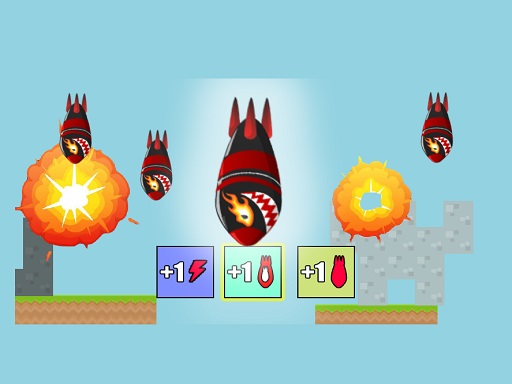
Rocket evolution - destroy the map! — a casual timekiller game where your goal is to destroy the map as much as possible. The gameplay itself is an upgrade of the projectile (rocket). That is, while you are falling, controlling the rocket, you can collect various bonuses. What bonuses are there in the game: • +1 and -1 to the size of the rocket • destruction of the projectile (the main rocket gets only -5 to the size) • +1 rocket (be careful, this works as a buff and debuff) • +1 to the speed of the rocket.

From the game listing

Instructions and controls

Controls on PC arrows or AD On mobile using the on-screen buttons After the first rocket reaches the ground a button appears in the form of a save icon You need to click it to save the progress and go to the match completion window

Watch before you play

How to play Rocket Evolution Destroy the Map!

See the official game walkthrough for the objective, controls and useful gameplay ideas.

Video guide

About Rocket Evolution Destroy the Map!

Rocket evolution - destroy the map! — a casual timekiller game where your goal is to destroy the map as much as possible. The gameplay itself is an upgrade of the projectile (rocket). That is, while you are falling, controlling...

Rocket Evolution Destroy the Map! is listed in the Hypercasual games collection. The listing also includes the 1 Player, Casual, destroy, destroying, Hypercasual, and Mobile tags, which help connect it with nearby game pages.

How to play Rocket Evolution Destroy the Map!

Controls on PC arrows or AD On mobile using the on-screen buttons After the first rocket reaches the ground a button appears in the form of a save icon You need to click it to save the progress and go to the match completion window

Controls and device support

The listing currently identifies Desktop + mobile support, keyboard controls and a 480 x 640 game frame. These details come from the supplied game information and may change when the source listing is updated.

  • Controls: Keyboard
  • Device support: Desktop + mobile
  • Game frame: 480 x 640

Something not right?

Tell us if the game does not load, the information is wrong or the content needs review.

Report a problem