Play now

3D game

What a Leg

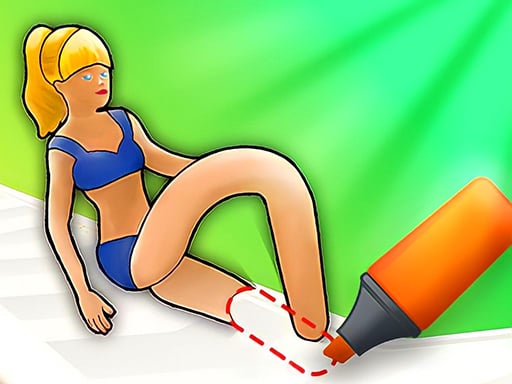
The competition is beginning between the runners who have no legs yet with the What a Leg game! Draw legs for the runners and get them to the finish line as quickly as possible. The runners will run on different parkours which...

More 3D
3DWhat a Leg

Choose Play now to load the game.

Open source

Official listing

Game description

The competition is beginning between the runners who have no legs yet with the What a Leg game! Draw legs for the runners and get them to the finish line as quickly as possible. The runners will run on different parkours which have various obstacles on the way. On each block, you will have to draw different types of legs to overcome the obstacle. You can play against online opponents in single player mode or you can play in two player mode against a friend.

From the game listing

Instructions and controls

Single player mode Use MOUSE and LEFT-CLICK to draw legs Two player mode After drawing legs at the beginning of the game use the keys below for switching between the legs Player 1 W A S D Player 2 ARROW KEYS

Watch before you play

How to play What a Leg

See the official game walkthrough for the objective, controls and useful gameplay ideas.

Video guide

About What a Leg

The competition is beginning between the runners who have no legs yet with the What a Leg game! Draw legs for the runners and get them to the finish line as quickly as possible. The runners will run on different parkours which...

What a Leg is listed in the 3D games collection. The listing also includes the 2 Player, 3D, Baby, Draw, Drawing, and Fun tags, which help connect it with nearby game pages.

How to play What a Leg

Single player mode Use MOUSE and LEFT-CLICK to draw legs Two player mode After drawing legs at the beginning of the game use the keys below for switching between the legs Player 1 W A S D Player 2 ARROW KEYS

Controls and device support

The listing currently identifies Browser support, keyboard controls and a 800 x 600 game frame. These details come from the supplied game information and may change when the source listing is updated.

  • Controls: Keyboard
  • Device support: Browser
  • Game frame: 800 x 600

Something not right?

Tell us if the game does not load, the information is wrong or the content needs review.

Report a problem