About Anderson o Chapeleiro
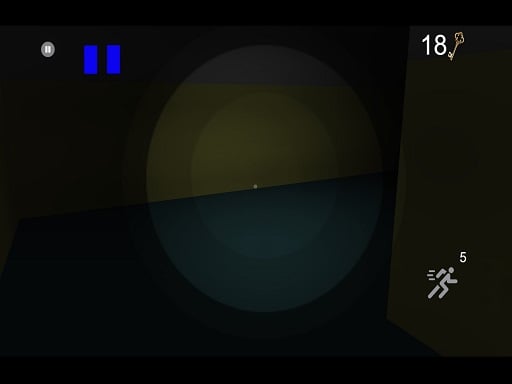
Anderson o Chapeleiro casts you into a shadowy, surreal realm where survival depends on completing a perilous challenge. Playing as Luiz, an unwitting participant who accepted a mysterious invitation, you are confronted by the enigmatic figure Anderson the Hatter. Given three cards, Luiz selects the lost keys trial, placing your fate inside a winding maze. To escape with your life, you must navigate the corridors and discover all 20 hidden keys scattered across the dark labyrinth.
The narrative of Anderson o Chapeleiro sets an eerie, suspenseful tone. Luiz accepts an invitation to play, only to find himself transported into a gloomy alternate dimension. Anderson the Hatter presents an ultimatum: play his chosen game or perish. After Luiz draws the lost keys card, the player is dropped into a three-dimensional labyrinth with a single explicit mandate: locate every one of the 20 lost keys to secure freedom and win the game.
Exploration unfolds through a first-person or close third-person maze perspective within an 800 by 600 display area. Movement requires methodical route management as you walk along dim pathways, check intersections, and consume energy drinks to bolster Luiz's traversal speed or stamina. Navigating requires patience, careful spatial tracking, and diligent checking of blind corners so you do not backtrack through previously cleared hallways without finding remaining objectives.
Your goal
Your clear goal in Anderson o Chapeleiro is to explore the labyrinth thoroughly and collect all 20 lost keys required to escape. Failing to meet Anderson's challenge leaves Luiz trapped in the shadowy world, making comprehensive map exploration your highest priority. Success requires systematically scouring corridors, remembering distinct junctions, and managing your energy drink usage until the final twentieth key is safely secured.
How to play Anderson o Chapeleiro
1. Start the game session and observe your initial starting junction within the dark maze corridor.
2. Press W to walk forward and S to step backward, learning the basic pacing of your character.
3. Test your lateral movement keys, noting that D moves you left and A moves you right based on the provided controls.
4. Press Q when needed to access game settings or skip opening narrative dialogue and transitions.
5. Search each corridor systematically to spot and pick up the lost keys scattered across the floor or corners.
6. Trigger Shift to consume an energy drink when you need a boost to cross long empty corridors quickly.
7. Continue exploring until you accumulate the entire quota of 20 lost keys to conclude Luiz's escape.
Controls and device support
The game provides specific keyboard bindings: W moves forward (walk to front), S moves backward (walk to back), D walks to the left, and A walks to the right. Press SHIFT to consume an energy drink for extra mobility, and press Q to enter settings or skip sequences. Note that lateral controls A and D are configured opposite to standard WASD setups in the developer instructions.
- Controls: See in-game controls
- Device support: Browser
- Game frame: 800 x 600
Rules to keep in mind
- Luiz must participate in the Hatter's chosen game to survive his entrapment in the dark realm.
- The primary win condition requires finding all 20 lost keys hidden throughout the labyrinth.
- Energy drinks can be consumed by pressing Shift to aid your character's movement across the maze.
- The Q key functions to open the settings menu or skip introductory scenes.
What makes the challenge interesting
The primary tension in Anderson o Chapeleiro stems from spatial orientation within an enclosed 3D maze environment. Because corridors in gloomy labyrinth environments often share similar lighting and visual textures, staying oriented is a vital skill. Players must create an internal mental map, deliberately choosing which paths to explore first to avoid wandering in circles.
A crucial tactical consideration revolves around the energy drink mechanic activated via Shift. Rather than burning through energy boosts indiscriminately, a disciplined explorer reserves speed for backtracking across previously verified empty halls or escaping confusing dead ends. Balancing deliberate, observant creeping around corners with rapid traversal of cleared territory ensures you collect all 20 keys without losing track of your position.
Tips for Anderson o Chapeleiro
- Follow the left-hand or right-hand wall rule when entering new maze branches. Sticking to one side helps trace a continuous perimeter, preventing accidental loops and ensuring you inspect every alcove for keys.
- Acclimate to the reversed strafing layout early on. Pressing D moves Luiz left and A moves him right, so practice in an open junction to avoid disorienting sideways collisions during crucial turns.
- Save your energy drinks for known straightaways. Using Shift in long, cleared corridors saves valuable transit time, whereas sprinting into uncharted intersections risks running directly into blind dead ends.
- Maintain a running tally of your gathered keys. Knowing whether you need three keys or fifteen keeps your search focused and helps determine how deep into unexplored wings of the labyrinth you still need to venture.
Stages and progression
Anderson o Chapeleiro frames its entire journey around a single overarching trial: collecting 20 lost keys to enable Luiz's escape. While the game does not publish separate progressive stage unlocks or distinct mission chapters in its briefing, the mental difficulty increases naturally as fewer keys remain hidden. Finding the first several items in nearby corridors happens quickly, but tracking down the final handful demands exploring deep, isolated branches of the labyrinth that were previously bypassed.
Players aiming to refine their play can focus on developing structured search routes. Repeated runs offer opportunities to memorize maze geometry, streamline key pickups, and optimize energy drink consumption across lengthy stretches.
Playing on different devices
Configured for an 800 by 600 canvas, Anderson o Chapeleiro relies strictly on physical keyboard inputs for navigation and actions. Desktop browsers provide the ideal setup, allowing direct access to W, S, A, D, Shift, and Q. Ensure your browser window maintains active focus so key presses register reliably without triggering page scrolling.
The skills behind the game
Tagged as a single-player 3D maze experience, Anderson o Chapeleiro fits squarely within the tradition of spatial labyrinth games. Unlike flat, top-down puzzles where the entire pathway is visible from above, a 3D perspective restricts sightlines to what stands immediately ahead in the corridor. This restriction transforms simple navigation into a test of working memory, observational discipline, and pathfinding instincts.
Maze titles in this style appeal to players who enjoy steady, atmospheric tension over frantic reflex shooting. Success relies on deliberate movement, surveying intersections, and maintaining bearings without the aid of high-speed acrobatics. By blending eerie narrative stakes with item collection, the game emphasizes exploration patience in an enclosed, gloomy setting.
Who will enjoy this game
Players looking up Anderson o Chapeleiro or searching for the Anderson o Chapeleiro game generally seek an atmospheric browser maze challenge with narrative intrigue. The premise of an unsuspecting protagonist pulled into an eccentric antagonist's deadly game attracts fans of horror-adjacent mystery adventures.
This title serves well for casual practice in spatial orientation and methodical navigation. Whether you are spending a short break exploring its dim passageways or practicing clean corridor-clearing routines to collect all 20 keys in fewer trips, it provides a self-contained objective suitable for focused single-player sessions.
Frequently asked questions
What is the main objective in Anderson o Chapeleiro? You play as Luiz and must explore a dark 3D maze to locate all 20 lost keys chosen during the card challenge. Finding every key allows Luiz to escape Anderson the Hatter's deadly world.
How do the movement controls work in the game? Press W to walk forward and S to walk backward. Uniquely, D moves Luiz left and A moves him right. Use Shift to drink an energy boost and Q to enter settings or skip scenes.
What purpose does the energy drink serve? Pressing the Shift key activates Luiz's energy drink, granting an enhancement to your movement so you can traverse long corridors and transit back through cleared paths more swiftly.
Can I pause or adjust options during the trial? Yes, pressing the Q key allows you to access the in-game settings menu, as well as skip introductory sequences when starting your maze run.
Something not right?
Tell us if the game does not load, the information is wrong or the content needs review.
Report a problem ›