Official listing
Game description
Jump from platform to platform and go as high as possible!
Hypercasual game
trezeBoost is a 2D physics-based jumping game where players launch upward from one platform to another to climb as high as possible. Designed for single-player action, the game uses a simple drag-and-release mechanic compatible with mouse and touchscreen devices. Line up your jumps, maintain vertical momentum, and strive to set a new personal altitude record.
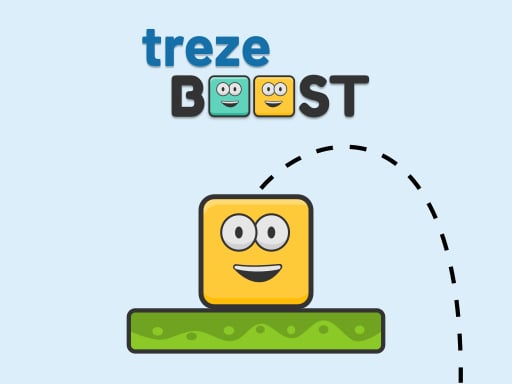
Choose Play now to load the game.
Official listing
Jump from platform to platform and go as high as possible!
From the game listing
TOUCHSCREEN or MOUSE Touch Drag to down and Release
Open this card to load the gameplay video.
trezeBoost is a 2D physics-based jumping game where players launch upward from one platform to another to climb as high as possible. Designed for single-player action, the game uses a simple drag-and-release mechanic compatible with mouse and touchscreen devices. Line up your jumps, maintain vertical momentum, and strive to set a new personal altitude record.
In trezeBoost, players experience hypercasual platforming focused entirely on vertical climbing and physics-driven jumping mechanics. As a 2D single-player action title, the primary objective is to leap cleanly between suspended platforms while ascending toward the sky. Using intuitive drag-down-and-release controls, you set the trajectory and power of each leap to ensure your character lands safely on the next platform above.
The straightforward loop offers quick sessions where timing and precision determine your overall height. Because the core challenge revolves around continuous upward movement, each successful jump requires steady aim and careful release. Players seeking a fast-paced platform test can dive in instantly across mobile screens or desktop browsers.
The primary goal in trezeBoost is to reach the highest altitude achievable by consistently jumping from platform to platform. Each successful landing on a higher ledge keeps your ascent alive and increases your vertical climb. To maximize your progress, you must carefully calculate each launch angle, avoid missing your target landing surface, and maintain a steady rhythm of upward leaps.
1. Position your cursor or touch contact over the character on the platform.
2. Click or touch and drag downward to set your jumping trajectory.
3. Release your hold to launch the character into the air.
4. Land securely on the overhead platform to secure your elevation.
5. Repeat the drag-and-release mechanic consecutively to climb as high as possible.
Mouse drag down and release: Launch character upward
Touch drag down and release: Launch character upward
trezeBoost emphasizes physics-based launch mechanics and precise spatial awareness. Every leap requires assessing the distance and vertical positioning of the next platform. Because movement relies on pulling downward and releasing, players must gauge the intensity and angle of each drag to prevent overshooting or undershooting the target surface. The 2D platform layout challenges your hand-eye coordination as you ascend higher into the air. Success depends on disciplined aiming, quick reflexes after landing, and steady execution of the slingshot-style jumping mechanic across rapid vertical sequences.
trezeBoost features a vertical canvas format of 1080 x 1920, making it well-suited for portrait orientations on smartphones and upright display windows in desktop browsers.
As part of the hypercasual genre, trezeBoost offers immediate, pick-up-and-play platforming mechanics without complicated controls or lengthy tutorials. Hypercasual titles emphasize fast feedback loops and accessible touch or mouse inputs, making vertical climbing games easy to understand within seconds. The focus on physics-driven jumping creates an engaging trial of skill that appeals to casual players seeking quick single-player sessions.
Players searching for trezeboost or a quick trezeboost game will find a minimalist 2D platformer centered on vertical ascent. Built with lightweight drag-and-release mechanics, it fits alongside browser-based physics jumpers designed for instant browser play. The straightforward format delivers quick replayability for anyone wanting to test their jumping accuracy and climb higher on every attempt.
How do you jump in trezeBoost? To jump in trezeBoost, click or touch the screen, drag downward to aim and charge your leap, and release to launch your character upward toward the nearest platform.
What is the main objective of trezeBoost? The objective is to jump from platform to platform and climb as high as possible, setting the best vertical distance you can achieve in a single run.
Can trezeBoost be played on both desktop and mobile devices? Yes, trezeBoost supports both touchscreen devices and standard mouse controls, allowing you to drag down and release using either a mouse or a touch display.
Tell us if the game does not load, the information is wrong or the content needs review.
Report a problemExplore popular games by category, shared tags and site-wide activity.

















