 2 Dots Crazy Challenge
Hypercasual
2 Dots Crazy Challenge
Hypercasual
Play by tag
Free Cool Games Online
The Cool games tag serves as an umbrella collection featuring over 190 diverse titles. Rather than locking into a single rigid mechanic, this category brings together a wide variety of engaging, easy-to-access browser experiences. From reflex-testing arcade runs and clever logic puzzles to tactical arena shooters and full 3D supercar drives, the catalog offers titles tailored for quick fun and varied playstyles.
181playable games
2 Dots Crazy Challenge
Hypercasual
 A DAY IN ANGEL WORLD
Girls
A DAY IN ANGEL WORLD
Girls
 ABC Kids Tracing and Phonics
Puzzles
ABC Kids Tracing and Phonics
Puzzles
 Air Strike
Arcade
Air Strike
Arcade
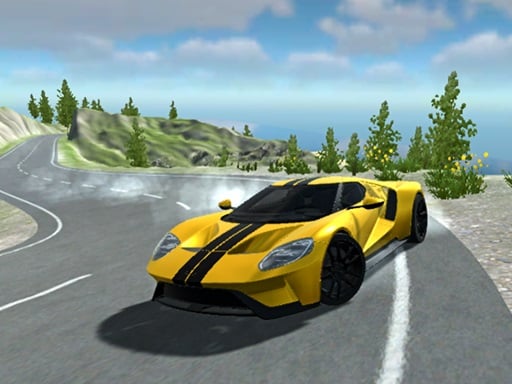 American Supercar Test Driving 3D
Racing
American Supercar Test Driving 3D
Racing
 Anime Princess Dress Up Games
Girls
Anime Princess Dress Up Games
Girls
 Aquapark.io
Arcade
Aquapark.io
Arcade
 Arrange The Sandwich
Cooking
Arrange The Sandwich
Cooking
 Baby Hazel Makeover
Girls
Baby Hazel Makeover
Girls
 Balloon Paradise Pet Bubble Pop Match Ice Cream
Hypercasual
Balloon Paradise Pet Bubble Pop Match Ice Cream
Hypercasual
 Bananas clicker
Hypercasual
Bananas clicker
Hypercasual
 Barber Cut
Hypercasual
Barber Cut
Hypercasual
 Bird Surfing
Adventure
Bird Surfing
Adventure
 BlackPink Chibi Claw Machine
Girls
BlackPink Chibi Claw Machine
Girls
 Blocks and Car
Puzzles
Blocks and Car
Puzzles
 Bowling Hit 3D
Hypercasual
Bowling Hit 3D
Hypercasual
 Brain tricks puzzles for kids
Puzzles
Brain tricks puzzles for kids
Puzzles
 Breaking Fall
Arcade
Breaking Fall
Arcade
 Bunns Adventure
Arcade
Bunns Adventure
Arcade
 Candies Monsters
Puzzles
Candies Monsters
Puzzles
 Car Parking Arena 3D
Arcade
Car Parking Arena 3D
Arcade
 Car Parking Game 3D
Arcade
Car Parking Game 3D
Arcade
 Cat Clicker MLG
Shooting
Cat Clicker MLG
Shooting
 Chicken.io
Arcade
Chicken.io
Arcade
Tag guide
Discover a Diverse Collection of Fun and Cool Browser Games
The Cool games tag serves as an umbrella collection featuring over 190 diverse titles. Rather than locking into a single rigid mechanic, this category brings together a wide variety of engaging, easy-to-access browser experiences. From reflex-testing arcade runs and clever logic puzzles to tactical arena shooters and full 3D supercar drives, the catalog offers titles tailored for quick fun and varied playstyles.
Dominated by hypercasual (41 games), arcade (37 games), and puzzle (36 games) formats, this tag also branches out into girl-themed styling, cooking challenges, high-speed racing, and clicker mechanics. Whether you have two minutes to test your timing or want to master complex keyboard controls in a multi-level adventure, you will find a distinct experience to try right in your web browser.
What You Will Find in the Cool Games Catalog
Because 'Cool' represents an overall tone of casual fun rather than one single genre, the games included here range from lightweight 2D mini-games to WebGL-powered 3D simulations. Players can jump between distinct themes, including brain teasers, cartoon dress-up activities, and intense combat challenges.
Most games under this tag are structured for single-player play, allowing you to learn mechanics at your own pace. With strong representation in HTML5, these games load directly in modern web browsers across desktop and mobile devices without requiring extra installations.
- Over 190 titles covering arcade, puzzle, hypercasual, action, and simulation genres
- Mix of lightweight 2D tap games and rich 3D browser graphics
- Instant accessibility built around short sessions and intuitive objectives
Core Substyles: Hypercasual, Arcade, and Logic Puzzles
The largest share of the collection is built around quick reflex tests and brain-teasing puzzles. Titles like Wheel of Bingo merge classic number matching with physical drop mechanics inspired by plinko boards, challenging players to manage spins and line up colored balls for high scores.
For platforming fans, arcade entries like Red Ball Bounce require precise rolling and jumping through hazard-filled factory zones to dodge lasers and collect stars. Meanwhile, puzzle fans can enjoy relaxed image assembly in Funny Puzzle: Cats, which focuses on rotating multi-piece tiles to complete pictures and climb scoreboards.
- Hybrid chance-and-physics titles combining wheels, balls, and score multipliers
- Classic 2D jump-and-roll platformers with obstacle-rich level designs
- Relaxing visual rotation and jigsaw puzzles offering scaling difficulty levels
Shooters, Driving Simulators, and Skill Clickers
Beyond light puzzles, the tag houses several high-energy action titles. In Noobik Battlegrounds, players parachute into an arena, scavenge for equipment, and maneuver toward a shrinking safe zone while eliminating rival fighters using standard WASD and mouse aiming controls.
If you prefer speed over combat, American Supercar Test Driving 3D lets you take a modern American supercar out for open driving simulations complete with launch control, turn signals, and handbrake maneuvers. For pure timing challenges, clickers like Elevator Fall Break test how well you can hold and release braking controls to guide descending lifts past moving obstacles.
- Tactical battle arena shooters with shrinking zones and equipment looting
- Detailed 3D vehicle driving sandboxes with functional dashboard controls
- One-tap timing clickers where precision braking avoids catastrophic crashes
Controls and Session Styles to Expect
Input schemes vary widely across the collection depending on the genre. Hypercasual and clicker titles usually require only a single mouse click or touchscreen tap to hold, release, or rotate elements. For example, Make popcorn 2021 asks players to simply hold to fill buckets without overflowing.
In contrast, 3D racing and battle royale games employ complete keyboard layouts. These often use WASD or arrow keys for locomotion, the spacebar for handbrakes, and specific keys for headlights, resets, or interaction prompts. Always check the instruction panel under each individual game before jumping in.
- Mouse & Tap: Click-and-drag rotation, hold-to-brake timing, and simple menu taps
- Keyboard Movement: WASD and arrow keys for ball rolling, car steering, and player movement
- Action Hotkeys: Dedicated buttons for jumping, handbraking, vehicle indicators, and weapon toggles
Tips for Choosing the Right Cool Game
When browsing the cool tag, start by deciding whether you want a fast-reaction challenge or a low-stress activity. If you only have a few minutes, clicker games and simple single-screen puzzles deliver instant satisfaction with minimal learning curves.
If you are looking for a longer session with progressive mechanics, explore the 3D racing sandbox or tactical shooting entries. Checking the listed tags on each game page—such as 3D, WebGL, 1 Player, or Casual—will help you instantly spot which title matches your current mood.
cool games online FAQ
What kinds of games are included under the Cool tag?
The Cool tag includes a broad spectrum of popular browser games, primarily featuring hypercasual games, retro-style arcade platformers, jigsaw puzzles, 3D driving simulators, tactical top-down/arena shooters, and casual cooking games.
Are games in this category played in 2D or 3D?
Both formats are well represented. The collection features lightweight 2D games like rotating puzzles and rolling-ball adventures, as well as 3D WebGL experiences like supercar driving tests and elevator obstacle courses.
Do I need a keyboard to play these cool games?
It depends on the game. Many hypercasual, puzzle, and clicker titles only need a mouse or single-finger touch. However, racing simulators and tactical shooters generally require keyboard keys like WASD, arrow keys, and the spacebar for movement and vehicle functions.
How can I see instructions for an individual game?
Each game page displays its own specific instructions right below the game window, explaining the exact keys, mouse clicks, or touch gestures required to play.