About The Family Emulator
The Family Emulator brings the classic 1980s BBC Microcomputer experience directly to your web browser. Packed with over 60 compressed titles, external disk image import capabilities, and built-in programming support, it offers retro enthusiasts and curious players a versatile playground for vintage software exploration.
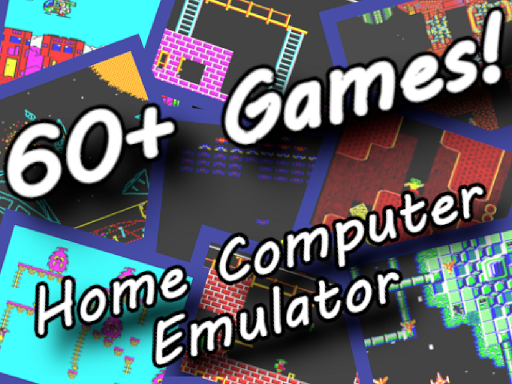
The Family Emulator provides an authentic recreation of the iconic 1980s BBC Microcomputer environment. Designed to preserve vintage computing history, the application houses an extensive library of more than 60 compressed retro games that can be launched directly within the workspace.
Beyond its built-in game catalog, the project functions as a dynamic software sandbox. Users can import external BBC Micro game disk images from the internet or write and save their own original programs using BBC Basic or 6502 assembly language.
Your goal
Your primary goal in The Family Emulator is to navigate, test, and enjoy vintage computer software. Whether you want to explore the built-in library of retro titles, load custom disk images from external archives, or draft custom routines in BBC Basic and assembly language, the system offers an open environment to experiment with 1980s computing.
How to play The Family Emulator
1. Launch the project in your browser to bring up the simulated 1980s BBC Microcomputer screen.
2. Browse through the built-in selection of over 60 compressed retro games available within the system.
3. Follow the on-screen prompts inside the emulator interface to learn key bindings and specific game actions.
4. Optionally import external BBC Micro disk images from online sources to run additional vintage software.
5. Create and save your own scripts directly inside the environment using BBC Basic or 6502 assembly language.
Controls and device support
Control schemes vary across individual titles; most control inputs can be learned directly through the emulator interface itself.
- Controls: See in-game controls
- Device support: Browser
- Game frame: 480 x 360
What makes the challenge interesting
Operating an eight-bit computer system requires adaptability and patient discovery. Because each compressed title originated during early software eras, input schemes and interfaces vary widely between games. Rather than relying on modern universal layouts, players must inspect each program's unique interface prompts to understand its commands. Furthermore, experimenting with the integrated BBC Basic and 6502 assembly tools requires methodical syntax planning, turning the emulator into both a gaming hub and a retro programming workstation.
Tips for The Family Emulator
- Check in-emulator prompts carefully before starting any game. Taking a moment to note listed key mappings prevents confusion during active play sessions.
- Explore built-in titles first to get comfortable with vintage response timing before trying to import external disk images.
- Verify compatibility when sourcing disk images online. Downloading clean BBC Micro disk files ensures smooth loading inside the workspace.
- Save custom coding projects regularly. If writing routines in BBC Basic or assembly, saving your work often prevents accidental progress loss.
The skills behind the game
Retro simulation and vintage gaming collections offer a window into early digital entertainment. In software environments like this, players encounter a diverse spectrum of mechanics spanning arcade action, obstacle navigation, logic puzzles, and platforming. Instead of adhering to modern gameplay conventions, these classic experiences celebrate the exploratory spirit of eighties personal computing, where mastering unfamiliar interfaces and discovering early game design form a major part of the appeal.
Who will enjoy this game
Players looking up the family emulator or searching for the family emulator game are typically seeking retro computer preservation and versatile emulation in a quick browser format. Whether your goal is to test vintage software titles, experiment with classic arcade mechanics, or practice vintage BBC Basic coding, the platform serves as an accessible retro computing suite.
Frequently asked questions
What computer system does The Family Emulator simulate? The project is a complete emulation of the BBC Microcomputer, a popular personal computer originally released in the 1980s.
How many games are included in The Family Emulator? The emulator comes preloaded with over 60 compressed titles, and it allows players to import extra disk images from external sources.
Can I write my own software inside the project? Yes, you can write, run, and save custom programs inside the emulator using either BBC Basic or 6502 assembly language.
Where can I find control bindings for specific games? Because individual games utilize distinct layouts, most control commands can be learned directly through the emulator interface and title menus.
Something not right?
Tell us if the game does not load, the information is wrong or the content needs review.
Report a problem ›