Official listing
Game description
Table Tennis is a game which you can play table tennis with cartoon network characters. It has Tournament and Quick Game mode.
Sports game
Table Tennis is an arcade sports game where you challenge Cartoon Network characters across dynamic ping pong rallies. Offering both Quick Game and structured Tournament modes, the title provides single-player table tennis action designed for fast-paced browser play. Grab your paddle, track the ball across the table, and compete for victory against animated opponents.
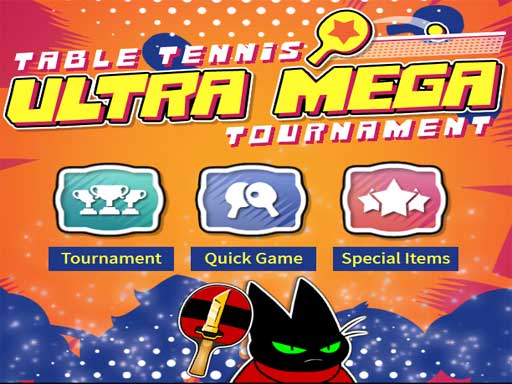
Choose Play now to load the game.
Official listing
Table Tennis is a game which you can play table tennis with cartoon network characters. It has Tournament and Quick Game mode.
From the game listing
Control with mouse
Open this card to load the gameplay video.
Table Tennis is an arcade sports game where you challenge Cartoon Network characters across dynamic ping pong rallies. Offering both Quick Game and structured Tournament modes, the title provides single-player table tennis action designed for fast-paced browser play. Grab your paddle, track the ball across the table, and compete for victory against animated opponents.
Table Tennis brings table tennis competition to the browser with familiar Cartoon Network characters, including Ben 10 themes. Players can choose between a fast-paced Quick Game for instant rallies or a full Tournament mode to progress through consecutive matches against tough rivals. The core action captures the fundamentals of classic arcade table tennis, testing your reaction speed and hand-eye coordination.
Featuring clean 800 x 600 arcade framing, the game emphasizes direct paddle control and responsive timing. Whether practicing return shots in an exhibition match or climbing the brackets in tournament play, the straightforward design ensures immediate accessibility for casual sports fans and arcade gaming enthusiasts alike.
The main goal in Table Tennis is to outscore your Cartoon Network opponent in every match. In Quick Game mode, your objective is to win the standalone contest through sharp returns, while Tournament mode challenges you to defeat consecutive challengers to claim the championship title.
1. Select your preferred play mode from the main menu by choosing either Quick Game or Tournament.
2. Face off against your chosen Cartoon Network opponent across the digital ping pong table.
3. Use your mouse to position your paddle and strike incoming serves and volleys across the net.
4. Time your swings accurately to place returns into open areas of the opponent's side of the table.
5. Continue winning rallies to secure individual matches and advance further through the tournament ladder.
Mouse: Move the paddle and hit the ball
Gameplay in Table Tennis revolves around hand-eye coordination, rapid spatial awareness, and consistent paddle positioning. Using smooth mouse movements, players must judge ball trajectory and bounce speed in real time. Quick Game serves as a great warm-up arena to get accustomed to the pace of incoming shots, while Tournament mode raises the competitive stakes by requiring sustained focus across multiple back-to-back encounters against spirited Cartoon Network competitors.
As part of the browser sports and arcade categories, Table Tennis delivers fast athletic action without requiring complex simulators. Online sports titles distill real-world physical games into accessible timing challenges, giving solo players an entertaining way to experience competitive table tennis directly within their web browser.
Players searching for an entertaining table tennis game or an engaging sports game online can jump directly into fast rallies here. The pairing of responsive mouse movement with beloved animated themes provides a fun, lighthearted take on digital table tennis for casual sports fans of all skill levels.
What game modes are available in Table Tennis? Table Tennis features two distinct options: Quick Game for single exhibition matches and Tournament mode for structured multi-match competition against Cartoon Network characters.
How do you control the paddle in this game? You control your paddle and make contact with the ball using your mouse, allowing for quick adjustments across the table.
Can you play multiplayer matches against other players? Table Tennis is configured as a single-player game where you compete exclusively against computer-controlled Cartoon Network opponents.
Tell us if the game does not load, the information is wrong or the content needs review.
Report a problemExplore popular games by category, shared tags and site-wide activity.

















