Official listing
Game description
Get ready for an exciting table tennis experience with your friend! This game offers a visually appealing design and guarantees endless fun. Enjoy challenging matches and have a blast together. Let the games begin!
2 Player game
Table Pong brings classic table tennis action straight to your web browser for competitive two-player sessions. Designed for head-to-head rallies with a friend, the game lets you trade quick returns across the virtual table. Whether you are sharing a keyboard or tapping on-screen buttons on a mobile device, the focus remains on sharp reaction times, smart positioning, and keeping the ball in play.
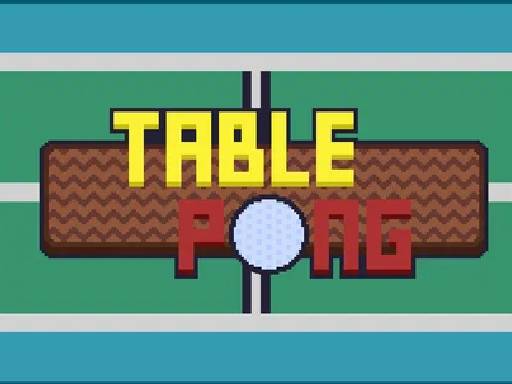
Choose Play now to load the game.
Official listing
Get ready for an exciting table tennis experience with your friend! This game offers a visually appealing design and guarantees endless fun. Enjoy challenging matches and have a blast together. Let the games begin!
From the game listing
Keyboard Up arrow key Down arrow key Left arrow key Right arrow key W A S D Mobile Arrow keys that appear on the screen
Open this card to load the gameplay video.
Table Pong brings classic table tennis action straight to your web browser for competitive two-player sessions. Designed for head-to-head rallies with a friend, the game lets you trade quick returns across the virtual table. Whether you are sharing a keyboard or tapping on-screen buttons on a mobile device, the focus remains on sharp reaction times, smart positioning, and keeping the ball in play.
Table Pong provides a straightforward sports showdown built around the familiar back-and-forth rhythm of table tennis. Two players face off on a shared screen, each maneuvering their paddle to deflect the oncoming ball back over the table. The core loop revolves around maintaining steady rallies, anticipating your opponent's deflections, and exploiting open angles to force a miss.
Because the game is designed for local play, matches create an immediate social dynamic where split-second errors and decisive returns happen side by side. The minimalist setup allows both competitors to jump right into a match without navigating complex menus, making it an accessible choice for quick casual breaks and friendly rivalries.
Your objective in Table Pong is to win challenging table tennis matches against your opponent by consistently returning the ball and outlasting them across each rally. Success depends on maintaining steady paddle control, tracking the ball's trajectory, and positioning yourself to return rapid shots without letting the ball slip past your defensive baseline.
1. Launch the match and determine which player will use the primary movement keys or touch controls.
2. Track the ball as it serves and travels across the table toward your paddle.
3. Shift your paddle up, down, left, or right using your assigned keys to meet the ball cleanly.
4. Deflect the ball back toward your opponent's side of the table while observing their court positioning.
5. Maintain the rally through consecutive exchanges until one player fails to return the shot.
On desktop keyboards, player movement is mapped across standard navigational keys: Player 1 can use the W, A, S, and D keys, while Player 2 operates the Up, Down, Left, and Right arrow keys. On mobile touchscreens, dedicated on-screen arrow buttons appear for manual directional control.
The defining skill in Table Pong is spatial anticipation combined with rapid directional adjustments. Because table tennis exchanges unfold quickly, players must constantly evaluate bounce angles and reposition their paddle before the ball crosses into their half of the play area.
A fundamental tradeoff involves balancing aggressive repositioning with defensive stability. Overcommitting toward one side of the table leaves you vulnerable to a quick redirection, whereas staying too passive can make it difficult to reach sharp baseline shots in time.
Table Pong offers tailored input schemes depending on your hardware. When playing on desktop computers, two players can comfortably share a single keyboard using WASD on the left and the directional arrow cluster on the right. For touchscreen devices, the game renders virtual arrow buttons directly on the display so you can guide your paddle with clear tap inputs.
As a member of the two-player sports genre, Table Pong emphasizes direct competition and shared-screen engagement. Rather than managing complex athlete rosters or intricate physics simulations, games in this space distill the essence of table tennis into accessible paddle duels that prioritize player reflexes and face-to-face fun.
Players searching for table pong and table pong game experiences generally look for quick-starting, browser-based sports action that requires no downloads or lengthy setup. This title serves as an ideal casual practice game for sharpening hand-eye coordination and enjoying head-to-head multiplayer rallies during short gaming breaks.
Can two people play Table Pong on the same computer? Yes. The desktop controls are arranged to support two players simultaneously on one keyboard, with one person using the WASD keys and the other using the directional arrow keys.
How do controls work on mobile devices? On mobile phones and tablets, directional arrow buttons appear directly on the screen, allowing players to move their paddles using responsive touch inputs.
What is the primary skill needed to improve in Table Pong? Consistent paddle positioning and anticipation are essential. Tracking the ball's angle early and returning to center after each hit helps you handle fast rallies effectively.
Tell us if the game does not load, the information is wrong or the content needs review.
Report a problemExplore popular games by category, shared tags and site-wide activity.