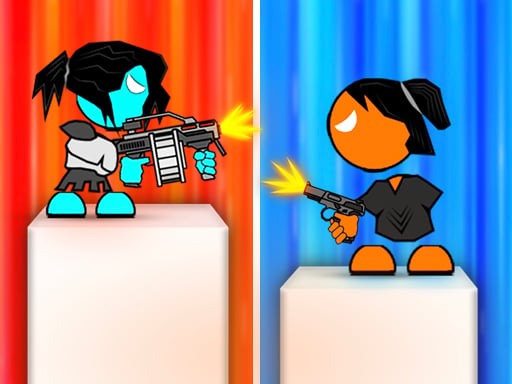
About Stick Arena 3D
Stick Arena 3D is a 3D platform action game that challenges players to navigate obstacle courses and defeat enemies across 40 distinct levels. Combining keyboard-driven character movement with mouse-directed shooting, the game places you in control of an agile stickman exploring mysterious environments. Players must balance precise jumping across elevated terrain with steady offensive timing to overcome hostile encounters.
Set within an expansive three-dimensional world, Stick Arena 3D blends classic platform traversal with real-time shooting mechanics. Players guide their stickman protagonist through varied stage layouts where physical drops and opposing figures require constant attention. The core loop involves advancing across platforms, spotting opposing targets, and clicking to shoot enemies before they impede your forward path.
With 40 individual levels to complete, the experience emphasizes steady progression and situational awareness. Rather than rushing blindly through courses, success depends on maintaining control while transitioning between jumps and weapon fire. Supporting dual movement schemes via the W, A, and D keys or standard Arrow Keys, the game offers a traditional desktop action setup tailored for precision and patience.
Your goal
The central goal of Stick Arena 3D is to defeat active enemies and successfully survive each stage across the complete 40-level adventure. Players strive to improve their navigation efficiency, reduce missed shots, and cross perilous platforms without falling or getting caught off-guard by hostile adversaries in unfamiliar terrain.
How to play Stick Arena 3D
1. Place your movement hand on either the W, A, and D keys or the Arrow Keys, keeping your mouse hand ready on the Left Mouse Button.
2. Observe the surrounding 3D environment to locate platform ledges, path openings, and stationary or roaming enemies.
3. Traverse the terrain by moving horizontally and timing jumps across open gaps between elevated structures.
4. Aim toward opposing figures and click the Left Mouse Button to shoot and defeat them as you advance.
5. Clear the remaining hazards and reach the stage conclusion to unlock subsequent levels in the 40-part campaign.
Controls and device support
Move your character using the Arrow Keys or the W, A, and D keys, and click the Left Mouse Button to shoot at targets.
- Controls: Keyboard
- Device support: Browser
- Game frame: 800 x 450
Rules to keep in mind
- Character movement is executed using either the Arrow Keys or the W, A, and D keys.
- Offensive shooting is activated by clicking the Left Mouse Button.
- The adventure consists of 40 separate levels requiring players to defeat enemies and explore the game world.
What makes the challenge interesting
Stick Arena 3D revolves around balancing directional platforming mechanics with real-time marksmanship. Because movement is assigned to keyboard keys while weapon discharge depends on mouse clicks, players must coordinate both hands independently. The core gameplay tension comes from navigating gaps while managing threats: pausing to shoot can leave you stranded in dangerous spots, while leaping forward without clearing enemies can lead to unexpected collisions. Mastering this interaction requires learning the rhythm of moving into safe shooting positions, securing footing on platforms, and eliminating hostiles before executing difficult jumps across 3D space.
Tips for Stick Arena 3D
- Establish a safe buffer distance before engaging enemies. Rushing directly into hostile territory often complicates your jumping rhythm, whereas taking shots from stable ground lets you clear threats cleanly.
- Secure firm platform footing before clicking to shoot. Firing while balancing right on the edge of a platform risks accidental falls, so stabilize your position before opening fire.
- Choose the keyboard layout that best matches your comfort. Test both the Arrow Keys and W-A-D setups to see which allows your off-hand to coordinate most naturally alongside your mouse hand.
- Examine vertical ledges carefully before committing to forward leaps. In a 3D environment, misjudging elevation and depth can cause missed landings, so take a brief moment to gauge each platform.
- Focus on deliberate, controlled mouse clicks rather than rapid spamming. Well-aimed single shots keep your attention centered on navigation without distracting your fingers from critical platforming movements.
Stages and progression
Stick Arena 3D structures its progression across 40 different levels, taking players through an expanding series of platforming and combat trials. Although specific stage thresholds and enemy variations are not cataloged in detail, the sequence encourages players to steadily refine their timing and spatial awareness. Players working through the campaign should adopt a measured approach: treat earlier stages as training grounds to establish confident movement habits, and rely on disciplined shooting and patient gap assessment as course layouts expand across later environments.
Playing on different devices
The game is designed for desktop browser environments, utilizing a dual-input scheme of keyboard keys for navigation and mouse clicks for shooting. Players can switch freely between W, A, and D keys or standard Arrow Keys depending on their preferred desk ergonomics. A physical mouse is strongly recommended over a laptop touchpad, as maintaining responsive left-click shooting while actively steering through 3D platform space requires steady cursor handling.
The skills behind the game
Categorized under Action and tagged with 3D, Adventure, and Shooting, Stick Arena 3D represents the hybrid genre of combat platformers. Traditional platform games emphasize agility, gap traversal, and obstacle avoidance, while shooter mechanics introduce proactive target elimination. By merging stickman aesthetics with 3D depth, the title prioritizes clear visual readability of hazards and enemies, allowing players to focus on coordination between hand movements and aiming clicks.
Who will enjoy this game
Players looking for a stick arena 3d game or an engaging action game online will find an accessible platform experience that relies on classic desktop controls. Stick arena 3d provides a focused 40-stage progression path that serves well for quick practice sessions or dedicated playthroughs. Because movement and shooting are decoupled between keyboard and mouse, the game offers a practical way to develop hand-eye coordination without having to memorize complex button combos.
Games with a similar feel
Super Mario Bros.: Like Super Mario Bros., Stick Arena 3D challenges players with navigating platform layouts and reading movement timing across varied obstacles. However, while Mario titles focus on leaping directly onto adversaries to progress, Stick Arena 3D equips players with mouse-aimed shooting to neutralize enemies from a distance. Players who enjoy classic jumping navigation but want direct projectile combat will appreciate this distinct balance.
Sonic the Hedgehog: Both Sonic the Hedgehog and Stick Arena 3D require players to observe terrain paths and react to obstacles situated along a route. Sonic titles center on maintaining high-speed momentum through loops and ramps, whereas Stick Arena 3D favors methodical platform navigation paired with deliberate shooting inputs. Gamers who prefer calculated positioning over pure velocity will find Stick Arena 3D a fitting platformer.
Frequently asked questions
How many levels are there in Stick Arena 3D? Stick Arena 3D includes 40 distinct levels. Each stage requires players to defeat enemies and navigate three-dimensional platform terrain to advance through the overall adventure.
What are the official controls for moving and shooting? You can move your character using the Arrow Keys or the W, A, and D keys. Shooting is performed by clicking the Left Mouse Button.
Can I use either W-A-D or Arrow Keys during gameplay? Yes, both input options are officially supported for character movement, allowing you to choose whichever keyboard configuration feels most comfortable alongside your mouse.
What genre does Stick Arena 3D belong to? Stick Arena 3D combines 3D platforming with action shooting mechanics. Players traverse elevated platforms, explore mysterious stages, and defeat opposing stickman figures using ranged attacks.
Something not right?
Tell us if the game does not load, the information is wrong or the content needs review.
Report a problem ›