 1945 Air Force Airplane
Arcade
1945 Air Force Airplane
Arcade
Play by tag
Free Online Shooting Games
The Shooting tag represents one of the largest and most varied libraries in browser gaming, spanning nearly two thousand titles. While the common thread involves launching projectiles at targets or surviving hostile waves, the actual gameplay diverges across multiple styles. You will find everything from fast-paced 3D gun battles and single-shot precision puzzles to local two-player tactical defenses and strategy-driven unit warfare.
1924playable games
1945 Air Force Airplane
Arcade
 1UP Gunman
Shooting
1UP Gunman
Shooting
 1vs1
Shooting
1vs1
Shooting
 2048 Cube Shooting Merge
Puzzles
2048 Cube Shooting Merge
Puzzles
 2048 The King Return
Shooting
2048 The King Return
Shooting
 2D Dungeon
Shooting
2D Dungeon
Shooting
 2D War Friends Shooting
Arcade
2D War Friends Shooting
Arcade
 2D Zombie Age
Shooting
2D Zombie Age
Shooting
 3D Ball Pool
Sports
3D Ball Pool
Sports
 3D Bullet Bender
Shooting
3D Bullet Bender
Shooting
 3D Funny Shooter
Shooting
3D Funny Shooter
Shooting
 3D Pool Champions
Shooting
3D Pool Champions
Shooting
 3D Sniper Shooting Game
Action
3D Sniper Shooting Game
Action
 3D Space Shooter
Shooting
3D Space Shooter
Shooting
 456 Minimal Bubble Shooter
Fighting
456 Minimal Bubble Shooter
Fighting
 8 super race
Adventure
8 super race
Adventure
 99Balls
Puzzles
99Balls
Puzzles
 Ace Force: Joint Combat
Shooting
Ace Force: Joint Combat
Shooting
 Acid Trip
Shooting
Acid Trip
Shooting
 Adam vs Sacha
Shooting
Adam vs Sacha
Shooting
 Advanced Air Combat Simulator
Shooting
Advanced Air Combat Simulator
Shooting
 Advanced Blocky Gangster Warfare
Shooting
Advanced Blocky Gangster Warfare
Shooting
 Advanced Blocky Paintball
Shooting
Advanced Blocky Paintball
Shooting
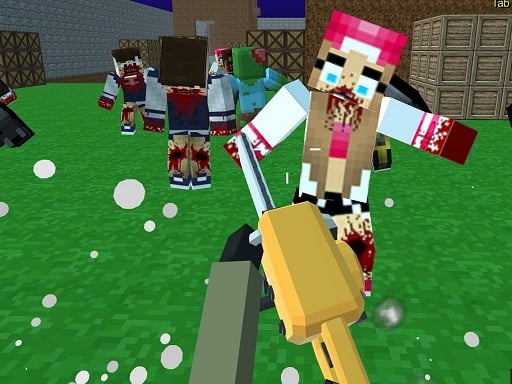 Advanced Blocky SWAT Zombie
Shooting
Advanced Blocky SWAT Zombie
Shooting
Tag guide
Aim, Fire, and Strategize Across a Vast Shooter Collection
The Shooting tag represents one of the largest and most varied libraries in browser gaming, spanning nearly two thousand titles. While the common thread involves launching projectiles at targets or surviving hostile waves, the actual gameplay diverges across multiple styles. You will find everything from fast-paced 3D gun battles and single-shot precision puzzles to local two-player tactical defenses and strategy-driven unit warfare.
Because this category encompasses standard action shooters, retro 2D platformers, and hybrid puzzle runners, no single control scheme or pacing applies to every release. Some titles demand pinpoint mouse aiming, while others rely on keyboard movement, weapon toggles, or timed touch inputs.
What You Will Find in the Shooting Tag
With more than a thousand dedicated shooting titles alongside hundreds of arcade, action, and adventure crossovers, this tag brings together a wide variety of combat formats. Browsing the catalog reveals distinct subgenres rather than a uniform experience.
Players looking for immediate action can jump into 3D arena encounters, physics-based bullet trick shots, side-scrolling survival adventures, or strategic army shooters where timing projectile bursts determines victory.
- Precision Target & Sniper Games: Titles focused on calculated angles, ricochets, and single-shot eliminations.
- Multi-Directional Action & Defense: Arena combat and base fortification against incoming enemy swarms.
- Cooperative & Versus Adventures: Two-player shared-keyboard titles featuring team survival or duel combat.
- Hybrid Strategy Shooters: Squad-based deployments combining unit mathematics and real-time firearm combat.
Substyles Evidenced Across the Catalog
The catalog's representative titles demonstrate just how flexible the shooting designation is. In One Bullet Man 3D, the focus is pure arcade trajectory calculation: players drag a joystick to line up directional markers, attempting to clear an entire room of opponents with a single well-placed shot around obstacles.
In contrast, Castel Wars: New Era provides direct platform combat, allowing two players on a single keyboard to construct protective blocks, switch between industrial weapons, and fend off zombie hordes in Mayhem mode. Meanwhile, Mini War Clash Z blends hypercasual math runner concepts with military shooting, requiring you to multiply troops before opening fire on fortified commandos.
Understanding Diverse Input Schemes
Because these games originate from various development frameworks including HTML5, WebGL, and Unity3D, control layouts vary significantly by genre.
Always review the on-screen prompts or the individual game description before starting your match to verify how movement, aiming, and firing are handled.
- Mouse & Cursor Aiming: Common in 3D WebGL shooters and target puzzles for smooth crosshair tracking.
- Split Keyboard Controls: Shared-screen games often assign WASD and F/G/Q to Player 1, while Player 2 utilizes Arrow Keys and Space/L/K.
- Touch & Drag Gestures: Mobile and hypercasual titles frequently use simple swipe or tap mechanics to steer trajectory and deploy rounds.
How to Choose the Right Shooting Game
When browsing through such an extensive roster, checking the secondary tags and category labels will help you pinpoint the exact style of gameplay you want.
If you want deep 3D immersion, look for titles carrying the WebGL, Unity3D, or 3D tags. If you prefer cooperative zombie survival, prioritize adventure tags featuring 2-player support like The Ironic Zombie. For quick casual sessions, look toward arcade and hypercasual crossovers where rounds last only a few minutes.
Practical Advice for Getting Started
Success in browser shooters depends on understanding whether the game rewards pure reaction speed or calculated resource management.
In trajectory and bullet-puzzler titles, take time to study visual indicators like dotted lines or crosshairs before committing your shot. In wave-survival or castle-defense shooters, prioritize weapon swapping and environmental barriers early to avoid being cornered by faster enemy types.
shooting games FAQ
Do all shooting games in this tag use first-person camera perspectives?
No. The collection includes top-down shooters, side-scrolling 2D platformers, isometric strategy games, and third-person trajectory puzzles alongside first-person titles.
Can I play shooting games with a friend on the same device?
Yes, several titles under this tag—such as Castel Wars: New Era and The Ironic Zombie—offer built-in 2-player modes using shared keyboard layouts.
What is the difference between action shooters and puzzle shooters here?
Action shooters focus on continuous movement, real-time dodging, and rapid firing, whereas puzzle shooters typically limit your ammunition or movement, requiring you to calculate angles and environmental rebounds to clear targets.
Where can I find the specific controls for each shooter?
Controls are listed directly beneath the gameplay window or inside the opening menu screen of each individual game, detailing key bindings for movement, shooting, and weapon selection.