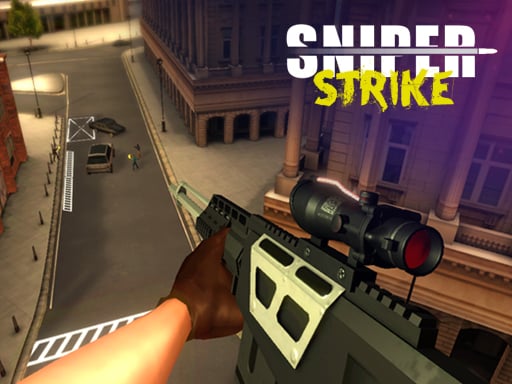
About Sniper Strike
Sniper Strike is a 3D first-person shooting game where players step into demanding scenarios to eliminate designated high-value targets. Success depends on maintaining steady observation, exercising caution, and delivering precise shots under pressure. Designed for quick browser sessions, the title challenges your ability to scan the environment, steady your sightline, and take down critical objectives across varied missions.
In Sniper Strike, players are positioned in high-stakes operational environments where careful observation is just as important as marksmanship. The core loop revolves around scanning the designated area, identifying specific high-value threats, and executing clean shots while navigating the tension of each scenario. The 3D perspective creates a focused viewpoint that forces you to prioritize targets and manage your field of view carefully.
Because each mission presents a difficult situation, hasty firing can compromise your vantage point or leave you vulnerable while reloading. Players must balance patience with decisive action, zooming in to confirm their target and timing their trigger pulls deliberately to complete each assignment cleanly.
Your goal
Your main objective in Sniper Strike is to successfully locate and eliminate designated high-value targets to accomplish each mission triumphantly. Completing assignments requires vigilant scanning, precise trigger timing, and disciplined weapon handling to ensure every bullet counts toward your overall goal.
How to play Sniper Strike
1. Scan your surrounding environment carefully to locate high-value targets across the operational area.
2. Engage your sights to bring distant figures into crisp focus before committing to an attack.
3. Adjust your zoom level using the scroll wheel to acquire a stable, accurate line on your chosen mark.
4. Fire with precision to neutralize the target quickly and cleanly.
5. Reload your rifle during quiet intervals to ensure you are never caught empty-handed during an engagement.
Controls and device support
On desktop, aim with the mouse, use Left-click to shoot, Right-click to toggle the iron sight, and scroll the mouse wheel to zoom in or out. Press R to reload your weapon and Tab to pause the game. On mobile devices, touch the on-screen UI controls to aim and fire.
- Controls: Mouse or touch
- Device support: Desktop + mobile
- Game frame: 800 x 600
What makes the challenge interesting
The core discipline of Sniper Strike lies in target acquisition and disciplined zoom management. Unlike fast-paced run-and-gun titles, a tactical marksman game requires players to balance narrow magnification with broad situational awareness. Zooming in grants tighter shot placement but limits peripheral vision, making it easy to miss secondary threats moving in the background.
Another crucial skill is reloading discipline. Since firing exposes your intent, timing your reloads between active scans ensures you remain prepared when a critical target appears in your crosshairs.
Tips for Sniper Strike
- Use your iron sights and zoom adjustments to confirm target identity before firing, which prevents wasted ammunition and preserves your vantage point.
- Avoid remaining fully zoomed in continuously; periodically zoom out to survey the wider perimeter for newly emerging threats.
- Reload during quiet moments rather than waiting for an empty magazine in the middle of a high-pressure encounter.
- Take an extra second to center your crosshairs before firing, avoiding rushed shots that alert surrounding hostiles.
Stages and progression
Sniper Strike structures its gameplay around challenging missions that demand increasing vigilance and tactical accuracy. As you navigate through these intense situations, practice maintaining a steady rhythm between spotting distant targets and executing clean shots. When approaching new assignments, focus on deliberate crosshair placement and consistent reload management to improve your mission completion consistency.
Playing on different devices
Desktop players benefit from mouse aiming, offering rapid zoom adjustments via the scroll wheel and immediate iron sight toggling with right-click. Mobile users interact through dedicated on-screen UI buttons, where keeping touch inputs centered and deliberate helps maintain steady aim during long-range engagements.
The skills behind the game
As part of the 3D shooting genre, Sniper Strike focuses on stationary marksmanship, environmental surveillance, and precision firing rather than chaotic close-quarters combat. Players who enjoy tactical first-person shooters appreciate the deliberate pacing required to spot distant objectives, align scoped crosshairs, and make every single shot count.
Who will enjoy this game
Players looking for a sniper game online or a quick shooting game online will find Sniper Strike well-suited for short, focused marksmanship sessions. The title offers straightforward target elimination challenges that test visual detection and hand-eye coordination without requiring complex installations or extensive tutorials.
Games with a similar feel
Sniper 3D: Like Sniper 3D, Sniper Strike focuses on scoped aiming and completing tactical missions against high-value targets. While Sniper 3D emphasizes broad mobile progression, Sniper Strike delivers direct browser-based target elimination centered on straightforward zooming, aiming, and firing mechanics.
Hitman Sniper: Similar to Hitman Sniper, this title emphasizes observing the area and carefully picking out designated marks. However, Sniper Strike focuses strictly on direct first-person shooting engagements, offering an accessible web-based alternative for quick target-practice sessions.
Frequently asked questions
How do you zoom in on targets in Sniper Strike? On desktop, right-click to engage your iron sight and use the mouse scroll wheel to zoom in and out. On mobile devices, use the dedicated on-screen interface buttons to adjust your view.
What is the primary goal in each mission? The main goal is to stay vigilant, identify specific high-value targets across the environment, and eliminate them accurately to triumphantly finish the assignment.
Can you pause during a mission? Yes, desktop players can pause the action at any time by pressing the Tab key, giving you a chance to reassess the situation.
Something not right?
Tell us if the game does not load, the information is wrong or the content needs review.
Report a problem ›