About Roller Coaster
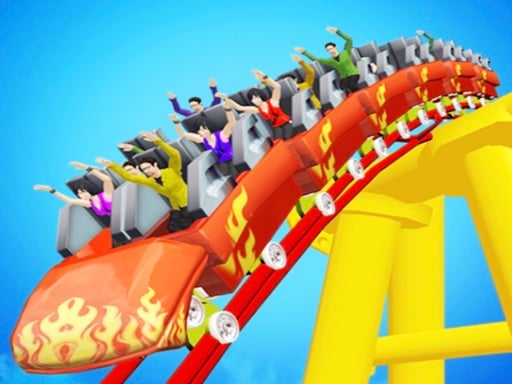
Roller Coaster is a side-scrolling puzzle game where you take on the role of a track designer crafting safe and thrilling rides for theme park tourists. Using intuitive mouse or touch controls, your job is to draw a continuous track line that successfully carries the passenger coaster through every green target circle while steering clear of hazardous red circles.
Roller Coaster puts your design instincts to the test as you sketch out custom paths for coaster cars filled with eager passengers. Every layout presents an engineering challenge where you must balance rider excitement against essential safety precautions. Instead of riding on pre-built rails, you construct the path yourself by drawing a single unbroken line across the play area.
Success requires analyzing the obstacle arrangement across the course. Green circles mark mandatory checkpoints that your drawn track must intersect, while red circles represent dangerous zones that must be avoided entirely. By carefully guiding your route through safe waypoints, you ensure the coaster completes its journey smoothly from start to finish without putting your riders in harm's way.
Your goal
The primary objective in Roller Coaster is to draw a viable, safe route that guides the tourist-filled coaster through every designated green circle while completely dodging all red circles. You achieve victory by planning a clean path that touches required waypoints, keeps passengers safe from hazards, and delivers an enjoyable ride through each drawing puzzle.
How to play Roller Coaster
1. Launch the puzzle on your device screen using your mouse or touch input to begin the route design challenge.
2. Scan the playfield to locate all required green checkpoint circles and note the placement of dangerous red circles.
3. Click and drag your mouse or slide your finger on the display to draw a line establishing the roller coaster path.
4. Direct your drawn line directly through each green circle so the coaster collects all necessary checkpoints.
5. Keep your route well away from red circles to prevent crashes and deliver your passengers safely to the end.
Controls and device support
Mouse: Click and drag to draw the coaster route
Tap and drag: Touch and slide on screen to draw the coaster route
- Controls: Mouse or touch
- Device support: Desktop + mobile
- Game frame: 504 x 800
Rules to keep in mind
- The drawn roller coaster route must pass directly through every green circle on the course to clear required checkpoints.
- The coaster route must avoid touching or passing through any red circle to maintain passenger safety during the ride.
What makes the challenge interesting
Gameplay in Roller Coaster focuses on spatial awareness, precision line drawing, and careful trajectory planning. Because you must reach green waypoints while steering around red hazard areas, each stage functions as an open-ended drawing puzzle. Players must think ahead about how curvature and momentum affect the coaster car as it travels along the hand-drawn track. A hasty stroke can easily lead the coaster right into an obstacle, whereas a measured, deliberate curve allows passengers to enjoy thrilling elevations while navigating between tight hazards with dependable stability and total safety.
Tips for Roller Coaster
- Analyze the entire stage layout before laying down your first stroke so you can plot an unobstructed path between waypoints.
- Draw smooth, gentle arcs rather than jagged angles to ensure the coaster car travels reliably without jarring course corrections.
- Maintain plenty of clearance around every red hazard circle so minor drift does not cause your coaster to touch danger zones.
The skills behind the game
Categorized under 3D puzzle and skill games, Roller Coaster combines creative line-drawing mechanics with theme park engineering themes. Side-scrolling puzzle titles typically reward players who take time to calculate routes and anticipate spatial physics before taking action. By placing path creation entirely in the hands of the player, this game challenges your ability to guide dynamic objects safely through structured obstacle courses with minimal room for error.
Who will enjoy this game
Whether you are searching for a creative roller coaster simulator or an engaging roller coaster game centered on puzzle-solving, this title offers an accessible drawing experience. Players who enjoy coaster route building will find that sketching custom track lines provides a fresh take on physics navigation, requiring thoughtful route design to steer tourists through designated target rings while keeping the entire ride safe and thrilling.
Frequently asked questions
How do I control the game on mobile and desktop? You can play Roller Coaster using either a mouse on desktop or touch input on mobile devices. Simply tap or click and drag across the screen to draw your custom coaster route.
What is the difference between green and red circles? Green circles represent essential targets that your roller coaster route must pass through. In contrast, red circles are dangerous hazard zones that you must steer clear of to keep your passengers completely safe.
Can I redraw the coaster route if I make a mistake? While the source confirms you must draw a correct line to complete each puzzle, standard practice allows restarting or redrawing if your line collides with a red hazard or misses a green circle.
Something not right?
Tell us if the game does not load, the information is wrong or the content needs review.
Report a problem ›