Official listing
Game description
Put all roads in the right order and try to complete each level!!! Enjoy!
Puzzles game
Roads is a browser-based puzzle challenge where players work to organize scattered road pieces into their correct configuration. Designed around straightforward one-click or tap interactions, each stage presents a scrambled network that requires careful observation to solve. Your main job is to identify how the sections belong together, put every road segment in the right order, and successfully wrap up each puzzle layout.
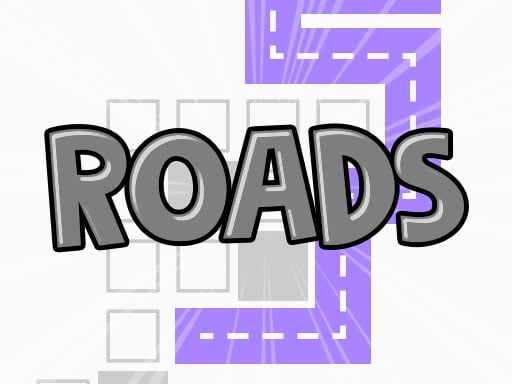
Choose Play now to load the game.
Official listing
Put all roads in the right order and try to complete each level!!! Enjoy!
From the game listing
Just one Click Touch to play
Open this card to load the gameplay video.
Roads is a browser-based puzzle challenge where players work to organize scattered road pieces into their correct configuration. Designed around straightforward one-click or tap interactions, each stage presents a scrambled network that requires careful observation to solve. Your main job is to identify how the sections belong together, put every road segment in the right order, and successfully wrap up each puzzle layout.
In Roads, players face a clean puzzle board filled with disconnected roadway parts that need realignment. Rather than demanding rapid reflexes or high-pressure inputs, the experience centers on spatial deduction and orderly problem-solving. You examine the board to see where paths start, where they turn, and how individual tiles or blocks might form a cohesive street network when shifted into their proper places.
Each level asks you to rearrange all elements until the entire route settles into its intended structure. Because interaction is handled through direct clicking or touching, the pacing remains entirely within your control. You can take your time inspecting branch lines, testing possible connections, and systematically untangling the maze of road pieces until every element fits into position.
The primary objective in Roads is to put every road piece in the right order to finish each puzzle stage. Success means restoring a fractured street layout into a complete, sensible configuration without leaving misplaced segments behind. Players aim to steadily work through each consecutive board, improving their visual evaluation skills and solving layouts with fewer wasted moves as the puzzles evolve.
1. Launch Roads in your desktop or mobile browser and allow the puzzle board to load.
2. Scan the screen to identify static anchor points, outer corners, or obvious road endpoints.
3. Click or tap individual road components to adjust, cycle, or swap their positions on the board.
4. Trace adjacent paths outward from solved points to verify that neighboring segments line up logically.
5. Align all remaining road sections in their proper order to complete the level and proceed to the next puzzle.
Roads uses a streamlined single-input scheme: just one click or touch is required to interact with the puzzle board, making it simple to manipulate pieces on both computers and mobile screens.
The core appeal of Roads lies in deliberate spatial arrangement and path recognition. Instead of navigating active obstacles, players focus on understanding how fragmented curves and straightaways interconnect across a bounded grid. The primary tradeoff revolves around speed versus methodical inspection: quickly clicking road pieces can occasionally reveal immediate links, but inspecting end junctions first often prevents confusing mid-board tangles.
Because inputs require only a single tap or click, players can establish a comfortable testing rhythm. Finding the correct order demands looking at the larger picture rather than fixating on isolated road tiles. Learning to spot which segments cannot logically connect to borders narrows down the valid positions for complex centerpieces.
Roads is structured around clearing consecutive puzzle levels, with each completed layout giving way to a fresh arrangement of scrambled pieces. As you advance through new boards, the puzzle layouts present distinct pathing arrangements that test your organizational consistency.
To build a sustainable practice routine across sessions, focus on maintaining a disciplined solving process rather than rushing through stages. Begin every new level by locating static reference lines, work methodically toward the center, and evaluate how quickly you can spot path alignments without resorting to trial-and-error clicks.
Roads runs in a vertical display canvas formatted at 768 by 1024 pixels, making it well-suited for portrait orientations on handheld smartphones and tablets. The HTML5 build adapts smoothly to mobile browsers, allowing players to tap directly on individual road tiles without needing specialized gamepad hardware.
Desktop users can play just as comfortably using standard mouse clicks. The tall aspect ratio remains crisp on computer monitors, offering a generous viewing window where every road connection and puzzle boundary is clearly legible.
Positioned within the puzzle and arcade categories, Roads highlights the classic satisfaction of reassembling disordered systems. Puzzle enthusiasts often gravitate toward titles that emphasize pattern recognition and clear visual feedback over frantic action. In this setting, the familiar theme of traffic lanes and city streets provides an intuitive framework where players immediately understand when an alignment looks right or wrong.
Block-based brainteasers frequently challenge players to visualize how geometric components relate to one another before taking action. Roads fits neatly into this family-friendly niche by providing accessible logic hurdles suitable for short casual breaks or extended relaxation.
Players looking for a relaxing roads game to unwind with will appreciate the direct, low-friction design of Roads. As a casual puzzle game online, it eliminates complicated registration steps and cumbersome menus, allowing you to jump straight into route-arranging challenges on your chosen device.
Whether you are practicing spatial deduction during a quick work break or seeking a quiet logic puzzle for evening downtime, reordering fractured routes provides structured mental exercise without stressful time pressures.
Tetris: Tetris challenges players to arrange falling block pieces under time pressure to clear solid horizontal lines. In contrast, Roads focuses on static spatial organization, asking you to put stationary road components into the right order at your own pace. Players who enjoy spatial fitting but prefer methodical deduction over descending block reflex challenges will appreciate the calm path-building loop of Roads.
What is the main goal when playing Roads? Your objective is to put all scrambled road segments into the correct order to complete each puzzle level. Once every piece is properly aligned and the layout is fully solved, you clear the stage.
How do the controls work in Roads? Roads requires only one click or touch input to interact. You can click with a mouse on desktop or tap directly on the screen with a mobile device to manipulate the road pieces.
Can I play Roads on a mobile phone? Yes, Roads is built with HTML5 and designed with a portrait resolution of 768 by 1024, making it easily playable through mobile web browsers with touchscreen taps.
What is an effective strategy for beginners in this puzzle game? Start by finding road segments that touch outer borders or form sharp corners. Solving perimeter boundaries first narrows down the remaining valid positions for complicated center intersections.
Tell us if the game does not load, the information is wrong or the content needs review.
Report a problemExplore popular games by category, shared tags and site-wide activity.