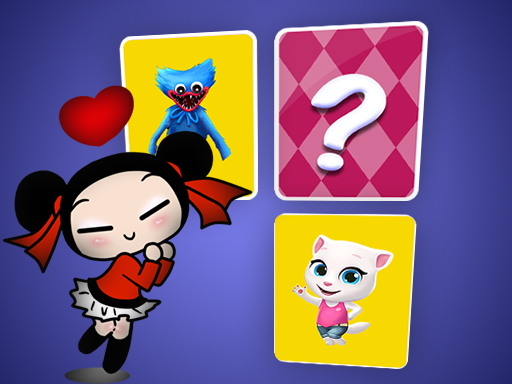
About Pucca Memory Card Match
Pucca Memory Card Match is a puzzle game where players test their memory by finding matching cards across a grid. After selecting a difficulty setting, your goal is to turn over face-down cards two at a time to identify identical pairs. Clear every matching pair off the board to successfully complete the level and sharpen your visual recall.
Pucca Memory Card Match challenges players to exercise their focus through classic paired-image concentration gameplay. Every board contains pairs of identical images hidden face-down across the playfield. At the start of a session, players select their preferred difficulty level, where picking a higher number increases the total number of cards placed in the memo game. Gameplay proceeds by flipping over a card and attempting to find its matching counterpart. If the second card does not match the first, both cards flip back face down, requiring you to recall their positions on subsequent turns. Successfully uncovering a pair removes those cards from the layout. By steadily tracking previous reveals and matching all available pairs, you clear the table and finish the stage.
Your goal
The primary objective in Pucca Memory Card Match is to find every matching pair hidden on the board to complete the selected level. You must flip cards to locate identical images, turning over matches so they can be removed from play. The level concludes in success once no cards remain face down and all pairs have been cleared.
How to play Pucca Memory Card Match
1. Select your desired difficulty level, keeping in mind that higher numbers populate the board with more cards.
2. Begin the round by flipping over an initial card on the board to reveal its hidden image.
3. Flip a second card to search for the matching twin of the first revealed image.
4. Watch whether the cards match; if they do not match, remember their pictures before they turn face down again.
5. Collect identical pairs to remove them from the board until every card has been cleared to finish the level.
Controls and device support
- Controls: See in-game controls
- Device support: Browser
- Game frame: 800 x 600
Rules to keep in mind
- Difficulty settings determine card volume: selecting a higher difficulty number places more cards on the board.
- Every board contains pairs consisting of exactly two identical images hidden among the cards.
- Mismatched cards are turned face down again immediately after an unsuccessful match attempt.
- Matching pairs are permanently removed from the playfield upon discovery, and clearing all pairs completes the level.
What makes the challenge interesting
Pucca Memory Card Match centers on memory retention and deliberate visual scanning. Because the board conceals identical pairs beneath face-down cards, each turn provides vital positional information. Finding matches becomes easier as the round progresses, provided you concentrate on remembering previously revealed pictures. Rather than guessing randomly, players benefit from methodically testing positions and retaining where specific illustrations were spotted. The game structure encourages developing memory strategies over time, making it rewarding for players seeking to improve their recall as they work up from basic difficulties to boards containing significantly larger card counts.
Tips for Pucca Memory Card Match
- Focus on memorizing the exact positions of revealed cards whenever an unmatched pair flips back face down for future turns.
- Start on basic difficulty levels to build confidence and develop your matching strategies before moving to boards with more cards.
- Make intentional reveals across the board rather than rapid random choices to systematically map where duplicate pictures are located.
- Return to practice regularly on earlier layouts to reinforce memory habits and improve your card-clearing consistency over time.
Stages and progression
Players can adjust the challenge by choosing their difficulty level prior to beginning a game. Selecting a higher number populates the board with a greater quantity of cards, expanding the puzzle grid. Successfully finding and clearing all pairs completes the chosen level, allowing players to practice basic setups or tackle denser card layouts.
Playing on different devices
The game operates with a default display canvas of 800 x 600 dimensions, providing a standardized layout for viewing the card grid.
The skills behind the game
As part of the Puzzles category, Pucca Memory Card Match fits squarely into the tradition of brain-training card games. It tests concentration, spatial awareness, and visual pattern recognition without requiring complex inputs. Players of all ages routinely engage with card matching puzzles to practice active recall, making the genre an enduring favorite for casual problem-solving and cognitive training across simple digital boards.
Who will enjoy this game
Those looking for a puzzle game online often enjoy card-matching exercises like Pucca Memory Card Match. The title combines familiar picture-matching mechanics with selectable difficulty settings, offering quick brain exercises in a lightweight format. Whether referred to as a pucca memory card match game or a traditional memo puzzle, it delivers straightforward tile-flipping challenges designed to test and sharpen short-term memory.
Frequently asked questions
How do you complete a level in Pucca Memory Card Match? You complete a level by uncovering every identical card pair on the board. Once you correctly match all hidden pairs, the cards are removed and the stage is finished.
What happens when two flipped cards do not match? If two revealed cards do not have the same image, both cards flip back face down in their original spots. You should memorize their images to match them later.
How does selecting difficulty change the gameplay? Choosing a higher difficulty number increases the total number of cards placed on the board, requiring players to remember more positions to locate all matching picture pairs.
Something not right?
Tell us if the game does not load, the information is wrong or the content needs review.
Report a problem ›