Official listing
Game description
this game is a puzzle game so solve a puzzle open the door and go to the next level. play games for a more fun
Puzzles game
Portal Series_1 is a single-player puzzle adventure game where players navigate room layouts, solve distinct spatial challenges, and open exit doors to progress to subsequent stages. By combining basic platforming movement with interactive level elements such as red buttons and mouse clicks, each level presents a self-contained obstacle course requiring observation, timing, and careful navigation.
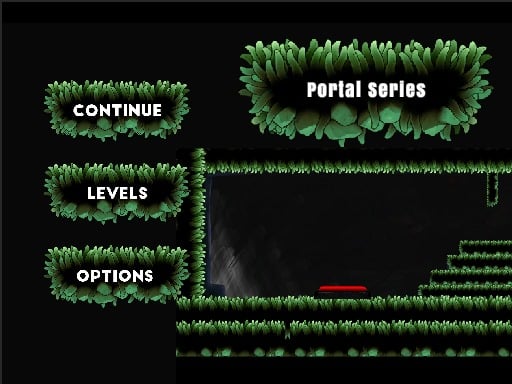
Choose Play now to load the game.
Official listing
this game is a puzzle game so solve a puzzle open the door and go to the next level. play games for a more fun
From the game listing
A W D UpArrow RIghtArrow LeftArrow Mouse click Some level Red button press
Open this card to load the gameplay video.
Portal Series_1 is a single-player puzzle adventure game where players navigate room layouts, solve distinct spatial challenges, and open exit doors to progress to subsequent stages. By combining basic platforming movement with interactive level elements such as red buttons and mouse clicks, each level presents a self-contained obstacle course requiring observation, timing, and careful navigation.
In Portal Series_1, each stage drops the player into an isolated puzzle room with a closed exit door. The fundamental goal is straightforward: understand the puzzle configuration in front of you, trigger the necessary mechanisms, and guide your character through the newly opened doorway to move forward into the next stage.
The adventure incorporates platform movement, requiring horizontal travel and jumping alongside interactive puzzles. Some stages call for direct physical contact with in-game fixtures like floor buttons, while others incorporate mouse clicks to influence puzzle pieces or activate environmental switches. The experience centers on deciphering each room's layout before executing a clean path to the exit.
Your objective in each stage is to solve the active room puzzle, trigger the exit door mechanism, and step through the open door to advance to the next level. Success depends on identifying which interactive items—such as red buttons or clickable objects—unlock the passage forward while navigating platforming obstacles.
1. Scan the current screen layout upon loading into a stage to locate your character, the locked exit door, and any visible interactive elements.
2. Use the directional keys (A/D or Left/Right arrows) to position your character across platforms and approach puzzle elements.
3. Jump across elevation gaps and obstacles using either the W key or the Up arrow key.
4. Interact with stage triggers, such as stepping on red buttons or using mouse clicks on interactive objects, to unlock the puzzle.
5. Walk through the newly opened door once the puzzle condition is satisfied to complete the stage and transition to the next level.
Move left and right using the A and D keys or the Left and Right Arrow keys. Jump using the W key or the Up Arrow key. Certain levels require pressing red buttons with character movement or clicking on-screen targets with the mouse.
The core gameplay loop of Portal Series_1 balances deliberate puzzle solving with basic platform navigation. Instead of demanding rapid reflexes or high-speed execution, each room functions as a self-contained logic problem where players must observe the relationship between triggers and barriers.
A key challenge lies in recognizing whether a puzzle requires character positioning, such as standing on a specific red floor button, or direct cursor interaction via mouse clicks. Switching between keyboard navigation and cursor input encourages players to evaluate the entire screen rather than solely focusing on character movement.
Portal Series_1 features a sequential level structure where completing one room directly unlocks and loads the next challenge. Each stage introduces a distinct room layout requiring players to re-evaluate their environment, find new button triggers, and unlock the exit door.
To build consistency across the stages, aim to develop a steady problem-solving rhythm: inspect the chamber layout, locate the interactive switches, execute the required jumps, and proceed directly through the door.
On desktop browsers, Portal Series_1 is designed around a hybrid control scheme that utilizes either WASD or Arrow keys for movement and jumping, coupled with mouse clicks for specific level interactions. A full keyboard-and-mouse setup offers the most straightforward way to manage simultaneous movement and pointing.
Belonging to the puzzle and adventure categories, Portal Series_1 focuses on spatial problem-solving within compact, platform-based levels. Games in this genre emphasize logical deduction, environmental interaction, and precision jumping rather than intense combat or speedrun mechanics.
By framing progress around opening locked doors and overcoming small obstacles, the title offers a classic single-player puzzle loop suited for casual browser sessions where players can tackle one challenge at a time.
Players looking for an accessible puzzle game online often seek straightforward titles that test analytical thinking without overly complex control schemes. Portal Series_1 provides an easy-to-learn format focused on room-by-room progression.
Whether practicing platforming jumps or finding quick puzzle solutions during short breaks, the game provides a clean loop of button activation and door unlocking suitable for casual web gaming.
How do you open the locked door in each level? You open the door by solving the specific puzzle presented in that room, which often involves pressing a red button or clicking on puzzle elements.
Can you use both WASD and Arrow keys to move? Yes, movement is supported via A, W, and D keys as well as the Up, Left, and Right arrow keys for jumping and horizontal traversal.
What role does the mouse play during gameplay? In certain levels, mouse clicks are used to interact directly with puzzle objects or environmental mechanisms required to unlock the door.
Tell us if the game does not load, the information is wrong or the content needs review.
Report a problemExplore popular games by category, shared tags and site-wide activity.



















