Official listing
Game description
Start overcoming the tracks with your one-bit character in the One bit game! Dont forget to get a checkpoint in the game and win the game by completing the obstacles!
Adventure game
One Bit is a single-player 2D pixel platform game where you guide a minimalist character across challenging obstacle tracks. Your primary goal is to run, jump, and navigate through varied track hazards while securing checkpoints to finish the course and win the game. With support for standard keyboard movement and mobile touch inputs, the challenge revolves around careful timing, nimble maneuvering, and smart checkpoint activation.
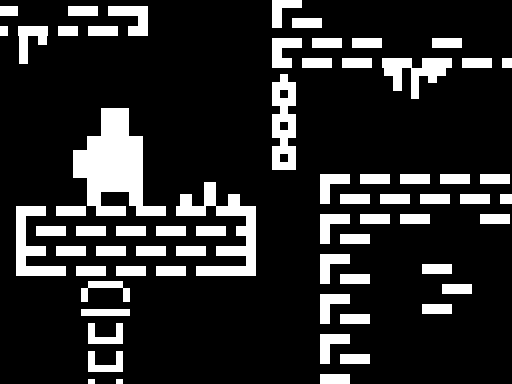
Choose Play now to load the game.
Official listing
Start overcoming the tracks with your one-bit character in the One bit game! Dont forget to get a checkpoint in the game and win the game by completing the obstacles!
From the game listing
W A S D or Arrow Keys Movement C Checkpoint When you enter the game from a mobile device you can use the touch controls on the screen
Open this card to load the gameplay video.
One Bit is a single-player 2D pixel platform game where you guide a minimalist character across challenging obstacle tracks. Your primary goal is to run, jump, and navigate through varied track hazards while securing checkpoints to finish the course and win the game. With support for standard keyboard movement and mobile touch inputs, the challenge revolves around careful timing, nimble maneuvering, and smart checkpoint activation.
In One Bit, players navigate a 2D retro-styled obstacle course featuring classic pixel art aesthetics. As you take control of your one-bit character, each section of the track presents unique environmental hazards and platforming sequences that require steady reflexes and deliberate pacing.
The core loop involves moving continuously forward along the tracks, spotting upcoming hazards, and maneuvering past them safely. An essential part of the journey is activating checkpoints along the way, allowing you to anchor your progress rather than having to repeat earlier stretches. Reaching the conclusion of the obstacle run secures victory, offering a satisfying retro platforming adventure for casual gaming sessions.
Your objective in One Bit is to guide your character through every obstacle along the course and successfully reach the finish line. To complete the run efficiently, you need to execute precise movement across platforms, avoid incoming hazards, and make sure to register checkpoints whenever they become available throughout the track.
1. Start the game to load the obstacle track on your desktop or mobile screen.
2. Use the directional keys or on-screen touch buttons to move your character forward along the path.
3. Observe upcoming obstacles and adjust your movement rhythm to leap or maneuver past hazards cleanly.
4. Trigger checkpoint markers during your run to save your forward progress across the stage.
5. Clear the remaining obstacle sequences to complete the track and achieve victory.
Move your character using the W, A, S, D keys or the Arrow Keys, and press C to set a checkpoint. On mobile devices, on-screen touch controls are available for navigation.
The central appeal of One Bit lies in its tight platforming rhythm and classic retro styling. Navigating 2D obstacle tracks requires players to balance speed with spatial awareness. Rushing blindly into unfamiliar hazard placements often leads to mistimed jumps, while hesitating too long can disrupt your platforming momentum.
A key strategic dynamic is knowing when to stop and secure a checkpoint. Taking a brief moment to confirm your progress ensures that difficult subsequent sections do not force you to replay long, solved stretches of the course. Mastering this steady cadence of movement and milestone confirmation is the most reliable way to conquer the game's obstacles.
Progression in One Bit is structured around advancing through sequential obstacle sections across the track. As you make your way past tricky platform layouts, each activated checkpoint acts as a safety threshold, breaking the overall journey into manageable segments.
Players can refine their overall completion time and consistency by learning obstacle patterns over multiple attempts. Focusing on clean platforming execution between each checkpoint helps turn complex jumping sequences into smooth, repeatable paths toward the final win.
One Bit supports both desktop and mobile browser play. On desktop computers, players can choose between WASD or the Arrow Keys for movement and press C for checkpoint activation, providing responsive physical key feedback suitable for precise platforming.
When loading the game on mobile smartphones or tablets, the interface provides on-screen touch controls. Mobile players should ensure a comfortable grip so directional taps remain clear and do not obscure visibility of approaching hazards.
As an adventure platformer, One Bit emphasizes obstacle navigation, spatial precision, and steady progression through 2D pixel environments. In traditional platforming titles, the core satisfaction comes from reading upcoming terrain, judging distances accurately, and safely crossing hazardous spans.
By combining retro visual charm with responsive directional controls, the title fits comfortably alongside accessible browser platformers designed for quick, bite-sized obstacle challenges. The addition of manual checkpoint tracking gives players a structured way to conquer demanding sections step by step.
Players looking for a fun one bit game or a lightweight adventure game online will find an approachable 2D platforming challenge in One Bit. The title is well suited for casual gamers who enjoy minimalist pixel art, straightforward movement controls, and focused obstacle navigation.
Whether testing your timing during short breaks on mobile or playing on a desktop keyboard, the game offers a clean platforming environment. Practicing clean movement rhythms and consistent checkpoint habits makes it a rewarding experience for anyone seeking classic retro platforming fun.
What kind of game is One Bit? One Bit is a single-player 2D pixel platform and adventure game where you navigate an obstacle course to reach the end of the track.
How do I save my progress during a run? You can record checkpoints by pressing the C key on desktop or using the designated on-screen interface option on mobile devices as you reach safe points.
Can I play One Bit on mobile devices? Yes, One Bit offers full mobile browser support, displaying touch controls directly on your screen for movement and navigation.
What is the condition to win the game? You win One Bit by navigating through the full obstacle track and successfully reaching the end of the course.
Tell us if the game does not load, the information is wrong or the content needs review.
Report a problemExplore popular games by category, shared tags and site-wide activity.





















