About Octopus Memory Card Match
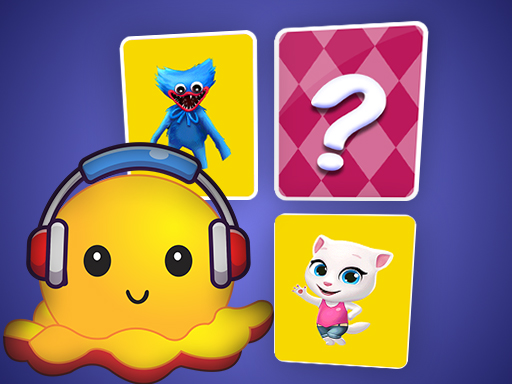
Octopus Memory Card Match is a browser-based puzzle challenge where players flip cards to find identical picture pairs. After choosing a difficulty setting, you examine the board to turn over cards one by one. Finding matching illustrations removes them from play, while unmatched cards flip back down until you uncover every pair to successfully complete the selected board.
Octopus Memory Card Match presents a straightforward card-flipping test focused on visual recall and pattern recognition. Before a round starts, players select a difficulty level, where higher numbers place more cards across the layout. Every board is configured so that there are always two identical images hidden face down among the cards.
Gameplay begins when you flip an initial card and search for its twin image across the rest of the board. Whenever an attempt fails to reveal an identical picture, both cards turn face down again. Remembering where these images reside is essential, as tracking past positions makes uncovering future matches much easier. The round concludes as soon as every pair is found and cleared.
Your goal
The primary objective in Octopus Memory Card Match is to reveal and remove every hidden pair of matching cards on the board. By turning over cards to discover identical pictures, you clear the playing field entirely. Finishing the board marks the level complete, encouraging players to master the basics and test their recall on higher difficulty settings with larger card counts.
How to play Octopus Memory Card Match
1. Select your preferred difficulty level, knowing that higher numbers generate a board with more cards.
2. Start the game by flipping an initial card face up to reveal its hidden image.
3. Turn over a second card to search for the twin image matching the first card.
4. Watch the cards flip back face down if the pictures do not match, keeping their locations in mind.
5. Match identical images to remove the pair from the board until all pairs are cleared to complete the level.
Controls and device support
- Controls: See in-game controls
- Device support: Browser
- Game frame: 800 x 600
Rules to keep in mind
- Difficulty selection sets the card quantity, where choosing higher numbers increases the total number of cards on the board.
- Every board guarantees that exactly two identical images exist for each picture hidden face down.
- Unmatched cards immediately flip back face down, requiring the player to memorize their placements for future turns.
- Successfully finding a matching pair removes both cards from the board, and clearing all pairs completes the level.
What makes the challenge interesting
At its core, Octopus Memory Card Match emphasizes mental mapping, visual concentration, and methodical elimination. Because unmatched cards flip back to their face-down state after an incorrect guess, success relies on actively cataloging what each revealed spot contains. The game scales in challenge by adding more cards at higher difficulty levels, which stretches short-term recall and calls for structured memorization habits. Practicing periodically helps players refine their memory strategies over time, making it progressively easier to identify pairs, avoid redundant flips, and systematically clear the entire board across each session.
Tips for Octopus Memory Card Match
- Focus on memorizing one card's position each turn rather than trying to track multiple unseen spots at once, which keeps guesses organized.
- Start on lower difficulty settings to become comfortable with the image set before advancing to higher numbers with denser card layouts.
- Return to the game periodically to build consistent recall habits, as repeating basic boards helps develop reliable memory strategies over time.
The skills behind the game
Categorized under Puzzles, card matching games rely on observation, spatial awareness, and short-term memory rather than quick reflexes. While some puzzle titles emphasize physics or sliding mechanisms, classic memo-style puzzle games task players with uncovering hidden information under strict pairing rules. Octopus Memory Card Match represents this category by organizing image pairs across adjustable grid sizes, offering a measured, logic-based exercise in visual recall.
Who will enjoy this game
Players looking for an octopus memory card match game or a casual puzzle game online will find a focused matching experience here. Although tagged loosely with match 3 puzzle game themes alongside card and memory tags, the title strictly uses pairs rather than triplet swaps. It centers entirely on uncovering identical picture tiles across selectable difficulty tiers to deliver a classic memo challenge.
Games with a similar feel
Candy Crush Saga: Like Candy Crush Saga, Octopus Memory Card Match involves finding visual commonalities between items on a board. However, while Candy Crush Saga uses cascading match-three swaps to trigger chain reactions and level goals, this title is a hidden-card memo game centered on flipping identical two-card pairs.
Bejeweled: Like Bejeweled, Octopus Memory Card Match challenges players to spot matching visual elements across a bounded playfield. The difference lies in mechanics: Bejeweled requires shifting visible gems to align rows of three, whereas Octopus Memory Card Match relies on flipping face-down cards to locate duplicate picture pairs.
Frequently asked questions
How does the difficulty setting change the game board? Selecting a higher difficulty number places more cards onto the board, expanding the overall grid and requiring you to track a greater number of hidden picture pairs.
What happens when you flip two cards that do not match? If two revealed cards do not share the same image, they automatically turn face down again in their original positions, allowing you to memorize where they are.
How do you complete a level in Octopus Memory Card Match? You complete a level by finding every matching pair on the board. Each successful match removes those cards, and the level finishes once all cards are cleared.
Something not right?
Tell us if the game does not load, the information is wrong or the content needs review.
Report a problem ›