Official listing
Game description
Ready to survive in a city full of zombies? Sounds easy, but if you run out of ammo ,you need to kill the zombies with your axe.Good Luck!
Arcade game
No Mercy 3D is a browser-based arcade shooter where you fight to stay alive in an urban environment overrun by hostile zombies. Navigate the dangerous city streets, take down threatening undead targets with ranged firepower, and switch to your axe for close-range defense whenever your ammunition runs out.
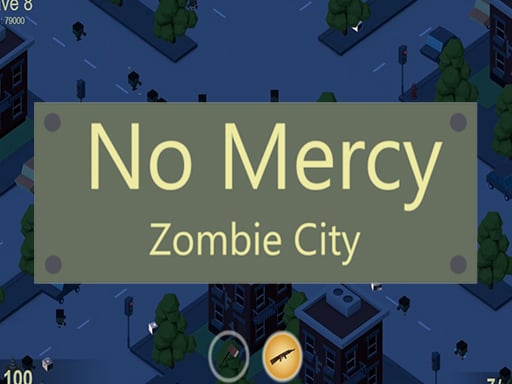
Choose Play now to load the game.
Official listing
Ready to survive in a city full of zombies? Sounds easy, but if you run out of ammo ,you need to kill the zombies with your axe.Good Luck!
From the game listing
Arrows Mouse Click
Open this card to load the gameplay video.
No Mercy 3D is a browser-based arcade shooter where you fight to stay alive in an urban environment overrun by hostile zombies. Navigate the dangerous city streets, take down threatening undead targets with ranged firepower, and switch to your axe for close-range defense whenever your ammunition runs out.
In No Mercy 3D, players are placed directly into a city overrun with zombie threats. The core arcade experience combines classic shooting mechanics with survival combat, requiring quick reflexes and careful movement as enemies approach. You start equipped to shoot incoming zombies from a distance, but surviving means staying alert to your current supply of ammunition. If you deplete your bullets during an intense encounter, you must immediately defend yourself using an axe in melee combat. With straightforward arrow-key movement and mouse-driven attacks, the game delivers fast-paced action designed for immediate play in your web browser.
The main objective in No Mercy 3D is to survive inside a city overrun by dangerous zombies. You must eliminate hostile undead encounters by aiming and shooting while monitoring your resources. If you run out of ammo during combat, your goal shifts to fighting off remaining zombies with your axe to stay alive.
1. Use the arrow keys to navigate your character through the city and position yourself away from incoming zombies.
2. Target hostile zombies in your vicinity and click the mouse to fire your weapon at oncoming threats.
3. Track your ammunition levels carefully as you engage enemies across the urban streets.
4. Switch to melee combat with your axe to defeat zombies whenever your firearm runs out of bullets.
5. Maintain steady movement to prevent getting cornered by groups of undead while defending yourself.
Arrow Keys: Move character
Mouse Click: Attack with firearm or axe
Combat in No Mercy 3D centers on managing engagement range and resource availability. Ranged shooting allows you to dispatch undead targets from relative safety, keeping distance between you and hostile enemies. However, continuous firing will eventually deplete your ammo reserves, forcing an abrupt transition into high-risk melee combat with the axe. Success requires players to balance proactive shooting with defensive repositioning, using the arrow keys to avoid being surrounded while timing mouse clicks accurately to clear the city streets.
As an action-packed arcade shooter, No Mercy 3D embraces the rapid, high-intensity playstyle typical of the arcade genre. Players jump straight into combat without complicated setup, focusing entirely on spatial awareness, enemy positioning, and weapon execution. Combining zombie survival themes with pick-up-and-play browser mechanics, it provides quick, engaging combat sessions focused on reflex-driven survival.
Players looking for a no mercy 3d game or an action-oriented arcade game online can experience immediate browser-based zombie combat in No Mercy 3D. The title focuses on essential arcade shooting and melee defense, offering an accessible experience for fans of survival action who want straightforward controls and direct combat encounters.
DOOM: Like the classic combat pacing in DOOM, No Mercy 3D challenges players to maneuver around dangerous enemies while attacking. However, while DOOM features extensive weapon arsenals and complex level designs, No Mercy 3D offers a streamlined browser arcade survival experience focusing on shooting and axe combat.
What happens when you run out of ammunition in No Mercy 3D? When your gun runs out of ammo, you must switch to close-quarters melee combat and eliminate the remaining city zombies using your axe to survive.
What controls are used to play No Mercy 3D? You navigate your character through the city using the Arrow Keys and execute combat attacks with Mouse Click to shoot at zombies or swing your axe.
Is No Mercy 3D playable on mobile devices? The game instructions specifically establish desktop controls using Arrow Keys and Mouse Click, with no dedicated touch inputs or mobile device layouts specified in the official listing.
Tell us if the game does not load, the information is wrong or the content needs review.
Report a problemExplore popular games by category, shared tags and site-wide activity.
















