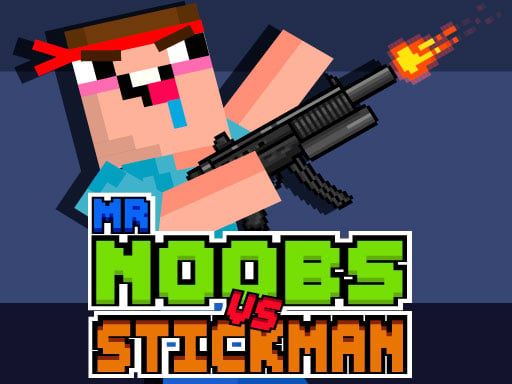
About Mr Noobs vs Stickman
Mr Noobs vs Stickman is an action-packed battle game where you lead a squad of noob fighters against hostile stickman forces. Direct your troops across the battlefield, overwhelm defending shooters, and seize the opposing team's flag. Earning coins from victorious skirmishes lets you unlock powerful new soldiers and enhance your squad's combat capabilities for tougher encounters.
In Mr Noobs vs Stickman, players take command of a determined noob battalion engaged in an all-out war against rival stickmen. Each combat round challenges you to select units, deploy them into the fray, and push forward toward the enemy base. Opponents will actively shoot back and attempt to overrun your defensive positions, demanding steady reinforcement management.
Winning a battle centers on capturing the opposing flag, which rewards you with gold coins. These earnings feed directly into squad management, allowing you to recruit sturdier soldiers and upgrade their combat skills. Whether managing tactical deployments using keyboard shortcuts or on-screen controls, maintaining frontline momentum is crucial to securing complete battlefield dominance.
Your goal
The primary objective in Mr Noobs vs Stickman is to win each military encounter by leading your noob army to capture the enemy stickman flag. You must advance across the field, defeat shooting stickman defenders, protect your own position from being captured, and secure enough coins to unlock resilient reinforcements and continuous skill upgrades.
How to play Mr Noobs vs Stickman
1. Select your soldiers using the mouse, number keys 1 through 5 on PC, or on-screen touch buttons.
2. Press the spacebar or tap the play button to command your army to advance toward the stickmen.
3. Engage enemy shooters along the lane to prevent them from capturing your own defensive position.
4. Reach the opposite side of the battlefield and capture the enemy flag to claim victory.
5. Collect earned coins after winning battles to unlock stronger soldiers and upgrade their unit skills.
Controls and device support
Mouse / Keys 1 to 5: Select soldiers
Spacebar / Play Button: Advance army into battle
Touch Buttons: Select soldiers and move army
- Controls: Mouse or touch
- Device support: Desktop + mobile
- Game frame: 800 x 600
Rules to keep in mind
- Capturing the enemy flag completes the battle and secures victory.
- Enemy stickmen shoot at your advancing troops and will attempt to capture your position if undefended.
- Victories reward coins, which are required to unlock new unit tiers and purchase combat skill improvements.
What makes the challenge interesting
Gameplay in Mr Noobs vs Stickman revolves around strategic unit deployment and offensive timing. Players must balance sending out standard fighters with pacing troop movement against incoming stickman gunfire. Because stickman opponents actively fire at approaching noobs and seek to claim your side of the map, consistent unit output is vital. Successfully breaking through enemy lines allows your squad to seize the objective flag. The loop of earning coins from each win and converting them into improved unit stats and higher-tier troops ensures your squad keeps pace with escalating combat challenges.
Tips for Mr Noobs vs Stickman
- Use number keys 1 to 5 on PC for rapid soldier selection during intense skirmishes, allowing faster deployment than standard mouse clicks.
- Reinvest your battle coins into unlocking stronger soldiers early, providing the durability needed to survive heavy stickman projectile fire.
- Keep your troops advancing steadily across the field so enemy stickmen remain pressured and unable to overrun your defensive line.
Stages and progression
Progression in Mr Noobs vs Stickman centers on battle victories and currency accumulation. Winning matches by securing the opposing flag grants coins that players spend in the upgrade interface. These funds allow you to unlock newer, stronger soldier classes and boost the combat skills of your existing noob battalion to conquer tougher battles.
Playing on different devices
On desktop browsers, players can utilize hotkeys 1 through 5 alongside the mouse and spacebar for fast command execution. On mobile and tablet devices, responsive touch buttons handle soldier selection and army advance commands directly on screen.
The skills behind the game
Categorized under clicker and war action titles, Mr Noobs vs Stickman pairs rapid tactical selection with automated frontline clashes. Rather than requiring direct manual aiming, clicker strategy games emphasize resource allocation, squad recruitment, and timing your troop pushes to overwhelm enemy strongpoints while safeguarding your home position.
Who will enjoy this game
Players searching for an entertaining clicker game online will discover accessible squad-management battles in the Mr Noobs vs Stickman game. The title combines playful noob character themes with rapid deployment warfare, making it an engaging option for browser gamers who enjoy upgrading soldiers and capturing enemy flags across varied skirmishes.
Games with a similar feel
Minecraft: While Minecraft is an open-ended 3D sandbox centered on block building and exploration, Mr Noobs vs Stickman adopts familiar voxel-styled noob character themes within a streamlined 2D lane-battle clicker format focused on flag capture and troop upgrades.
Frequently asked questions
How do you win battles in Mr Noobs vs Stickman? You win battles by commanding your noob army across the battlefield to capture the enemy stickman flag while preventing opposing shooters from capturing your position.
What do you do with coins earned from winning? Coins collected from victorious flag captures are spent to unlock stronger soldier classes and upgrade the combat skills of your army for subsequent battles.
What controls are available on PC? On PC, you can select soldiers using mouse clicks or number keys 1 through 5, and press the spacebar or click the play button to advance.
Something not right?
Tell us if the game does not load, the information is wrong or the content needs review.
Report a problem ›