Official listing
Game description
Play a brand new fun minicraft! Challenge your friend and beat him! Different languages (Turkish, English, Russian)
3D game
Minicraft: Head War is a 3D arcade title designed around quick, direct competition on a single machine. Built with local two-player showdowns in mind, the game pits opponents against each other in responsive head-to-head bouts where positioning and reaction speed decide the outcome. Supporting multiple language options, including English, Turkish, and Russian, it provides immediate competitive fun for friends sharing the same keyboard.
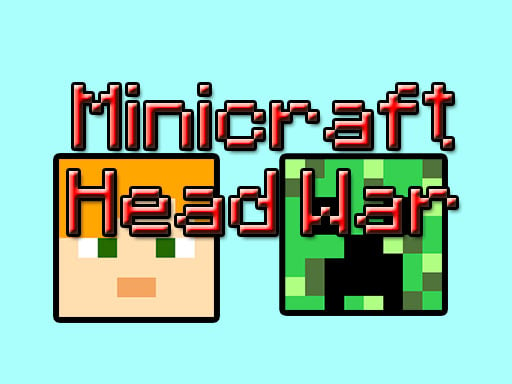
Choose Play now to load the game.
Official listing
Play a brand new fun minicraft! Challenge your friend and beat him! Different languages (Turkish, English, Russian)
From the game listing
Controller Player 1- WASD Controls Player 2-Arrow Keys Controls M Music On Off
Open this card to load the gameplay video.
Minicraft: Head War is a 3D arcade title designed around quick, direct competition on a single machine. Built with local two-player showdowns in mind, the game pits opponents against each other in responsive head-to-head bouts where positioning and reaction speed decide the outcome. Supporting multiple language options, including English, Turkish, and Russian, it provides immediate competitive fun for friends sharing the same keyboard.
Set within an interactive 3D arcade arena inspired by blocky voxel aesthetics, Minicraft: Head War offers an accessible competitive environment where two participants can immediately test their reflexes. The premise centers squarely on challenging a partner in real time, delivering fast-paced duels where agile maneuvers make all the difference during heated exchanges.
Rather than demanding complicated setups, the session relies entirely on local multiplayer coordination. One contestant commands their character via standard WASD directional inputs, while the second uses the dedicated arrow keys. The interface also supports English, Turkish, and Russian language selections, ensuring that players from various regions can easily navigate the menus and jump straight into head-to-head matches.
The core objective in Minicraft: Head War is to outperform and beat your opponent across fast-paced match encounters. Success depends on tracking rival movements across the 3D play space, reacting quickly to sudden direction changes, and outmaneuvering your rival to gain an upper hand before they can establish an advantageous position.
1. Select your preferred display language from the options menu, with English, Turkish, and Russian available.
2. Gather a second participant at the same computer to begin the local two-player duel.
3. Assign positions so Player 1 can comfortably reach WASD on the left side of the keyboard.
4. Ensure Player 2 has unhindered access to the arrow cluster on the right side of the keyboard.
5. Press the M key if you wish to toggle the background music tracks on or off during your duel.
6. Navigate the 3D arena using your directional controls to outmaneuver and defeat your rival.
Player 1 uses the WASD keys for movement, while Player 2 controls their character using the Arrow Keys. The M key toggles background music on or off.
The defining dynamic of Minicraft: Head War is spatial awareness and close-quarters hand agility. Because both competitors operate from opposite sides of the exact same physical keyboard, players must maintain disciplined finger placement while keeping their gaze firmly fixed on the screen. The primary tradeoff lies between aggressive forward pressure and cautious defensive positioning; rushing toward your opponent can seize initiative, but overcommitting in a compact 3D space leaves you vulnerable to swift counter-maneuvers.
The game natively renders at an optimal resolution of 1360 x 768 pixels, making it well suited for standard desktop and laptop browser windows. Because the control scheme requires simultaneous input from WASD and Arrow Keys, playing on a keyboard with reliable key rollover prevents keystroke jamming when both participants press multiple directional keys at the exact same moment.
Minicraft: Head War fits cleanly into the arcade and two-player categories, emphasizing shared-screen action over sprawling storylines. In traditional arcade environments, accessibility and immediate stakes take precedence, allowing competitors to jump into a round without navigating deep prerequisite menus. By pairing 3D graphics with local keyboard duel mechanics, the title captures the timeless appeal of quick, party-style browser competitions where instant rivalries unfold over rapid-fire rematches.
Players looking up minicraft: head war or searching for the minicraft: head war game typically want an unpretentious, instantly playable local multiplayer duel. It appeals particularly to friends sharing a desk, classmates looking for a quick five-minute break activity, or casual gamers seeking direct two-player fun without needing to establish remote network connections or install large software clients.
Minecraft: While Minecraft is famous for expansive sandbox world building, survival mechanics, and block-by-block crafting, Minicraft: Head War borrows only a related blocky visual tone. Instead of endless exploration or resource gathering, this title delivers a bite-sized 3D arcade duel focused entirely on outplaying a friend locally on the keyboard. It is ideal for players seeking fast competitive action rather than long-term building projects.
Can two people play together on one keyboard? Yes. Player 1 utilizes the WASD key cluster on the left side, while Player 2 operates the arrow keys on the right, allowing comfortable shared-keyboard multiplayer.
Which language options are supported in the game? Minicraft: Head War features built-in language settings for English, Turkish, and Russian, which can be selected directly within the game's interface.
How do you mute the game's background audio? You can toggle the music on or off at any point during your play session simply by tapping the M key on your keyboard.
Tell us if the game does not load, the information is wrong or the content needs review.
Report a problemExplore popular games by category, shared tags and site-wide activity.