Official listing
Game description
In Tennis Masters, you can play competitive tennis matches against the computer or your real-life friends in the 2-player mode. With unlockables, a variety of characters, special power-ups and funny transformations.
Sports game
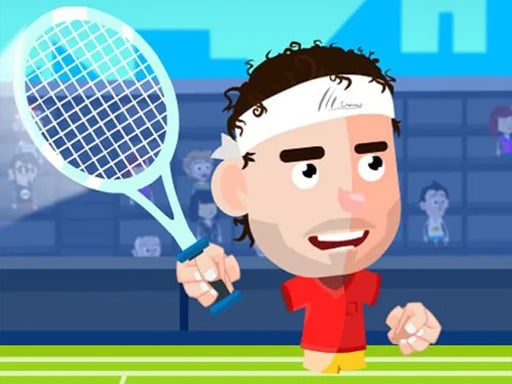
Masters Tennis delivers lively tennis action where you can jump into competitive court matches against computer opponents or challenge a friend in local two-player mode. Featuring diverse characters, fun transformations, and game-changing power-ups, every rally tests your positioning, quick jump timing, and shot execution.
Choose Play now to load the game.
Official listing
In Tennis Masters, you can play competitive tennis matches against the computer or your real-life friends in the 2-player mode. With unlockables, a variety of characters, special power-ups and funny transformations.
From the game listing
Move left right - A D or Left Right arrow keys Jump - W or Up arrow key Hit - V L or X Smash - B Z or K
Open this card to load the gameplay video.
Masters Tennis delivers lively tennis action where you can jump into competitive court matches against computer opponents or challenge a friend in local two-player mode. Featuring diverse characters, fun transformations, and game-changing power-ups, every rally tests your positioning, quick jump timing, and shot execution.
Step onto the court in Masters Tennis for energetic sports competition designed for both solo players and duos sharing the keyboard. You can challenge smart computer opponents or go head-to-head against friends in dedicated two-player matches, trading groundstrokes and overhead smashes across fast-moving rallies.
The game enhances traditional tennis play with dynamic character selections, unlockable content, unpredictable transformations, and potent power-ups. Mastering the court requires balancing lateral movement, jumping to intercept high lobs, and selecting the right moment to unleash a powerful smash past your rival.
The main objective in Masters Tennis is to outperform your opponent across competitive rallies and win the match. By tracking the ball, positioning your player effectively, and landing well-timed hits or decisive smashes, you aim to outscore computer rivals or your friend across each contest.
1. Choose whether to play against the computer or challenge a friend in 2-player mode.
2. Use A and D or the Left and Right arrow keys to position your character across the court.
3. Press W or the Up arrow key to jump and intercept high balls before they bounce away.
4. Press V, L, or X to execute standard hits and return incoming shots over the net.
5. Press B, Z, or K to perform a powerful smash when you get an opening to score.
6. Take advantage of active power-ups, character traits, and transformations to secure match points.
A / D or Left / Right Arrow: Move left and right
W or Up Arrow: Jump
V, L, or X: Standard hit
B, Z, or K: Smash shot
Gameplay in Masters Tennis revolves around quick reflexes and precise spatial awareness on a compact court. Because rallies move rapidly, choosing between a standard groundstroke and an aggressive smash often determines whether you maintain control or leave your side exposed.
Jumping at the peak of the ball's arc allows you to convert defensive returns into aggressive offensive strikes. Combining nimble footwork with opportunistic smash attacks helps you capitalize on floating returns and dynamic in-game power-ups.
As you compete in matches, you can explore unlockables and a variety of unique characters, encouraging continued play and experimentation across different matchups.
As part of the sports genre, Masters Tennis captures the fundamental back-and-forth excitement of racquet competition while adopting accessible arcade mechanics. Players get immediate gratification through straightforward keyboard inputs, making tactical court positioning and shot timing easy to pick up yet fun to master against human or computer competition.
If you are looking for an engaging masters tennis game or a quick-start sports game online, Masters Tennis provides accessible 2-player competition and solo tournament play directly in your desktop browser. Its blend of straightforward controls and arcade mechanics offers immediate sports fun.
Can I play Masters Tennis with a friend on the same computer? Yes, the game features a dedicated 2-player mode that allows two real-life players to compete directly against each other using shared keyboard controls.
How do I perform a smash in Masters Tennis? You can execute a smash shot by pressing B, Z, or K when positioned near the ball, often combining the strike with a jump using W or the Up arrow key.
Does Masters Tennis include special abilities? Yes, the game incorporates special power-ups, character transformations, and unlockable features that add unpredictable twists to competitive tennis matches.
Tell us if the game does not load, the information is wrong or the content needs review.
Report a problemExplore popular games by category, shared tags and site-wide activity.