About Kids Games Collection
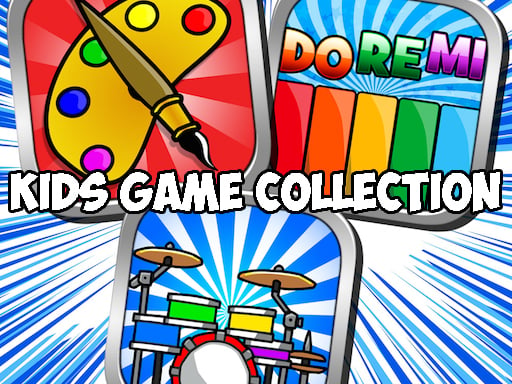
Kids Games Collection brings together a suite of creative and family-friendly mini-games designed for young learners and casual players. The package lets users explore multiple activities, including playing musical instruments such as the piano and drums, sketching custom drawings, and coloring various pictures. With straightforward input support, anyone can easily switch between entertaining creative pastimes.
Kids Games Collection is an accessible variety title that bundles multiple creative pastimes into a single interactive browser experience. Players can browse an assortment of activities tailored around music, drawing, and coloring. The title features distinct mini-games where you can tap piano keys, strike drum pads, create original artwork, and apply colors to a wide selection of images. Because it requires no complicated setup, children and families can immediately dive into their preferred activity from the main selection menu. Each mini-game focuses on approachable interaction, allowing players of all ages to express creativity, experiment with sounds, and enjoy calm, artistic gameplay at their own pace.
Your goal
The main objective in Kids Games Collection is to freely explore each included creative activity and enjoy engaging with music and visual art. Players aim to produce melodies on the virtual piano, drum along to rhythms, paint diverse coloring sheet images, and create original illustrations at their own leisurely pace without restrictive timers or pressure.
How to play Kids Games Collection
1. Launch Kids Games Collection and browse the available activities on the main selection screen.
2. Choose a mini-game category, such as the piano, drums, drawing canvas, or coloring book.
3. Use your mouse or touchscreen to tap musical notes, strike drum elements, or select colors.
4. Apply your chosen colors onto images or sketch your own freehand drawings on the canvas.
5. Return to the main activity menu whenever you want to switch to a different mini-game.
Controls and device support
Mouse: Click and drag to select activities, tap piano keys, beat drums, and paint or draw on screen
Touchscreen: Tap and drag to navigate mini-games, play musical instruments, and color images
- Controls: Mouse or touch
- Device support: Desktop + mobile
- Game frame: 1280 x 800
Rules to keep in mind
- Players can freely choose between available mini-games including piano, drums, drawing, and coloring.
- Interactions are performed entirely through direct mouse clicks or touchscreen taps.
What makes the challenge interesting
Gameplay in Kids Games Collection centers on open-ended creativity across both audio and visual mediums. In the musical sections, players engage with interactive piano keys and responsive drum pads to hear different tones, test melodic notes, and craft simple rhythms. In the visual sections, the experience provides blank drawing canvases along with ready-to-fill coloring images. This dual focus allows players to seamlessly alternate between producing cheerful sounds and practicing digital art. Because interaction is intuitive and unconstrained, users can spend time experimenting with colors, shapes, and musical instruments without strict score requirements or game-over conditions.
Tips for Kids Games Collection
- Explore all four included mini-game activities—piano, drums, drawing, and coloring—to discover which creative pastime best matches your current mood and interest.
- Test different color combinations on the provided coloring sheets to create vibrant illustrations before moving on to blank canvas drawings.
- Practice tapping out simple, repeatable beats on the drums and piano to get familiar with the responsive audio feedback.
The skills behind the game
Categorized under clicker and casual titles, Kids Games Collection emphasizes direct, immediate feedback from single clicks and taps. While traditional clickers focus on continuous resource accumulation, this educational suite channels tap-based controls into creative play, letting users trigger musical notes, paint colors, and sketch lines with instant visual and audio responses.
Who will enjoy this game
Whether searching for a kids games collection or an engaging coloring game online, players look for approachable activities suitable for young audiences. Kids Games Collection satisfies this search by combining coloring, drawing, and musical instruments into an accessible, family-oriented browser package that runs smoothly without requiring downloads or intricate control schemes.
Games with a similar feel
Happy Color: Kids Games Collection shares a digital coloring theme with Happy Color, but while Happy Color centers strictly on structured paint-by-number artwork, Kids Games Collection expands into freeform drawing and musical instruments like piano and drums.
Frequently asked questions
What activities are included in Kids Games Collection? The collection includes four primary mini-games: a virtual piano, interactive drums, a freehand drawing canvas, and a coloring book featuring multiple images.
How do you control the games in Kids Games Collection? You can interact with all activities by clicking with a mouse on desktop browsers or tapping directly on touchscreens on mobile devices.
Something not right?
Tell us if the game does not load, the information is wrong or the content needs review.
Report a problem ›