Official listing
Game description
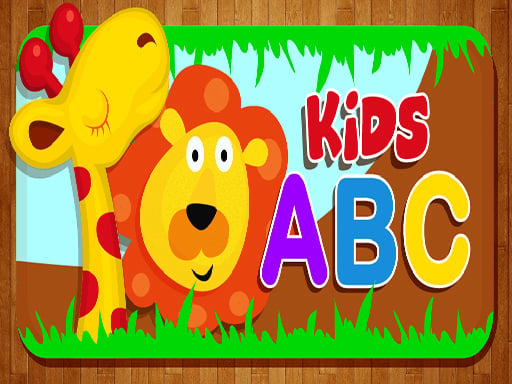
Kids Education is game that aims to educate kids in a funny way without them getting bored or feel like they are studying.The game has many different Sections like Puzzles, learn how to read,write etc.
Bejeweled game
Kids Education is a casual educational browser game designed to introduce young learners to foundational academic concepts through playful interactions. Featuring distinct sections focused on reading, writing, and problem-solving puzzles, the experience keeps children engaged without making learning feel like tedious study sessions. Players interact directly with on-screen challenges using simple click or tap inputs to build early skills at a relaxed pace.
Choose Play now to load the game.
Official listing
Kids Education is game that aims to educate kids in a funny way without them getting bored or feel like they are studying.The game has many different Sections like Puzzles, learn how to read,write etc.
From the game listing
Mouse click or tap to play
Open this card to load the gameplay video.
Kids Education is a casual educational browser game designed to introduce young learners to foundational academic concepts through playful interactions. Featuring distinct sections focused on reading, writing, and problem-solving puzzles, the experience keeps children engaged without making learning feel like tedious study sessions. Players interact directly with on-screen challenges using simple click or tap inputs to build early skills at a relaxed pace.
Kids Education presents an accessible digital playroom where early foundational exercises are structured around lighthearted and interactive mini-games. Rather than following rigid schoolwork formats, the game divides its content into multiple educational sections that focus on key developmental milestones, such as letter familiarity, early reading comprehension, basic writing exercises, and logical puzzles.
The core loop encourages self-guided exploration. Young players can select between varied activity modules, taking on bite-sized tasks that reinforce visual recognition, fine motor coordination, and basic literacy skills. Because the activities are designed to feel playful rather than demanding, children can experiment with different interactive challenges across desktop or mobile screens with direct mouse or touch gestures.
The main objective in Kids Education is to explore diverse learning modules and successfully complete the accompanying reading, writing, and puzzle exercises. Players aim to reinforce early educational concepts, practice hand-eye coordination, and develop steady confidence across different foundational subjects without high-pressure fail states.
1. Launch the game in your desktop browser or mobile screen to load the main activity hub.
2. Browse the available sections, choosing between reading practice, writing tasks, or visual puzzles.
3. Click or tap on-screen elements to interact with learning prompts and solve visual challenges.
4. Follow each activity's visual cues to complete the task before moving on to another learning section.
Kids Education uses simple mouse click inputs on desktop and direct tap controls on mobile touchscreens to select options, drag elements, and interact with all learning sections.
The central appeal of Kids Education lies in its low-friction approach to early childhood learning. Instead of testing speed or punishing mistakes, the game emphasizes exploration and cognitive engagement. The trade-off between structured academic study and casual entertainment is handled by packaging reading, writing, and puzzle mechanics into bright, self-paced mini-games.
Navigating between different subjects helps maintain a child's natural curiosity. Shifting from reading words to solving interactive puzzles ensures variety, helping young minds stay engaged without experiencing cognitive fatigue from repetitive drills.
Kids Education structures its content across distinct learning categories, including reading exercises, writing tasks, and puzzle challenges. Rather than enforcing strict level gates or complex unlock requirements, progression is centered around exploring varied modules and building familiarity across foundational skills at the player's personal speed.
Parents and educators can structure repeat sessions by alternating between simpler puzzle matching and more involved literacy exercises, establishing a gentle learning routine that reinforces core concepts over time.
Built on HTML5 technology with a vertical 300 by 600 resolution layout, Kids Education runs directly inside web browsers on both desktop computers and mobile devices such as Android phones and iPads. On desktop, standard mouse clicks handle all interactions, while mobile browsers support direct tapping and dragging on touchscreens.
Educational browser games provide an accessible bridge between digital entertainment and early childhood development. By transforming fundamental subjects like literacy, handwriting, and logic into gamified mini-activities, these titles give young learners a pressure-free space to explore basic concepts.
Rather than relying on intense reflexes or competitive pressure, early learning titles focus on visual clarity, intuitive controls, and positive reinforcement. They serve as supportive supplementary tools for home learning, preschool preparation, and casual cognitive play.
Players looking for a versatile kids education game often seek intuitive web titles that introduce foundational skills in an entertaining format. Combining reading prompts, writing exercises, and logic puzzles into one package helps sustain a child's attention span across short daily sessions.
Kids Education fits this early learning niche by offering straightforward browser access without complex setup, allowing children, parents, and caregivers to quickly jump into constructive educational mini-games on any connected screen.
What subjects can children practice in Kids Education? The game includes dedicated sections for reading practice, basic writing activities, and visual puzzle solving, offering a balanced mix of early academic and cognitive tasks.
What devices support Kids Education? Because it runs in standard HTML5 browsers, the game is playable on desktop PCs, Android smartphones, and iPad tablets using mouse clicks or touch inputs.
How are the controls configured in the game? Interactions rely entirely on standard mouse clicks on desktop and direct screen taps on mobile devices, making navigation accessible for young children.
Tell us if the game does not load, the information is wrong or the content needs review.
Report a problemExplore popular games by category, shared tags and site-wide activity.