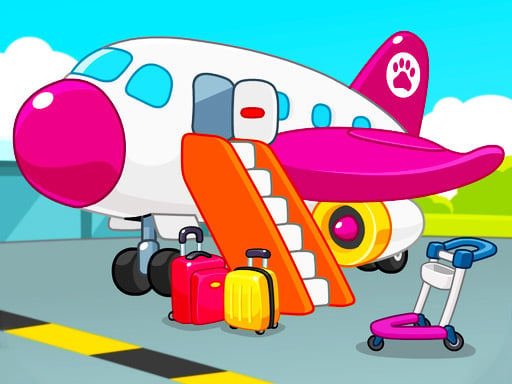
About Kids Airport Adventure Game
Kids Airport Adventure Game is an educational family-friendly title where players assist a family of hippos as they navigate a busy airport terminal. Players help the travelers decide on a destination, board their flight, pass through security checkpoints, retrieve luggage, and perform aircraft maintenance such as cleaning and repairs. Its accessible point-and-click format makes exploring standard airport routines simple and interactive.
The adventure begins when the Hippo family arrives at the airport ready to explore the world but undecided on where to fly. Players step in to guide their travel journey across multiple airport stations. From picking out vacation spots to completing routine check-in and boarding steps, each part of the process introduces a hands-on activity tailored for casual play.
Beyond guiding the passengers, the gameplay lets you engage directly with airport upkeep. You can inspect and guide items through security screenings, clean passenger planes before takeoff, repair damaged sections of aircraft, and manage checked baggage collection at the carousel. These varied scenarios combine casual simulation with light problem-solving, turning terminal procedures into approachable mini-adventures.
Your goal
The main goal is to help the Hippo family complete their entire airport journey smoothly from arrival to departure. To accomplish this, players work through individual airport responsibilities: picking a destination, guiding characters through security inspections, boarding the aircraft, fixing and washing the planes, and collecting checked bags after the journey.
How to play Kids Airport Adventure Game
1. Start the journey by helping the Hippo family pick an exciting travel destination on the map.
2. Guide the passengers to the security area to scan personal belongings and clear checkpoint inspections.
3. Help the travelers locate their gate and step aboard the airplane for their trip.
4. Perform airport service duties by scrubbing, washing, and cleaning the exterior and cabin of the plane.
5. Use maintenance tools to repair visible mechanical issues and keep aircraft in flight-ready condition.
6. Visit the luggage retrieval area to match, sort, and collect checked bags for the arriving passengers.
Controls and device support
Use a computer mouse or tap directly on touchscreen devices to interact with tools, items, and airport stations.
- Controls: Mouse or touch
- Device support: Desktop + mobile
- Game frame: 800 x 504
What makes the challenge interesting
The core appeal of Kids Airport Adventure Game lies in step-by-step task completion and visual recognition. Each stage breaks down airport routines into friendly interactions that require simple observation and direct item handling. Players do not have to worry about intense reflexes, focusing instead on identifying the proper tool for repairs, washing away dirt patches systematically, and spotting matching suitcases at baggage claim.
Switching between passenger steps and ground maintenance tasks keeps the experience varied. The gentle pace allows young players and casual gamers to build confidence as they understand what happens behind the scenes during air travel.
Tips for Kids Airport Adventure Game
- Work systematically across dirty plane surfaces using cleaning tools to make sure you do not overlook small smudges before finishing.
- Inspect the repair station carefully to identify broken components before dragging repair instruments over the airplane body.
- Observe colors, tags, and patterns on luggage at the baggage carousel so you retrieve the correct bags without unnecessary tapping.
- Take your time through security checkpoints to ensure every piece of luggage is properly screened and cleared for departure.
Stages and progression
The game progresses naturally through the typical stages of an air travel journey. Players begin with destination selection and traveler preparation, then transition into operational terminal duties such as security screening, airplane maintenance, and baggage claim. While the game provides straightforward, accessible activities without punishing difficulty spikes, players can challenge themselves to spot matching items faster or complete plane repairs with greater precision on subsequent playthroughs.
Playing on different devices
Built on HTML5 technology with an 800 by 504 canvas, the game runs smoothly across modern desktop web browsers and mobile touchscreens. Desktop players can enjoy steady precision with mouse clicks when performing detailed aircraft repairs, while mobile and tablet users can easily tap and drag items across the screen during baggage and cleaning mini-tasks.
The skills behind the game
Kids Airport Adventure Game combines elements of educational adventure, animal roleplay, and casual simulation. By demystifying the steps of modern aviation—such as passenger check-in, security screening, and ground crew maintenance—it provides a playful learning environment that appeals to boys, girls, and families alike.
Who will enjoy this game
Players looking for a fun kids airport adventure game will appreciate the mix of travel preparation and hands-on maintenance activities. Whether introducing younger children to airport processes before an upcoming family holiday or looking for a lighthearted casual diversion, this game offers an accessible and entertaining look at life inside a busy flight terminal.
Frequently asked questions
What tasks can I do in Kids Airport Adventure Game? You can help the Hippo family pick vacation spots, board planes, clear security checks, wash airplanes, fix mechanical parts, and retrieve baggage from the carousel.
How do you control the actions and tools in the game? The game uses straightforward mouse clicks on desktop browsers and direct finger taps or drags on mobile touchscreens to interact with objects and characters.
Is this game suitable for younger children and families? Yes, its cute animal characters, educational travel themes, and intuitive point-and-click design make it welcoming and easy to navigate for young players and families.
Something not right?
Tell us if the game does not load, the information is wrong or the content needs review.
Report a problem ›