Official listing
Game description
Instruments For Kids is a very fun game!. Is an HTML5 game designed for children, with the sound of 4 instruments. You can play on any platform because this application is compatible with multiplatform.
Girls game
Instruments Kids is an engaging 2D music title designed specifically for children. Built as a multiplatform HTML5 game, it allows young players to interact with four distinct musical instruments using simple mouse clicks or screen taps, creating a colorful and friendly environment for discovering sounds and basic audio play on any supported web device.
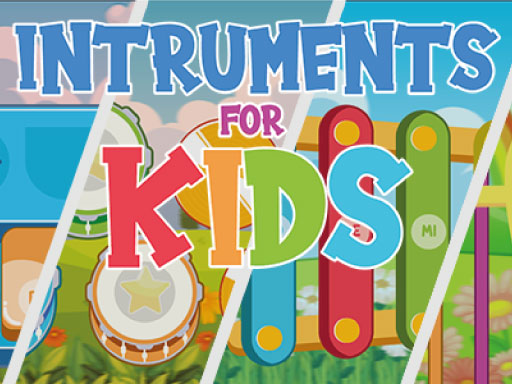
Choose Play now to load the game.
Official listing
Instruments For Kids is a very fun game!. Is an HTML5 game designed for children, with the sound of 4 instruments. You can play on any platform because this application is compatible with multiplatform.
From the game listing
Use the mouse or touch to interact
Open this card to load the gameplay video.
Instruments Kids is an engaging 2D music title designed specifically for children. Built as a multiplatform HTML5 game, it allows young players to interact with four distinct musical instruments using simple mouse clicks or screen taps, creating a colorful and friendly environment for discovering sounds and basic audio play on any supported web device.
Instruments Kids offers a welcoming 2D musical environment created specifically for young children. Built in responsive HTML5 with a 1280 x 720 layout, the game is designed for multiplatform accessibility on both desktop browsers and touchscreen mobile devices. Players explore auditory creativity through an easy-to-use interface centered on four distinct musical instruments.
As a single-player experience emphasizing color and sound, the game allows children to engage directly with musical elements at their own pace. By clicking with a mouse or tapping on the screen, players trigger instrument audio instantly, offering a simple and accessible introduction to interactive digital play without complicated rules or confusing controls.
The primary objective in Instruments Kids is to explore and listen to the sounds of all four available musical instruments. Players interact with the on-screen options to hear each tone, discover how different visual elements correspond to audio cues, and enjoy open-ended acoustic experimentation in an easy, stress-free single-player setting.
1. Launch Instruments Kids in your preferred multiplatform web browser.
2. Look at the colorful 2D screen to view the four available instruments.
3. Click with your mouse or tap with your finger on an instrument to interact.
4. Listen to the resulting musical sounds and try tapping different areas.
5. Switch between the various instruments to hear and compare all four sounds.
Mouse: Click to interact with the instruments
Touch: Tap the screen to interact with the instruments
Gameplay in Instruments Kids centers entirely on intuitive audio discovery and sensory interaction. Designed without high-pressure challenges, time limits, or penalty systems, the title lets young players focus purely on cause and effect. Selecting any of the four instruments produces immediate acoustic feedback, helping children recognize different tones and sound styles. The simple 2D interface and vibrant color presentation keep the focus accessible and fun, enabling independent play whether children navigate using mouse clicks on a computer or direct finger touches on a mobile screen.
Built as an HTML5 title with a 1280 x 720 resolution, Instruments Kids offers multiplatform support across desktop computers and mobile browsers, supporting both mouse input and touch interaction.
Instruments Kids fits naturally into the music and baby categories, providing gentle, color-filled entertainment geared toward early childhood development. In these interactive casual genres, titles emphasize accessible discovery and direct auditory responses over complex scoring. By featuring four distinct instruments within a 2D format, the game serves as an engaging digital playground where children can explore rhythm and sounds freely.
When searching for an instruments kids game or an easy instruments kids title online, players and parents often seek simple music-based browser activities. Instruments Kids delivers an accessible, single-player experience designed for young learners, offering four interactive instrument sounds and intuitive multiplatform controls playable instantly without complicated setup or downloads.
How many instruments can children play in Instruments Kids? Instruments Kids features the sounds of four different instruments, allowing young players to click or tap to hear each unique audio tone directly.
What controls are used to play the game? You can interact with the game using either a mouse on desktop systems or touch gestures on mobile devices to tap on instruments.
Tell us if the game does not load, the information is wrong or the content needs review.
Report a problemExplore popular games by category, shared tags and site-wide activity.






















