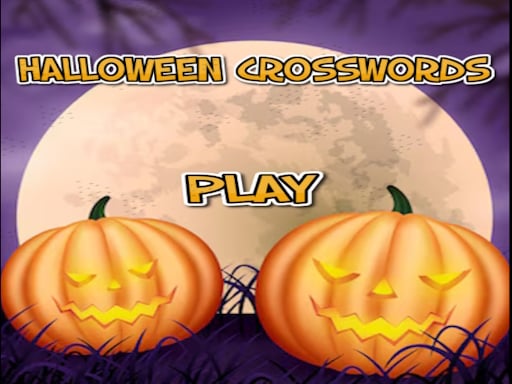
About Halloween crosswords HTML5
Halloween crosswords HTML5 is a single-player word puzzle where players solve crosswords using written clues and directional grid inputs. You read each hint, select a numbered starting square, and enter matching letters across or down. Featuring seasonal themes across its stages, the title challenges your vocabulary, spelling precision, and trivia recall in a straightforward browser format.
The core experience of Halloween crosswords HTML5 revolves around deciphering clues and filling intersecting grids. Each puzzle presents a structured board of numbered tiles where words cross one another horizontally and vertically. Players click or tap on a numbered block to activate an entry slot, using a single click for across clues and a double click for down clues. A directional green indicator arrow sits next to the active clue to verify your writing orientation before typing letters into the empty boxes.
The game structures its content around specific trivia categories across three distinct stages. The first two boards focus on Halloween themes, while the third board tests knowledge of movie thrillers. Navigating between intersecting tiles allows you to deduce difficult answers by using confirmed overlapping letters. Because the layout is built in a vertical mobile-friendly format, touchscreen users can steer across grid blocks using on-screen directional arrows.
Your goal
Your objective is to read each prompt, determine the correct solution, and fill every empty square across the puzzle board. Success requires balancing broad trivia knowledge with careful spatial navigation so that every across and down entry aligns properly. Completing all three stages—both seasonal boards and the thriller cinema grid—marks full completion of the game's puzzle set.
How to play Halloween crosswords HTML5
1. Review the list of numbered clues to find a hint you can readily solve.
2. Click or tap the corresponding numbered block on the puzzle grid to begin entering your word.
3. Click the number once if you want to write an across answer, or click it twice to enter a down answer.
4. Check the green arrow next to the clue to confirm your intended input direction before typing.
5. Fill in the letters and use overlapping intersections to reveal missing letters for adjacent clues.
6. Navigate between blocks on handheld screens using directional arrows and complete all three puzzle levels.
Controls and device support
Interact with the grid, select numbered tiles, and confirm inputs using mouse clicks on desktop or screen taps on touch-enabled devices.
- Controls: Keyboard
- Device support: Desktop + mobile
- Game frame: 720 x 1280
Rules to keep in mind
- Clicking a numbered block once selects the horizontal across entry.
- Clicking a numbered block twice switches the selection to the vertical down entry.
- The green arrow indicator beside the clue displays the active direction to avoid writing in the wrong orientation.
- The game contains three levels: two dedicated to Halloween topics and a final level centered on movie thrillers.
- On mobile and tablet interfaces, directional arrows are used to navigate between crossword blocks.
What makes the challenge interesting
The primary gameplay loop combines word recall with systematic grid deduction. Rather than rushing through random guesses, effective play relies on identifying high-confidence answers first. When you fill in an easy word, its intersecting letters provide valuable anchor points that simplify longer or more obscure trivia clues.
A key mechanical nuance is managing the toggle between across and down inputs. Because single and double clicks dictate the active axis, taking a brief moment to confirm the green arrow ensures letters land in the right boxes. This methodical rhythm encourages deliberate puzzle-solving, rewarding careful reading and steady spatial tracking over blind speed.
Tips for Halloween crosswords HTML5
- Verify the green arrow beside the clue before typing to ensure you do not accidentally fill a vertical slot with a horizontal word.
- Solve short or obvious clues early in each stage so their confirmed letters give you free hints for intersecting words.
- Double-click starting blocks deliberately when targeting down clues to ensure the game registers the input direction swap.
- Use the on-screen directional arrows on touch screens to traverse tight grid squares without accidentally deselecting your word.
- Review cinema and horror trivia when tackling the third board, as its clues shift away from general folklore toward movie thrillers.
Stages and progression
Halloween crosswords HTML5 organizes its puzzle content into three fixed stages. The journey begins with two thematic levels centered on general Halloween vocabulary, spooky lore, and seasonal concepts. These initial boards allow players to familiarize themselves with grid layout conventions, cross-checking techniques, and the across-or-down selection mechanic.
The third and final level shifts thematic focus toward movie thrillers, testing recall of film titles, suspense cinema tropes, and related pop culture references. Players can approach these stages methodically, using confirmed intersections to bridge knowledge gaps across all three boards.
Playing on different devices
The game operates in a vertical 720x1280 resolution designed to accommodate both desktop web browsers and handheld screens. On desktop computers, players can interact using standard mouse clicks to select boxes and toggle input axes.
When playing on mobile phones or tablets, navigation relies on tapping and dedicated directional arrows to move across individual crossword blocks comfortably without misclicking smaller grid cells.
The skills behind the game
Although classified broadly alongside casual arcade browser titles, this game belongs squarely to the traditional word puzzle discipline. Word puzzles challenge linguistic recall, vocabulary breadth, and pattern recognition by requiring players to fit intersecting letter strings into constrained geometrical layouts.
For players who enjoy deliberate mental exercises over reflexive action, thematic crosswords provide a relaxing single-player challenge. Combining classic seasonal trivia with cinema knowledge, it offers engaging wordplay that exercises spelling precision and logical deduction across every solved square.
Who will enjoy this game
Players looking for halloween crosswords html5 will find a lightweight browser experience designed for quick, accessible puzzle sessions. Because it runs instantly on both desktop and mobile platforms, it serves as a handy casual break for anyone wanting spooky word practice without complex setups.
Fans exploring a themed halloween crosswords html5 game can test their seasonal vocabulary while transitioning into thriller film trivia in the final stage. The title also appeals to those seeking an engaging arcade game online that prioritizes quiet mental focus, steady reading, and satisfying deduction.
Frequently asked questions
How do I switch between across and down clues in Halloween crosswords HTML5? Click or tap a numbered tile once to enter an across word, or click it twice to switch to a down word. Look for the green arrow next to the clue to confirm the active direction.
How many puzzle stages are included in the game? The game features three levels in total. The first two stages cover Halloween-themed vocabulary, while the final stage presents clues based on movie thrillers.
How do I navigate between grid tiles on mobile devices? On mobile phones and tablets, you can use the on-screen navigation arrows to move smoothly between crossword blocks without losing your place.
Can I play Halloween crosswords HTML5 as a casual browser arcade game? Yes, the title runs directly in modern web browsers with simple mouse or tap controls, making it easy to start a quick puzzle session without downloads.
Something not right?
Tell us if the game does not load, the information is wrong or the content needs review.
Report a problem ›