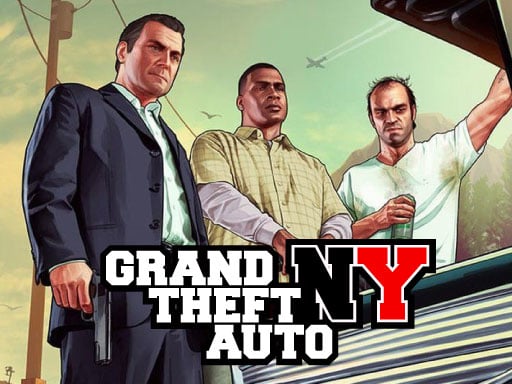
About GTA New York
GTA New York is a free 3D browser-based action game where you explore an open urban environment as a thief taking on missions across the city. Guided by directional arrows toward designated control points, players run, jump, and navigate through interactive streets while handling assignments across more than ten challenging stages.
Set against the backdrop of New York City, GTA New York provides a sprawling three-dimensional environment designed for free movement and mission-based objectives. Players assume the role of an operative handling street assignments, balancing navigation with tactical combat and movement mechanics. The core gameplay loop centers on locating objective markers indicated by directional arrows, traversing urban blocks, and completing distinct assignments across more than ten interactive levels.
The game incorporates comprehensive character controls, allowing you to walk, sprint, jump across obstacles, and interact with objects throughout the map. Weaponry and camera aiming provide shooting mechanics for handling confrontations during assignments, while an open layout gives players room to plan their route toward each active objective.
Your goal
The primary goal is to successfully navigate the city, reach every designated control point by following the on-screen directional indicators, and complete all assignments across the ten-plus available levels while managing movement and combat encounters.
How to play GTA New York
1. Start the level and observe your immediate surroundings to identify directional arrows indicating active control points.
2. Navigate urban streets using movement keys, adjusting your camera with the mouse to track mission markers and potential obstacles.
3. Use running and jumping controls when navigating long stretches or clearing street-level barriers quickly.
4. Interact with mission points or items using the interaction key upon arriving at the designated marker.
5. Engage targets when necessary by aiming with right-click and firing with left-click, reloading whenever your ammunition runs low.
6. Complete the stage objectives to progress to the next interactive level in the campaign.
Controls and device support
The game uses standard desktop keyboard and mouse inputs: WASD keys move your character, moving the mouse controls the camera view, Left Click fires weapons, Right Click aims, F interacts with objects, R reloads ammunition, Spacebar jumps, Left Control activates sprinting, and ESC opens the in-game menu.
- Controls: WASD + arrow keys
- Device support: Browser
- Game frame: 900 x 600
Rules to keep in mind
- Directional arrows guide you directly to current control points throughout the city environment.
- Players must progress through and finish over ten separate interactive levels to complete the game's mission sequence.
What makes the challenge interesting
GTA New York emphasizes spatial orientation and route planning in an urban sandbox. Success relies on balancing fast traversal with weapon readiness. While sprinting allows you to cross long city blocks rapidly toward directional markers, navigating tight corners or hostile areas requires camera awareness and steady aim. Managing reloads during active firefights and knowing when to vault over obstacles ensures continuous momentum between mission checkpoints.
Tips for GTA New York
- Track the on-screen arrow consistently while moving. Overlooking directional cues often leads to unnecessary detours through long city avenues.
- Reload your weapon between engagements using the R key. Running out of ammunition mid-fight forces costly delays when confronting targets.
- Use the sprint key across open streets to reach distant markers quickly, but slow down near corners to keep your camera centered.
- Use right-click aiming to stabilize your crosshair before shooting, avoiding wasted rounds caused by unassisted hip firing.
Stages and progression
The campaign structure features more than ten interactive levels distributed across New York City. As you advance from one stage to the next, mission objectives guide you through different urban sectors, requiring steady mastery of movement, interaction, and shooting controls across increasingly demanding assignments.
Playing on different devices
GTA New York is tailored for desktop play with standard keyboard and mouse controls. Precise camera aiming, separate sprint and jump keys, and fast reload mapping function best on a full keyboard setup with a dedicated mouse for smooth 3D navigation.
The skills behind the game
As an action title built around open-world exploration and shooting mechanics, GTA New York fits into the 3D urban mission genre. Games in this space emphasize free mobility, route orientation, and real-time response to dynamic objectives, giving players tactical freedom in how they approach each target area.
Who will enjoy this game
Players looking for an accessible gta new york game experience online can jump directly into mission-based city exploration without complex downloads. The game serves as a convenient browser action game online for casual gaming sessions focused on navigation, shooting accuracy, and structured stage progression.
Frequently asked questions
How do I find mission objectives in GTA New York? Follow the on-screen directional arrows that point toward active control points and assignment locations across the city.
How many levels are included in the game? GTA New York features over ten interactive levels that take you through various assignments across the 3D city map.
What controls are used for shooting and combat? Use right-click to aim your weapon, left-click to shoot, and press R to reload whenever your current magazine is empty.
Something not right?
Tell us if the game does not load, the information is wrong or the content needs review.
Report a problem ›