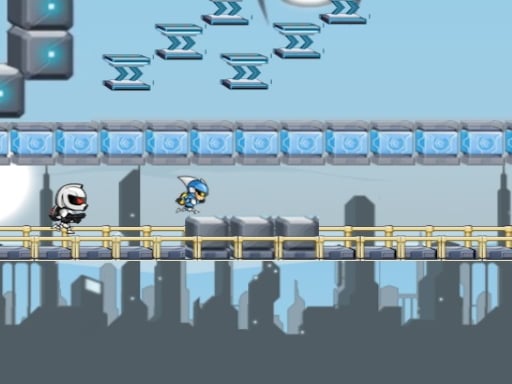
About Gravity guy html5
Gravity guy html5 is a 1 Player 2D clicker listing where the stated challenge is to watch for spikes, keep away from the bad guy, and reach the laser that completes each level across six different difficulty stages, using the stated mouse or touch input.
The listing presents Gravity guy html5 as a compact hazard-avoidance game: play in html5, watch out at spikes, keep away from the bad guy, and touch the laser at the end of a level to complete it. It is structured on 6 levels of difficulty, and every level is described as different from the others, so the appeal is learning each layout rather than repeating one fixed pattern. The category is Clicker and the tags are 1 Player and 2D, while the only stated input is mouse or finger for touch devices; the listed dimensions are 800 x 600.
Your goal
Your goal is to survive each level’s hazards and reach the end laser. Spikes must be watched for, the bad guy must be kept away from, and touching the laser finishes that level; because the game is structured on 6 levels of difficulty and every level is different, the broader target is clearing the full set.
How to play Gravity guy html5
1. Start with the stated input: mouse on desktop-style play or finger for touch devices.
2. Watch out at spikes as you move through the level.
3. Keep away from the bad guy while still tracking the spike hazards.
4. Reach and touch the laser at the end of the level to complete that level.
5. Continue through the structure of 6 difficulty levels, remembering that every level is different from the others.
Controls and device support
Mouse: Play
finger for touch devices: Play
- Controls: Mouse or touch
- Device support: Desktop + mobile
- Game frame: 800 x 600
Rules to keep in mind
- Spikes are a stated hazard, so contact with them should be avoided.
- The bad guy is a stated threat; the instruction is to keep away from it.
- A level is completed only when you touch the laser at the end of that level.
- The game is structured on 6 levels of difficulty, and every level is different from the others.
What makes the challenge interesting
The focus is hazard awareness under a simple stated input scheme rather than a complex control list. The description centers on two dangers, spikes and the bad guy, plus a clear completion trigger: the laser at the end of the level. Because the listing says the 6 difficulty levels are all different, the useful skill is adapting to each new arrangement instead of memorizing a single route. The Clicker category and 1 Player, 2D tags frame it as a solo, screen-based challenge.
Tips for Gravity guy html5
- Treat every level as a fresh layout: the source says the six difficulty levels are different, so do not assume one safe route will carry through unchanged.
- Give the bad guy a wide berth while still tracking spikes; splitting attention between both hazards is safer than staring at only the nearest threat.
- Stick to the stated mouse or finger input and keep movements deliberate; the listing does not confirm extra keys, so consistency matters more than hunting for hidden controls.
Stages and progression
Progress is framed by six levels of difficulty. Each level is different, and completion is marked by touching the laser at the end, so advancement means clearing one distinct layout and then meeting the next.
Playing on different devices
The only device guidance is the stated input: mouse or finger for touch devices. A dimension of 800 x 600 is listed, but no other screen, browser, or performance behavior is confirmed.
The skills behind the game
As a Clicker tagged 1 Player and 2D, this sits in a simple-input browser space, but the listed challenge is specific: avoid spikes and the bad guy, then touch the end laser. The six different difficulty levels give it more structure than a single repeated screen for short sessions rather than a long campaign.
Who will enjoy this game
Natural phrase matches include the exact title, gravity guy html5, the close variant gravity guy html5 game, and the broader clicker game online. They fit because the page is an html5 clicker-tagged 1 Player 2D listing about avoiding hazards and touching the level-ending laser, without treating those seeds as measured demand.
Frequently asked questions
What is the goal in Gravity guy html5? Stay clear of spikes and the bad guy while moving through each level. A level is completed when you touch the laser at the end, across six different difficulty levels.
What controls does Gravity guy html5 use? The listing only states mouse or finger for touch devices, so use that input to play. No keyboard, gamepad, extra buttons, or device-specific behavior is confirmed.
Something not right?
Tell us if the game does not load, the information is wrong or the content needs review.
Report a problem ›