Play now

Puzzles game

Favorite Puzzles: jigsaw game

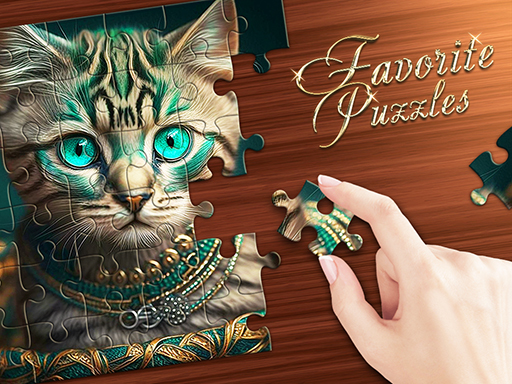
Meet Favorite Puzzles, your new favorite jigsaw puzzles! This addictive puzzle game will delight you with an endless gallery of beautiful images for every taste! Favorite Puzzles will be interesting for kids and adult, in this...

More Puzzles
PuzzlesFavorite Puzzles: jigsaw game

Choose Play now to load the game.

Open source

Official listing

Game description

Meet Favorite Puzzles, your new favorite jigsaw puzzles! This addictive puzzle game will delight you with an endless gallery of beautiful images for every taste! Favorite Puzzles will be interesting for kids and adult, in this game you can adjust the difficulty and divide the picture from 6 to 600 elements! To make jigsaw puzzles even more enjoyable and easier - you can always get a hint, include an example and display the grid! Love complexity? Then turn on the Realistic mode and solve jigsaw puzzles from pieces scattered across the field! And you can also create a puzzle from your own picture or photo!

From the game listing

Instructions and controls

On PC - Use the cursor and left mouse button to grab and move the puzzle element - Use the mouse wheel to zoom in or out and to scroll through the elements feed On mobile devices - Use your fingers to move elements and scale the screen

Watch before you play

How to play Favorite Puzzles: jigsaw game

See the official game walkthrough for the objective, controls and useful gameplay ideas.

Video guide

About Favorite Puzzles: jigsaw game

Meet Favorite Puzzles, your new favorite jigsaw puzzles! This addictive puzzle game will delight you with an endless gallery of beautiful images for every taste! Favorite Puzzles will be interesting for kids and adult, in this...

Favorite Puzzles: jigsaw game is listed in the Puzzles games collection. The listing also includes the Board, Brain, Casual, Classic, Family, and Fun tags, which help connect it with nearby game pages.

How to play Favorite Puzzles: jigsaw game

On PC - Use the cursor and left mouse button to grab and move the puzzle element - Use the mouse wheel to zoom in or out and to scroll through the elements feed On mobile devices - Use your fingers to move elements and scale the screen

Controls and device support

The listing currently identifies Desktop + mobile support, mouse or touch controls and a 800 x 600 game frame. These details come from the supplied game information and may change when the source listing is updated.

  • Controls: Mouse or touch
  • Device support: Desktop + mobile
  • Game frame: 800 x 600

Something not right?

Tell us if the game does not load, the information is wrong or the content needs review.

Report a problem