Official listing
Game description
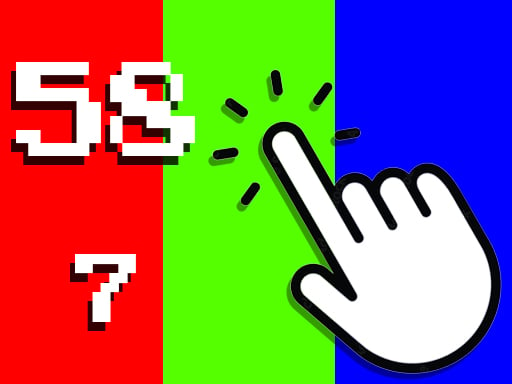
In this game, all you have to do is click on the screen or mouse. You can see your clicks per second and your total clicks. Its a very simple game.
Clicker game
Colors Clicker Game is a straightforward browser game centered entirely on manual input speed and tracking. Players interact with the screen using a mouse or touchscreen to register taps, monitoring both their ongoing total click count and their live clicks per second. It offers a clean, distraction-free environment for measuring tapping rhythm, testing click frequency, or simply enjoying basic repetitive tapping.
Choose Play now to load the game.
Official listing
In this game, all you have to do is click on the screen or mouse. You can see your clicks per second and your total clicks. Its a very simple game.
From the game listing
All you have to do is click touch on the screen
Open this card to load the gameplay video.
Colors Clicker Game is a straightforward browser game centered entirely on manual input speed and tracking. Players interact with the screen using a mouse or touchscreen to register taps, monitoring both their ongoing total click count and their live clicks per second. It offers a clean, distraction-free environment for measuring tapping rhythm, testing click frequency, or simply enjoying basic repetitive tapping.
At its core, Colors Clicker Game presents a minimalist setup designed around pure tapping mechanics. Rather than overwhelming players with complex storylines or intricate menus, the game immediately focuses on direct user action. You interact by tapping the screen or pressing the mouse button repeatedly, with every input contributing to your running metrics.
As you interact, the interface displays two primary data points: your overall accumulated clicks and your current clicks per second rate. This immediate visual feedback turns a simple action into a clear personal challenge. Players can use the display to observe how quickly their rate rises during intense bursts or how steady their cadence remains over longer tapping sessions.
The primary objective in Colors Clicker Game is to generate input volume and monitor your tapping efficiency. Whether your aim is to achieve a higher clicks per second rate during rapid tapping bursts or build an impressive total tally over extended play, your goal is driven by personal pacing and endurance rather than clearing fixed story barriers.
1. Load Colors Clicker Game in your web browser on your preferred desktop or mobile device.
2. Position your cursor or finger over the main interactive screen area.
3. Click your mouse button or tap the touchscreen repeatedly to register input counts.
4. Observe your live clicks per second metric to gauge your current tapping speed.
5. Continue tapping to steadily raise your overall total clicks count over time.
To play on desktop or mobile, simply click your mouse or touch the screen to register inputs.
The central appeal of Colors Clicker Game lies in exploring physical rhythm, burst speed, and endurance. Without complex management layers, the gameplay highlights the contrast between sprinting for a high clicks per second metric and maintaining a moderate, sustainable tempo to build total counts. Sprinting demands rapid muscular twitching that can tire fingers quickly, while steady tapping preserves stamina. Finding your optimal balance makes for engaging casual practice.
The game is configured with a portrait orientation of 600 by 1024 pixels, making it naturally suited for mobile screens while remaining easily playable on desktop displays. On mobile devices, direct screen tapping allows for swift index finger or thumb inputs. Desktop players using a physical mouse can leverage stable grip positioning for consistent clicking rhythms.
Clicker games provide an accessible corner of casual gaming where input simplicity meets immediate numerical feedback. In this genre, direct interaction is the core mechanic, allowing players to jump straight into the action without navigating complex rules. By stripping away extraneous systems, minimalist clickers highlight the pure tactile rhythm of tapping and personal performance measurement.
Players looking for a quick clicker game online often seek responsive, low-friction experiences that test their clicking speed or offer a relaxing way to pass time. Colors Clicker Game fits casual practice routines, whether you are warming up your clicking finger before competitive PC gaming, testing mouse switch responsiveness, or seeing how high you can push your clicks per second rate in short sessions.
Cookie Clicker: Cookie Clicker focuses heavily on accumulating resources to purchase automated production buildings and compounding upgrades. In contrast, Colors Clicker Game strips away complex economy management to focus strictly on direct manual clicking, total counts, and live clicks per second tracking. It suits players wanting pure speed testing over deep incremental progression.
What metrics does Colors Clicker Game display? The game displays two main live metrics: your total accumulated clicks and your current clicks per second, allowing you to track both overall progress and instantaneous tapping speed.
Can I play Colors Clicker Game on both desktop and mobile devices? Yes, you can play on desktop using mouse clicks or on mobile devices by tapping directly on the touchscreen.
Are there penalties or game-over conditions in Colors Clicker Game? No penalties or fail states are documented. The game serves as a simple, continuous counter where you can tap at your own leisure.
Tell us if the game does not load, the information is wrong or the content needs review.
Report a problemExplore popular games by category, shared tags and site-wide activity.




















