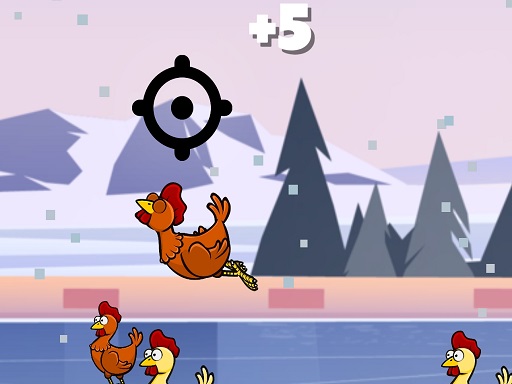
About Chicken Shooting 2D
Chicken Shooting 2D is a straightforward 2D arcade shooting game where players test their precision against flying targets. Control your aiming crosshair across the screen using the arrow keys, fire at incoming chickens with the spacebar to earn points, and press R to reload your weapon whenever you run out of bullets.
Built with WebGL and Unity3D technology, Chicken Shooting 2D brings classic arcade target-shooting action directly to your desktop browser. The gameplay challenges you to track 2D chickens as they fly through the air, testing your hand-eye coordination and reaction speed.
Players maneuver an aiming point around the 800 by 600 playfield using keyboard arrows. Every accurate shot scores points toward achieving your best possible record. Since ammunition is limited, managing your magazine and timing your reloads with the R key is essential to maintain a continuous stream of fire against moving targets.
Your goal
The primary objective in Chicken Shooting 2D is to shoot down flying chickens to gain points and achieve the highest score possible. Success requires continuously maneuvering your crosshair toward moving airborne targets, firing with precision using the spacebar, and managing your ammunition by reloading promptly with the R key whenever your supply of bullets runs out.
How to play Chicken Shooting 2D
1. Navigate your aiming crosshair across the 2D screen using the keyboard arrow keys.
2. Track flying chickens as they move across the display area.
3. Press the Space key to fire a bullet directly at the targeted chicken to score points.
4. Monitor your ammunition and press R to reload whenever you run out of bullets.
5. Continue shooting flying targets to increase your total score and achieve the best record.
Controls and device support
Arrow Keys: Move crosshair point
Space: Shoot
R: Reload bullets
- Controls: Keyboard
- Device support: Browser
- Game frame: 800 x 600
Rules to keep in mind
- Players use the keyboard arrow keys to guide the crosshair onto flying 2D chicken targets.
- Firing a shot with the spacebar at a flying chicken awards points toward your overall score.
- When the weapon runs out of bullets, the player must press R to reload before firing again.
What makes the challenge interesting
Gameplay in Chicken Shooting 2D centers on rapid target acquisition and steady keyboard coordination. Because targets fly across the 2D space, players must anticipate movement and swiftly position the crosshair using directional keys. The rhythm of play alternates between aiming, firing with the spacebar, and recognizing empty bullet counts. Successfully maintaining a high scoring pace demands quick reflexes, as hesitation gives targets time to pass. Developing a habit of reloading with the R key during brief lulls in chicken activity ensures you never get caught with an empty chamber.
Tips for Chicken Shooting 2D
- Lead your shots slightly ahead of moving chickens so your crosshair aligns cleanly with their flight path before pressing Space.
- Reload proactively with R during brief moments when no chickens are directly in your line of fire to avoid empty clips.
- Keep your fingers positioned comfortably across the Arrow keys, Space, and R key to react immediately without looking down at the keyboard.
The skills behind the game
As an arcade shooting title, Chicken Shooting 2D embraces the classic tradition of skill-based target practice. In the arcade genre, the focus is placed on direct reflexes, rapid reaction times, and straightforward scoring mechanics rather than elaborate storylines. By challenging players to aim quickly at moving targets and manage basic ammo reloading, the game delivers an accessible test of precision suitable for quick, repeatable browser-based gaming sessions.
Who will enjoy this game
Players searching for a chicken shooting 2d game or an engaging arcade game online will appreciate the focused mechanics of Chicken Shooting 2D. The title centers on fundamental target-shooting action, allowing players to practice precise crosshair movement, timed shooting, and prompt reloading directly through simple keyboard inputs in their browser.
Frequently asked questions
How do you control your aim and fire in Chicken Shooting 2D? Use the keyboard arrow keys to move your aiming crosshair across the screen, then press the spacebar to shoot at flying chickens to earn points.
What should you do when you run out of bullets? Whenever your ammunition is depleted, press the R key on your keyboard to promptly reload your weapon and continue shooting at flying chickens for points.
Can Chicken Shooting 2D be played directly in a web browser? Yes, Chicken Shooting 2D runs directly in standard desktop web browsers using Unity3D and WebGL technology, requiring standard keyboard inputs to aim, fire, and reload.
Something not right?
Tell us if the game does not load, the information is wrong or the content needs review.
Report a problem ›