About Cat Robot Transform War
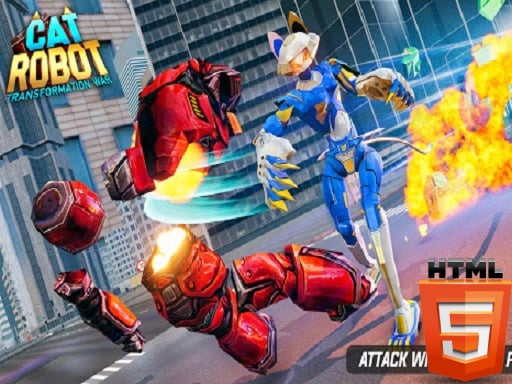
Cat Robot Transform War puts players in control of a versatile mechanical warrior capable of shifting instantly between a bipedal cat robot and a high-speed vehicle. Set amidst an urban conflict, the challenge centers on navigating city sectors, engaging hostile adversaries, and utilizing transforming mechanics alongside shooting, jumping, and punching abilities to survive intense robotic skirmishes.
In Cat Robot Transform War, players step into a 3D city environment overrun by opposing robot forces. The core gameplay loop blends open-area exploration with dynamic combat, requiring you to locate adversaries, position yourself effectively, and unleash firepower or close-range strikes. The defining feature is the dual-form system: you can patrol streets and reposition rapidly as a car, then transform back into a robotic cat to unleash ranged blaster fire or melee attacks.
Engagements demand tactical flexibility. Shifting to vehicle mode provides rapid transit between combat encounters across the urban map, while switching into the cat robot form enables precise aiming with the right mouse button and direct shooting with the left mouse button. With additional capabilities such as jumping and punching, encounters reward quick adaptation to threats at varied distances.
Your goal
The primary objective is to clear city sectors of opposing combatants by mastering form-switching mechanics and combat maneuvers. Players strive to eliminate hostile units efficiently, maintain situational awareness across open streets, and switch between high-speed vehicle navigation and grounded robot shooting to neutralize threats without being overwhelmed by incoming fire.
How to play Cat Robot Transform War
1. Launch the game and press Tab on desktop to open the in-game menu and review settings.
2. Use the WASD keys or on-screen mobile directional controls to navigate through the urban map.
3. Press the F key to transform between the cat robot combat form and the high-speed car form.
4. Locate opposing enemy units across the streets while maneuvering in vehicle or robot mode.
5. Hold the right mouse button to aim and click the left mouse button to shoot at distant targets.
6. Engage close-range targets with punching attacks and use jumping to adjust firing angles.
7. Defeat the remaining adversaries in the area to secure the zone and advance.
Controls and device support
On desktop, use WASD to move, left mouse button to shoot, right mouse button to aim, F to toggle transformation between car and cat robot forms, and TAB to open the menu. On mobile devices, use the dedicated on-screen touch buttons for movement, actions, and driving.
- Controls: Mouse or touch
- Device support: Desktop + mobile
- Game frame: 800 x 600
What makes the challenge interesting
The heart of Cat Robot Transform War lies in mastering the tactical transition between vehicle mobility and robotic firepower. Driving as a car allows you to reposition rapidly across wide boulevards, close gaps on distant enemies, or disengage when facing heavy resistance. However, car mode trades away precise aiming and jumping capabilities.
Transforming back into the cat robot re-enables full combat capabilities, including aiming down sights, firing blasters, jumping, and delivering melee punches. Success hinges on recognizing when to stay mobile in car mode to avoid crossfire and when to lock into robot stance to deliver decisive offensive strikes.
Tips for Cat Robot Transform War
- Switch to car mode to travel between combat zones quickly instead of slowly walking across long street stretches, saving valuable time.
- Use the right-click aim feature before firing ranged shots to line up accurate hits on distant adversaries rather than firing wildly from the hip.
- Incorporate jumping into your movement during firefights to make your robot a harder target and gain a clearer sightline over obstacles.
- Deploy punching attacks when enemies draw too close, reserving ranged ammunition or cooldowns while quickly pushing back nearby threats.
- Check the in-game menu by pressing Tab whenever you need to adjust controls or view settings before heading into heavier firefights.
Stages and progression
As you clear adversaries across the city, encounters test your ability to respond to hostile forces spread throughout the urban environment. While specific wave numbers and unlock systems are not formally documented, player progression focuses on honing transformation timing, improving aiming accuracy under fire, and seamlessly integrating melee strikes with vehicle maneuvers.
Playing on different devices
Cat Robot Transform War supports both PC and mobile browser platforms. PC players benefit from tactile keyboard navigation with WASD and responsive mouse aiming, while touchscreen devices utilize specialized on-screen buttons to control movement, driving, and combat actions.
The skills behind the game
Sitting at the intersection of 3D shooting games, driving simulators, and mecha action titles, Cat Robot Transform War offers a hybrid experience. It combines the pacing of vehicular traversal with third-person action combat, providing arcade-style enjoyment for players who appreciate transforming mechs and urban combat scenarios.
Who will enjoy this game
Players looking for a fun cat robot transform war game or an accessible 3D shooting game online can jump into fast combat sessions without lengthy setup. The title serves as an entertaining casual action game for practicing target tracking, fast reflexes, and tactical movement across open city streets.
Frequently asked questions
How do you switch between car and cat robot forms? On PC, press the F key to instantly switch between the cat robot and car forms. On mobile devices, tap the corresponding on-screen transformation button.
What combat abilities does the cat robot have? The cat robot form can aim and shoot ranged attacks, deliver melee punches at close range, and jump to navigate terrain or dodge hostile fire.
Can you play Cat Robot Transform War on mobile browsers? Yes, the game runs on mobile browsers with dedicated on-screen interface buttons for driving, moving, aiming, and combat interactions.
Something not right?
Tell us if the game does not load, the information is wrong or the content needs review.
Report a problem ›