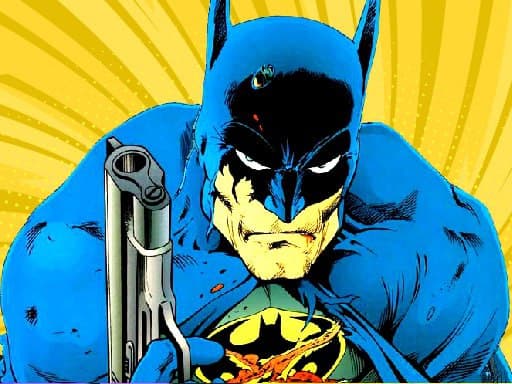
About Batman Commander
Batman Commander is an action shooting game where aliens have taken over a village and Batman steps in to help the locals. You support his fight by using the on-screen button, watching alien shapes, spending bullets sensibly and using special functions such as freezing or accelerating.
The source describes Batman Commander as an attractive action game for players who like to fight. Aliens have overrun a village, destroyed streets and trees, burned houses and driven away or killed inhabitants. Batman decides to carry a gun and help the locals by killing the aliens. Because the aliens have different shapes, the player is asked to observe carefully, use bullets in a reasonable way and take full advantage of special functions such as freezing or accelerating.
Your goal
Your goal is to help Batman fight the aliens that have seized the village and destroy them in the best way possible. The description emphasizes careful observation, reasonable bullet use and making the most of special functions like freezing or accelerating rather than rushing shots blindly.
How to play Batman Commander
1. Start the game and use the button on screen, as stated in the supplied instructions.
2. Follow the setup: aliens have taken over a village, and Batman carries a gun to help the locals.
3. Observe the aliens carefully because they have different shapes, so Batman needs to be careful in his actions.
4. Use bullets in a reasonable way to destroy the aliens in the best way.
5. Take full advantage of special functions such as freezing or accelerating when they help the fight.
Controls and device support
Use button on screen
- Controls: See in-game controls
- Device support: Browser
- Game frame: 1920 x 1080
Rules to keep in mind
- Aliens have different shapes, so careful observation is part of safe play rather than a cosmetic detail.
- Bullets should be used in a reasonable way; the source frames ammo use as part of destroying aliens efficiently.
- Special functions such as freezing or accelerating are meant to be used to full advantage during the alien fight.
What makes the challenge interesting
The playable focus is a superhero shooting scenario: Batman responds to an alien takeover in a damaged village and the player helps him fight. The description points to a loop of observing varied alien shapes, choosing sensible bullet use and triggering helpful special functions like freezing or accelerating. It stays arcade-like in tone, with action and shooting tags supporting that context.
Tips for Batman Commander
- Before firing, scan each alien’s shape and movement so your shots match the target instead of wasting bullets.
- Treat bullets as a resource: the description specifically says to use them reasonably to destroy aliens in the best way.
- Save freezing or accelerating for moments when they clearly improve safety or help Batman handle dangerous aliens.
The skills behind the game
Batman Commander sits in the Shooting category, with tags pointing to action, arcade, shooter and Batman-themed play. That context suggests quick combat decisions and straightforward enemy encounters rather than simulation detail, while the supplied description keeps the focus on helping Batman clear aliens from a village.
Who will enjoy this game
Natural phrase context for this page includes the exact title, “Batman Commander,” plus broader wording such as “Batman Commander game” and “shooting game online.” These are treated only as unverified seed phrases, not measured demand, and they fit because the source combines a Batman title with shooting action.
Games with a similar feel
DOOM: DOOM shares the broad idea of aiming through enemy encounters and combat pressure, but it is a first-person action series. Batman Commander is described as a village-defense shooting game using an on-screen button and special functions like freezing or accelerating.
Frequently asked questions
What is Batman Commander? Batman Commander is described as an action shooting game where aliens take over a village and Batman carries a gun to help the locals by destroying the invaders.
How do you control Batman Commander? The only supplied instruction is to use the button on screen. No specific keyboard, mouse, touch layout or extra control scheme is stated in the source.
What should players watch for while playing? Watch the different alien shapes, use bullets reasonably and make full use of special functions such as freezing or accelerating to destroy aliens effectively.
Something not right?
Tell us if the game does not load, the information is wrong or the content needs review.
Report a problem ›