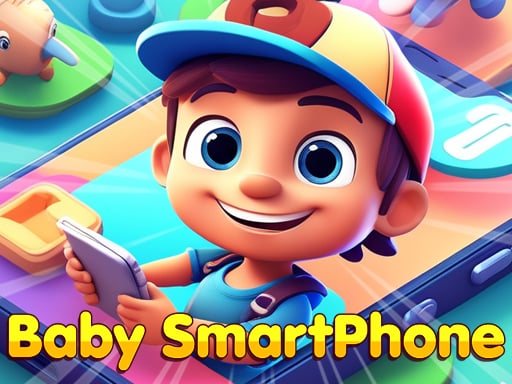
About Baby Smartphone
Baby Smartphone is a colorful, interactive browser game designed to introduce young learners to numbers, cheerful visuals, and sing-along nursery rhymes. Built with straightforward touch and click interactions, the game provides a gentle digital environment where children can freely explore sound and visual associations at their own pace.
Designed as a playful virtual toy phone, Baby Smartphone presents an inviting screen packed with bright buttons, friendly animal imagery, and cheerful melodies. The core experience encourages little ones to press on-screen elements to hear classic rhymes, discover basic numbers, and observe how their inputs trigger audio-visual feedback.
Because the activity is framed around casual discovery rather than rigid scoring or time limits, children can interact without pressure. Every click or tap produces immediate audio and visual responses, helping young minds connect on-screen actions with corresponding sounds and classic tunes.
Your goal
The primary aim in Baby Smartphone is open-ended sensory engagement and early learning practice. Children are encouraged to explore the phone's keypad, listen to classic rhymes, recognize numbers, and strengthen memory skills through active visual and acoustic association.
How to play Baby Smartphone
1. Launch the game in any modern desktop or mobile browser window.
2. Look at the colorful layout resembling a toy smartphone keypad.
3. Click or tap on individual number keys and animal icons to trigger sounds and nursery rhymes.
4. Listen to the tunes and sing along with classic melodies as each button responds.
5. Freely experiment by tapping different icons to discover new musical and visual reactions.
Controls and device support
Operate the toy phone by clicking with a mouse on desktop or tapping directly on touchscreens.
- Controls: Mouse or touch
- Device support: Desktop + mobile
- Game frame: 600 x 1024
What makes the challenge interesting
The central appeal of Baby Smartphone lies in its immediate cause-and-effect interaction. For toddlers and young children, understanding that a physical press produces a distinct sound or animated reaction is a key developmental milestone. The interface minimizes friction by responding directly to basic tapping inputs, allowing youngsters to guide their own playtime without complex menus or reading requirements.
By integrating familiar rhymes alongside number prompts, the experience blends entertainment with gentle auditory memory training. Parents and caregivers can participate alongside the child, repeating numbers aloud or singing along to reinforce speech patterns and recognition skills in a relaxed setting.
Tips for Baby Smartphone
- Sing along together with the classic nursery rhymes to help young learners connect spoken words with the on-screen melodies.
- Encourage the child to point out specific numbers before tapping them to reinforce early numerical recognition.
- Adjust device audio to a comfortable volume level beforehand so the musical cues remain pleasant throughout extended sessions.
- Allow unstructured exploration rather than directing every tap, giving toddlers time to observe how their actions trigger distinct sounds.
Playing on different devices
Baby Smartphone is formatted in a vertical 600 by 1024 resolution, mirroring the upright orientation of a handheld mobile phone. This aspect ratio makes it particularly intuitive on smartphones and tablets, where children can tap directly on the virtual buttons.
When played on a desktop or laptop browser, children can use standard left mouse clicks to engage with the interface, offering early practice with mouse coordination and cursor positioning.
The skills behind the game
While categorized broadly as a clicker due to its straightforward single-input design, Baby Smartphone functions primarily as an educational casual title tailored for early childhood entertainment. Rather than focusing on resource accumulation or rapid tapping records typical of conventional idle clickers, the game channels simple click-and-tap mechanics into interactive sensory exploration.
Family-oriented learning titles in this space emphasize cheerful audio cues, recognizable numbers, and colorful animal themes to keep early learners entertained while fostering basic digital familiarity.
Who will enjoy this game
Families seeking an engaging baby smartphone game often look for lighthearted digital experiences that combine easy navigation with wholesome educational themes. A simple clicker game online format allows toddlers to engage safely within a web browser without complex setup requirements.
By offering immediate auditory feedback and colorful animations, Baby Smartphone provides a gentle introduction to browser play, making it a handy companion for casual learning sessions at home or on the go.
Frequently asked questions
What is Baby Smartphone? Baby Smartphone is an educational browser game styled after a toy phone, featuring interactive buttons that trigger numbers, bright images, and classic nursery rhymes.
How do you control the game? You play by clicking with a mouse on computer screens or tapping directly on virtual keys when using a touchscreen device.
Does Baby Smartphone have time limits or scoring? No strict timers or scoreboards are documented in the game, allowing toddlers to explore musical sounds and numbers freely without pressure.
Something not right?
Tell us if the game does not load, the information is wrong or the content needs review.
Report a problem ›