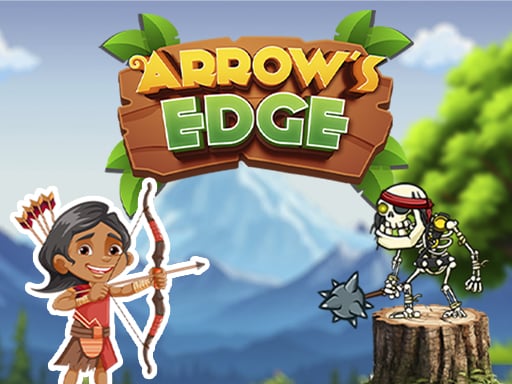
About Arrows Edge
Arrows Edge is a casual 2D archery shooting game where players take on the role of an archer tasked with clearing incoming skeleton targets. Stepping into a challenge issued by your trainer, you must line up bow shots carefully to take down enemies while ensuring your own arrows never ricochet or fly off in a way that harms your character.
In Arrows Edge, the adventure begins as an archer accepts an intense challenge from their trainer to eliminate skeletal foes across active target-shooting quests. Rendered in a clean 2D visual style, the core gameplay loop centers on reading the screen layout, finding clean angles of fire, and releasing arrows toward skeleton enemies.
Every release requires attentiveness because poorly aimed shots present a real hazard. If an arrow ends up striking your own archer, the run ends immediately in a game over. This risk-reward dynamic transforms a standard casual archery exercise into a deliberate exercise in angle calculation, steady pacing, and careful screen management.
Your goal
The primary goal is to successfully shoot all target skeletons across your assigned quests while keeping your archer completely safe from self-inflicted arrow hits. Players strive to maintain clean shot trajectories, eliminate targets cleanly on each attempt, and complete trainer challenges without triggering a sudden game over.
How to play Arrows Edge
1. Start the challenge to view the current layout containing your archer and the target skeletons positioned on screen.
2. Assess the flight path between your bow and the skeleton targets, taking note of any potential bounce angles or hazards.
3. Use the mouse to aim and click on PC, or tap and aim on your mobile touchscreen to set your shot vector.
4. Release your arrow toward the skeletons, confirming your angle will not reflect back to hit your archer.
5. Eliminate all required skeleton targets to advance through trainer quest challenges.
Controls and device support
On PC, use the mouse left-click to aim and shoot. On mobile devices, use on-screen touch and tap gestures to direct and release your arrows.
- Controls: Keyboard
- Device support: Desktop + mobile
- Game frame: 1280 x 720
Rules to keep in mind
- Direct hits against skeletons are required to neutralize enemy targets and progress through the trainer's quest challenges.
- Arrows that rebound or travel on paths that harm the player character result in an immediate game over.
What makes the challenge interesting
Arrows Edge focuses heavily on trajectory discipline and spatial risk assessment. Unlike target shooters where missing simply wastes an attempt, here errant releases can actively rebound or strike your character, resulting in a sudden round failure. This forces players to slow down, visually trace the complete line of flight, and choose safe angles over rushed attacks.
The casual 2D structure delivers quick session loops where consistent precision and deliberate mouse or touch positioning determine success across distinct skeleton combat encounters.
Tips for Arrows Edge
- Trace the return path before firing. Always check where an arrow might deflect so you avoid self-inflicted damage and unnecessary round resets.
- Prioritize high-threat or close-range skeletons first. Neutralizing nearby targets creates wider safe angles for targeting distant enemies across the screen.
- Keep your aim steady on touchscreens. Rushed swipes can misalign your bow at release, sending arrows off course into dangerous territory.
- Adopt a calm, one-shot-at-a-time tempo rather than rapid spamming. Controlled shots preserve clean sightlines and keep your archer secure.
Stages and progression
Progression in Arrows Edge centers on fulfilling trainer challenges and completing sequential skeleton-hunting quests. As you solve each enemy configuration, focus on refining your visual angle prediction and reducing wasted shots. Players can structure their personal improvement by tracking how reliably they clear targets on their initial attempt without putting their archer in harm's way.
Playing on different devices
Arrows Edge is built to run smoothly in standard 16:9 widescreen formats (1280x720) across both desktop browsers and mobile touch displays. On PC, mouse control offers pinpoint micro-adjustments for fine aiming angles. On Android and other touchscreen devices, intuitive touch and tap controls allow quick target acquisition while maintaining responsive browser performance.
The skills behind the game
Classified within casual and hypercasual shooting games, 2D archery titles emphasize intuitive physics puzzles and straightforward aiming mechanics. Players who appreciate quick, physics-influenced shooting challenges enjoy the immediate feedback loop of adjusting bow angles and calculating projectile arcs.
By adding friendly fire danger into standard skeleton target challenges, the game provides a balanced blend of casual accessibility and calculated precision.
Who will enjoy this game
Players looking for an engaging casual archery session can jump straight into the Arrows Edge game directly in a web browser without complicated setup. The streamlined touch and mouse mechanics make it an ideal pick for short practice breaks focused on trajectory planning and archery precision.
Frequently asked questions
What happens if an arrow hits your own character? If an arrow harms your archer during a shot attempt, the run ends immediately in a game over, requiring you to restart the challenge.
How do you control bow aiming on desktop and mobile? On desktop computers, use the mouse left-click to aim and fire. On mobile phones and tablets, tap and hold on the screen to adjust aim and release to shoot.
What is the main objective in Arrows Edge? The main objective is to complete quests by shooting all target skeletons while carefully guiding your arrow trajectories to avoid damaging yourself.
Something not right?
Tell us if the game does not load, the information is wrong or the content needs review.
Report a problem ›