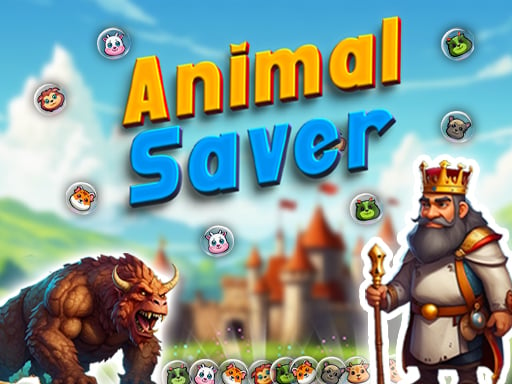
About Animal Saver
Animal Saver is a 2D casual bubble shooter where players aim, match, and pop vibrant animal bubbles to solve puzzles. Designed with straightforward controls for both desktop and mobile browsers, the game centers on lining up shots to clear clusters of colourful balls. Whether you have a few spare minutes or want a relaxing matching session, it delivers classic bubble-popping entertainment across family-friendly puzzle layouts.
Animal Saver places players into a bright, colorful world filled with animal-themed bubbles waiting to be matched and popped. The primary loop revolves around lining up your projectile bubble with corresponding colors on the board, releasing your shot, and clearing clusters as efficiently as possible. Because the core mechanics are simple to pick up, players of all skill levels can dive right in without navigating complicated menus or steep learning curves.
The experience balances calm, casual pacing with the gentle challenge of puzzle solving. Success depends on reading the layout of the bubble field, identifying connected groups, and picking trajectories that open up the board. With its lightweight format and smooth visual presentation, the game provides a responsive environment suitable for short breaks or extended casual puzzle sessions.
Your goal
The goal in Animal Saver is to aim, match, and pop colourful animal bubbles across various puzzle configurations. Players strive to clear matching targets effectively by choosing smart shot angles, breaking up clustered formations, and working through the puzzles presented on screen.
How to play Animal Saver
1. Look at the current bubble ready to shoot and examine the matching animal colors on the board.
2. On a computer, click and hold the left mouse button to adjust your aiming trajectory toward a matching target.
3. On a touchscreen, press and drag your finger across the display to aim precisely where you want the bubble to travel.
4. Release the mouse button or lift your finger to launch the bubble and smash the matching cluster.
5. Continue targeting adjacent color groups to clear remaining bubbles and advance through the puzzles.
Controls and device support
According to the official instructions, desktop players hold the mouse click to aim and release to launch, while mobile and touchscreen players touch and hold to aim, then release to shoot.
- Controls: Mouse or touch
- Device support: Desktop + mobile
- Game frame: 720 x 1280
What makes the challenge interesting
The core skill in Animal Saver lies in visual planning and shot alignment. Players must constantly evaluate trade-offs: shooting directly at an immediate, easy match versus taking a narrower angle that might dismantle an overarching cluster. Maintaining a steady aiming hand before releasing ensures your projectile reaches the desired pocket rather than sticking to an unintended blocker bubble.
Because the game combines relaxing visual themes with puzzle-solving elements, it rewards deliberate observation over rushed inputs. Taking an extra moment to verify your bounce path or target angle helps preserve clean lanes to higher bubbles on the board.
Tips for Animal Saver
- Take time during your hold to verify the trajectory before releasing, avoiding rushed shots that land on the wrong animal bubble and block future paths.
- Look for matches higher up on the board. Dislodging anchor points can help clear lower bubbles attached below them in fewer total moves.
- Try to keep central lanes clear of rogue, unmatched bubbles so you maintain open shooting angles toward tricky side pockets.
- If an immediate match is not directly accessible, consider aiming for boundary rebounds or peripheral clusters to prepare cleaner setups for subsequent turns.
Playing on different devices
Animal Saver runs directly in modern desktop and mobile web browsers with a native portrait resolution of 720 x 1280. On mobile devices, holding and releasing your touch provides intuitive single-finger aiming. Desktop users can achieve identical precision using a standard mouse by holding the left click to trace the line of fire and letting go to release.
The skills behind the game
Within the casual shooting and puzzle categories, bubble shooters hold a distinct space that emphasizes color recognition, trajectory alignment, and pattern matching rather than fast-paced reflex combat. Players who enjoy relaxing puzzle formats appreciate the methodical rhythm of assessing the board, lining up angles, and clearing clusters at their own pace.
Who will enjoy this game
Players searching for an accessible bubble puzzle game or a casual online shooting title often look for intuitive mechanics that require no complex setup. Animal Saver serves as an easy pick-up-and-play matching title, making it well-suited for brief casual gaming sessions, family entertainment, and light strategic practice.
Games with a similar feel
Puzzle Bobble: Like Puzzle Bobble, Animal Saver relies on launching colored bubbles toward matching overhead clusters. While Puzzle Bobble established the classic arcade timing and dense competitive puzzle formulas, Animal Saver offers a streamlined, browser-based casual matching experience with animal-themed visuals.
Bubble Witch 3 Saga: Similar to Bubble Witch 3 Saga, Animal Saver revolves around aiming and popping vibrant bubbles to clear puzzle boards. However, Animal Saver focuses on quick, lightweight web play without requiring extensive downloads or external app installations.
Frequently asked questions
How do you aim and shoot in Animal Saver? On desktop, hold down the mouse button to align your shot and release to fire. On touchscreens, press and drag your finger to aim, then lift your finger to launch the bubble.
Can I play Animal Saver on mobile devices? Yes, the game is built to run on mobile browsers with a portrait layout and responsive touch-and-release mechanics.
What kind of game is Animal Saver? Animal Saver is a casual 2D bubble shooter puzzle game centered on matching and popping colorful animal-themed balls across various puzzle stages.
Something not right?
Tell us if the game does not load, the information is wrong or the content needs review.
Report a problem ›