Play now

Shooting game

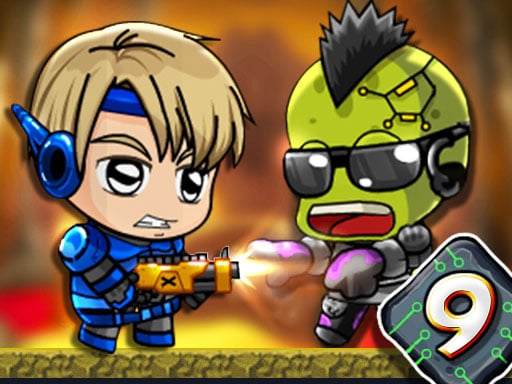
Zombie Mission 9

Zombie Mission starts with episode 9 in the underground city. After the human cities in the world were damaged, life began in the underground cities. But the zombies discovered the underground cities and took some hostages. You...

More Shooting
ShootingZombie Mission 9

Choose Play now to load the game.

Open source

Official listing

Game description

Zombie Mission starts with episode 9 in the underground city. After the human cities in the world were damaged, life began in the underground cities. But the zombies discovered the underground cities and took some hostages. You must use the necessary weapons and vehicles to save them. Also, do not forget to collect the objects in the levels. At the end of the game, 3 different BOSS! will be waiting for you. So don't forget to improve your weapons, life and robot from the MARKET section! (You can do it with the coins you earn between levels.) Characters can jump on walls.

From the game listing

Instructions and controls

Player 1 Move W A S D Hit F Grenade G Jump W Walk on the wall Switch weapon Q-E Player 2 Move ARROW KEYS Hit L Grenade K Jump UP ARROW KEY Walk on the wall Switch weapon O-P Yo

Watch before you play

How to play Zombie Mission 9

See the official game walkthrough for the objective, controls and useful gameplay ideas.

Video guide

About Zombie Mission 9

Zombie Mission starts with episode 9 in the underground city. After the human cities in the world were damaged, life began in the underground cities. But the zombies discovered the underground cities and took some hostages. You...

Zombie Mission 9 is listed in the Shooting games collection. The listing also includes the 2 Player, Adventure, Best, Defense, Shoot 'Em Up, and Undead tags, which help connect it with nearby game pages.

How to play Zombie Mission 9

Player 1 Move W A S D Hit F Grenade G Jump W Walk on the wall Switch weapon Q-E Player 2 Move ARROW KEYS Hit L Grenade K Jump UP ARROW KEY Walk on the wall Switch weapon O-P Yo

Controls and device support

The listing currently identifies Browser support, keyboard controls and a 800 x 600 game frame. These details come from the supplied game information and may change when the source listing is updated.

  • Controls: Keyboard
  • Device support: Browser
  • Game frame: 800 x 600

Something not right?

Tell us if the game does not load, the information is wrong or the content needs review.

Report a problem